
 New AI features are available
Looking for a solid DVDFab alternative? You are in the right place.
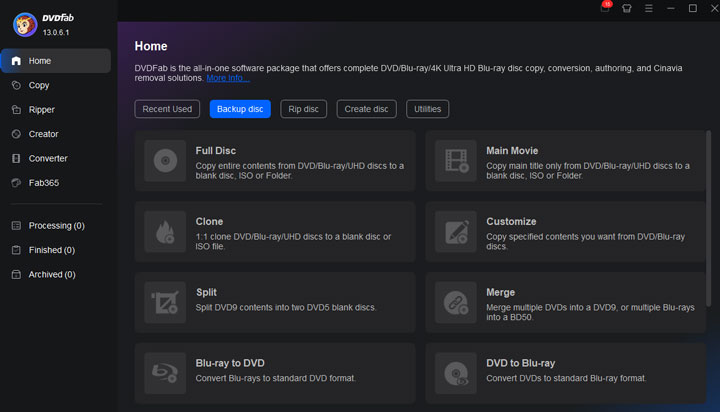
DVDFab has long been a go-to tool for people who want to back up, rip, or convert their DVD and Blu-ray collections. But it isn't always the best fit for everyone.
Maybe the price of the full package feels high. Maybe you only need one specific job done well. Or maybe you simply prefer a free tool, a lighter program, or something that works better with your current workflow. Whatever the reason, plenty of people search for alternatives to DVDFab every day.
In this guide, we'll look at some strong DVDFab alternatives that cover different needs. Each one solves real problems while using DVDFab.
What Is DVDFab
For those not yet familiar with DVDFab: it is a software suite designed for handling physical discs. Its core features include copying DVD and Blu-rays, ripping them into digital files, removing common copy protection, and creating new discs from video files.
On the other hand, users might look for alternatives due to its high price, frame drops, stuttering video, and degraded encodes during the process.
1. VideoProc Converter AI
If you want a single program that rips discs, converts files quickly, and adds modern AI tools, VideoProc Converter AI is worth a close look. It combines DVD handling, format conversion, basic editing, and AI enhancement in one interface. Many people who find DVDFab's modular pricing high turn here for a more complete paid package at a lower entry cost.
VideoProc Converter AI handles most DVD copy protections and supports multiple ways to save the content. You can make a 1:1 full disc backup, extract the main movie, or convert straight to digital files. Output options include MP4, MKV, HEVC, and many other formats plus device presets.
In addition, this tool uses Level-3 hardware acceleration with NVIDIA, Intel, AMD, and Apple Silicon GPUs. That helps it finish DVD rips and conversions faster than many pure software solutions. You also get AI tools that can improve older or lower-quality video, something most basic DVD rippers skip. The interface stays simple. You select the titles and tracks you want, pick a destination folder, and start the process.


Pros:
- All-in-one: solid DVD ripping, AI tools, conversion and compression, hardware acceleration.
- It offers multiple modes: 1:1 full disc backup, main movie extraction, format conversion, etc.
- The software delivers consistent and customizable encoding quality for output files.
- The lifetime license is even more affordable than buying several DVDFab modules.
- The interface is easy for novices while still offering enough control for regular users.
Cons:
- It lacks support for Linux systems and Blu-ray discs.
- The free trial has output limits, so longer tests require a purchase.
- AI enhancement quality also depends on the original source and your hardware.
Who It's Best For: VideoProc Converter AI fits best if you want one paid program that covers ripping, conversion, quick editing, and quality improvement. It works especially well for DVD-focused users who also value speed and modern AI features.
2. MakeMKV
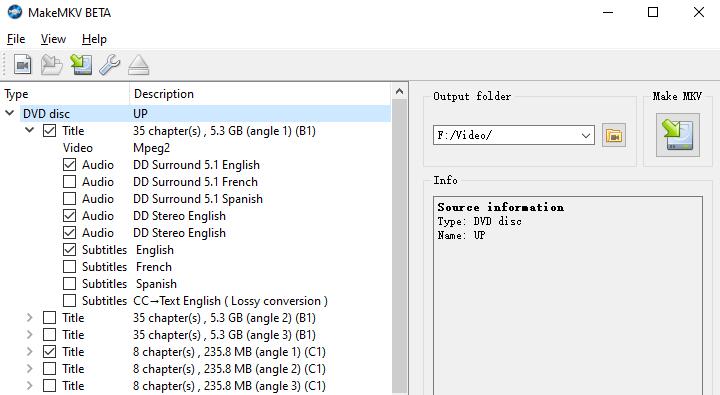
If your top priority is keeping the original quality of your discs, MakeMKV is one of the strongest DVDFab free alternatives available. While it does require a periodically updated key, the software remains free while in beta.
True to its name, MakeMKV takes the content from the disc and places it into an MKV file without touching anything. It does not compress or re-encodes it. It simply remuxes the streams. All the video, audio tracks, subtitles, and chapters stay exactly as they were on the disc.
The program handles a wide range of protected discs. It supports CSS on DVDs and AACS plus BD+ on many Blu-rays. It also works with a good number of 4K UHD titles when you have a compatible drive.
Pros:
- MakeMKV delivers excellent quality.
- The program stays free for most users under the current beta system.
- It preserves every detail from the disc.
- The simple interface makes it easy to get started.
Cons:
- It only outputs MKV files.
- File sizes stay large because there is no compression.
- The official site is inaccessible at times, making it difficult to purchase a lifetime license or even download the software.
- Some of the newest disc protections may still challenge it.
- You may also need a compatible drive and extra setup steps for certain 4K UHD discs.
Who It's Best For: MakeMKV fits best if you want archival-quality backups or prefer a free first step before any compression.
3. HandBrake
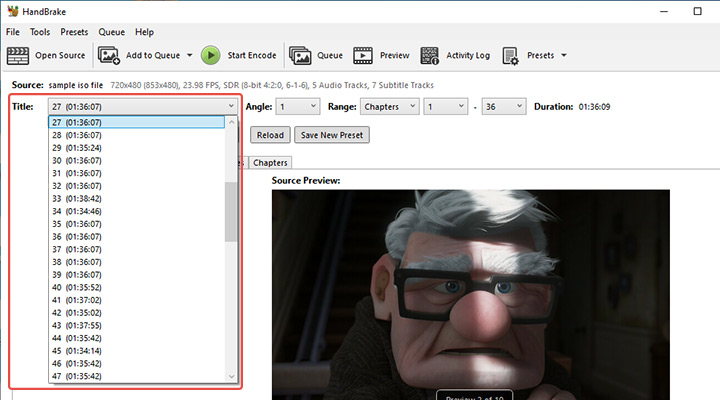
HandBrake is a free, open-source video transcoder that many people keep coming back to. It focuses on turning video sources—including discs—into clean, well-compressed files that play reliably on almost any device.
HandBrake works with DVD and Blu-ray folders, ISO images, and common video files. It does not remove commercial copy protection on its own. To handle discs with CSS encryption, you'll also need libdvdcss. But that's all Handbrake can do with encrypted discs; it cannot handle other forms of encryption.
If you already have decrypted disc content, HandBrake handles the conversion side extremely well. You can choose from ready-made presets or dig into advanced settings for bitrate, filters, and codecs. It supports modern options such as H.264, H.265 (HEVC), and AV1, though it is limited to outputting MP4, MKV, and WebM container formats.
Pros:
- HandBrake is completely free and extremely flexible.
- Cross-platform support for Windows, macOS, and Linux.
- The quality of the output is excellent when settings are chosen carefully.
- The preset system helps beginners get good results quickly.
Cons:
- The main limitation is the lack of built-in decryption for commercial discs.
- HandBrake can only output MP4, MKV, and WebM files.
- The interface can feel a bit technical at first.
- The encoding always re-processes the video rather than simply remuxing it.
- Some users also find the learning curve steeper than simpler paid converters.
Who It's Best For: HandBrake is ideal if you want free high-quality conversion and compression, already use or plan to use a decryptor, and do not mind a two-step process.
4. Xreveal
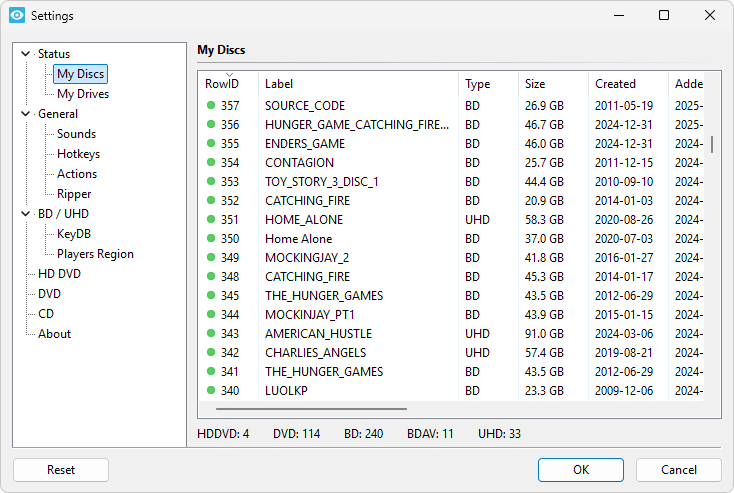
Instead of converting discs itself, Xreveal works quietly in the background and unlocks protected DVDs, Blu-rays, and many UHD discs so other programs can read them normally. If you liked the old AnyDVD style of tool, this is the closest modern AnyDVD equivalent still available.
Xreveal runs as a lightweight system-tray application on Windows. Once it is running, you insert a disc and the protections are removed on the fly. It handles region codes, user operation prohibitions, and common encryption methods. You can also use it to create an ISO or folder backup if you want.
Pros:
- Xreveal is a lightweight system-tray application.
- The program offers on-the-fly decryption of commercial discs.
- It reduces the need to buy a complete all-in-one package just for protection removal.
Cons:
- Xreveal is a Windows-only solution.
- The free version needs some manual key-file steps.
- Challenges may arise when dealing with advanced protection measures.
- It is not a converter or editor itself, so you still need additional software for the final digital files.
Who It's Best For: Xreveal works best when you want a background unlock tool on Windows. It is one of the most practical DVDFab alternatives available for the decryption step alone.
Conclusion
DVDFab remains a capable suite, but it is far from the only perfect option. Choosing the right alternative to DVDFab depends on what you actually want to do with your discs.
If pure lossless quality is your top priority, start with MakeMKV. If your main problem is on-the-fly decryption on Windows, Xreveal is the focused solution. When you prefer free software and do not mind a two-step process, pair HandBrake with a decryptor.
If you want multiple backup modes, speed, and AI enhancement in one paid program, VideoProc Converter AI is a strong choice. It handles DVD ripping, conversion, quick editing, and quality improvement in one go. The lifetime license costs far less than a full DVDFab suite while still covering the everyday jobs most people need.