
 New AI features are available
 Listed in
 Search interest for terms like "MakeMKV beta key" and "MakeMKV license key" surged dramatically on Google Trends, while many users simultaneously reported expiration-related errors such as "This application version is too old" and "Evaluation period expired". In many cases, these issues were caused by outdated MakeMKV beta builds reaching their built-in expiration limit rather than the beta key itself becoming permanently invalid. Since older MakeMKV versions include a time-based beta expiration system, upgrading to the latest stable release and applying the current active beta key should restore full functionality immediately.
As MakeMKV remains in an ongoing free beta phase, a new registration key is required every 30 to 60 days to keep its industry-leading Blu-ray, DVD and 4K UHD ripping features active. While the developer usually publishes fresh keys on time, short "gap periods" occasionally happen, leaving users locked out for a few days before a new key goes live.
This guide is your ultimate, up-to-date resource for 2026. Below, you will find the latest working MakeMKV license key, step-by-step instructions to apply it, the proven workarounds to keep your software running smoothly during future expiration gaps, and a lifetime-valid DVD converter as the MakeMKV alternative.
This article will guide you through:
Let's dive into your options and get your software working again.
Quick Solution: Try This Lifetime Key for an Alternative Software
If you're tired of searching for a new MakeMKV beta key every month, or your software is stuck with a "key expired" or "version too old" error in 2026, the easiest and most reliable solution is to switch to a modern MakeMKV alternative - one that doesn't rely on time-limited beta keys.
VideoProc Converter AI is an all-in-one DVD ripper, video converter, and AI-enhanced processor that offers a stable, lifetime license key with no renewal hassles or activation delays. Compared to MakeMKV, which currently requires manual updates, system date rollbacks, and online searches for new beta keys, VideoProc Converter AI is a far more seamless experience, especially for long-term use.

VideoProc Converter AI - A MakeMKV Alternative for DVD Ripping
- Lifetime License Code – One-time activation, no monthly key required
- DVD Decryption – Rip protected discs to MP4, MKV, H.264, HEVC, etc.
- AI-Powered Tools – Super resolution, frame interpolation, image enhancement, face restoration, colorization, stabilization, Audio AI, and more
- Hardware Acceleration – Up to 47x faster with Intel/NVIDIA/AMD support
- No Watermarks or Feature Limits – No beta key. No expiration.
 Excellent

MakeMKV Beta Key Status (August 2026)
MakeMKV uses a rotating free beta license model, where each temporary registration key is valid for approximately 30–60 days. This requires users to periodically update the key to maintain access to its premium Blu-ray and 4K UHD decryption features.
As of August 2026, the latest verified, 100% working MakeMKV beta key is:
T-vwvnrmF87JuRPLYYO8HnIrZR_LCAF7JXs9iJEm10moGpjEgkvmPTsf6Ox4BI@N5rPp
Note: This key is currently active and is officially valid until September 30, 2026. Since the expiration date is approaching fast, a new key is expected to be pinned soon. Users should always check the official MakeMKV announcement thread for real-time updates during the upcoming transition.
Where to Get MakeMKV Beta Key for 2026
MakeMKV uses a beta license model that provides free access as long as you activate the software with a valid, regularly updated registration key. Each beta key is typically valid for 30–60 days and must be entered manually when it expires.
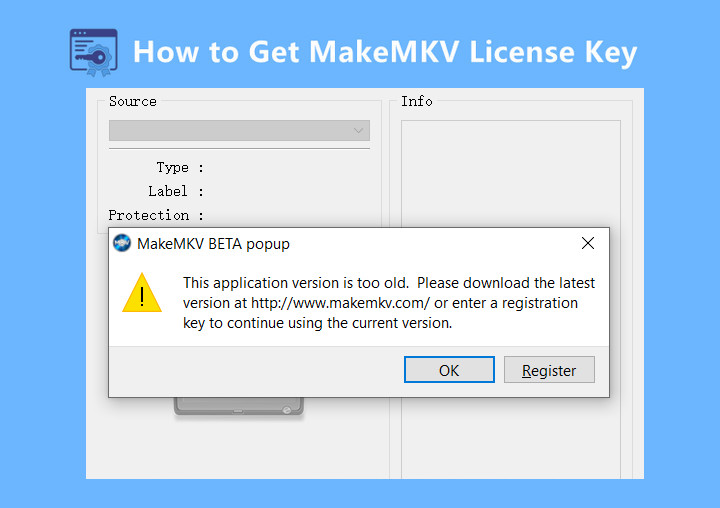
While the developer usually releases a new key on time, there may occasionally be short delays between expiration and the next update. During these periods, users may temporarily see errors such as "This application version is too old" or "Evaluation period expired", prompting them to update either the software or the registration key.
To get the official beta key, follow these reliable sources:
1. Check the Official MakeMKV Announcement (Primary Source)
The most reliable source for the latest beta key is the official MakeMKV forum. The developer typically posts updates in the main announcement thread whenever a new key becomes available.
📌 Official Link: MakeMKV Official Beta Key Thread
Note: If you see "The current beta key is..." followed by an old date, it means the 2026 update is still pending.
2. Monitor Real-time Community Updates
When the official forum is slow to update, the community on Reddit is the first to report when a new key goes live or if a software update is required.
🔗 Reddit Community: r/makemkv - Latest Key Discussions
Many users post "New Key is Out" threads here the moment it's spotted. If you see recent posts about the key expiration, you're in the right place.
What to Do If the MakeMKV Beta Key Is Not Available Yet
If the MakeMKV beta key is still missing and you urgently need to rip a disc, several community-suggested workarounds might help you temporarily reactivate MakeMKV.
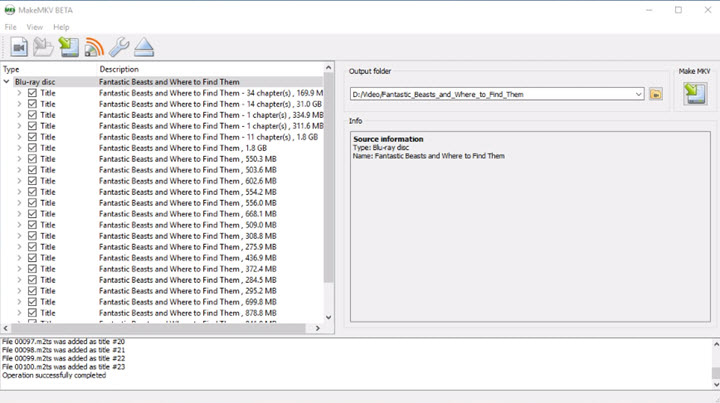
🔧 Option 1: Roll Back Your System Clock (Temporary Workaround)
In some cases, MakeMKV may still validate the beta key against your local system time. If you encounter an “expired key” warning even after updating to the latest version, temporarily adjusting your system clock can help bypass the check.
Steps to Follow:
- Step 1: Close MakeMKV completely.
- Step 2: Disable "Set time automatically" in your system settings.
- Step 3: Temporarily set your system date to a recent past period when a valid beta key was active.
- Step 4: Launch MakeMKV. Once it opens successfully, you can revert your system clock back to the current date.
For Linux Users:
You can adjust the system date via terminal using the following command:
bash
CopyEdit
sudo date --set="YYYY-MM-DD"
Warning: After launching MakeMKV, make sure to re-enable automatic time synchronization (NTP) to avoid issues with browsers, security certificates, and other applications.
🔌 Option 2: Disconnect from the Internet
Some users report that MakeMKV connects to verify the system date against a server. To avoid the app detecting your rollback:
- Disable Wi-Fi or unplug Ethernet before launching MakeMKV with the altered system date.
🚫 Known Issues with the Workaround
- Other apps may malfunction while your date is incorrect.
- This method will stop working once the key is completely invalidated.
- It's not a stable or long-term solution.
✅ Option 3. Switch to the Best Alternative That Doesn't Rely on Monthly Keys
Instead of patching MakeMKV every month, many users are switching to VideoProc Converter AI — a full-featured DVD and video toolkit with a lifetime license key, no expiration, and AI-powered enhancements. It handles DVDs, video/audio conversion, compression, AI video/image enhancement, editing, and more, all with one-time activation and no key delays.
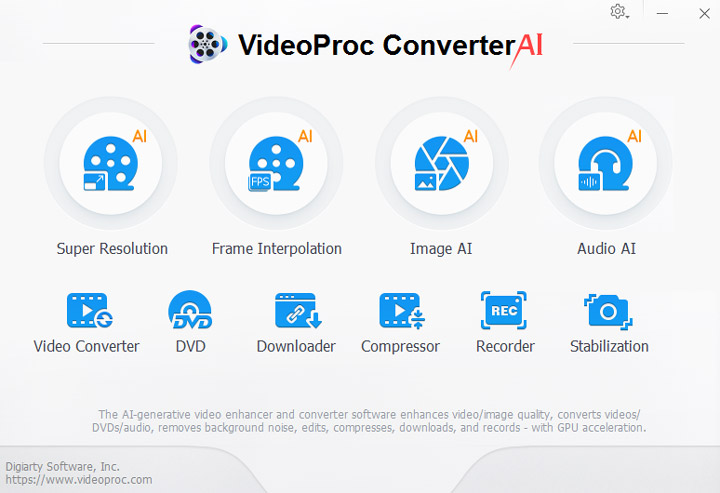
How to Rip a DVD with the MakeMKV Alternative - VideoProc Converter AI
Step 1. Free download VideoProc Converter AI on your Windows or macOS. Install it and double-click to start it.
Step 2. Choose the "DVD" button on the main interface, before or after you insert your source DVD into your DVD-ROM. Then click the "DVD Disc" button at the top to load the DVD content.
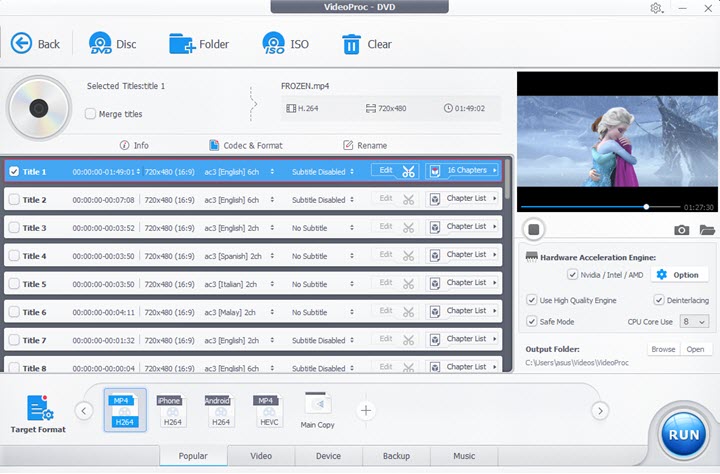
Note: VideoProc automatically detects your DVD titles and selects the main one. It lets you rip copy-protected DVDs to MP4, ISO image, VIDEO_TS folder, MKV, AVI, MP3, and more, with full GPU acceleration. A free 5-minute trial is available for you to test its DVD ripping capabilities.
Step 3. Select a target format like:
- General Profiles: MP4 H264, HEVC, AV1, iPhone/iPad, Android, etc.
- DVD Backup: Main Movie Content Copy, Full Title Copy, Clone DVD to ISO Image, etc.
- More: Mobile Video Profile, Web Video Profile, Common Video Profile
Step 4. Define an output folder to save the output file and hit the RUN button to start ripping the DVD.
💳 Option 4: Buy the Lifetime License
If you find the beta keys frustrating or no longer want to wait, you can consider buying the full version. MakeMKV only offers a lifetime license — no monthly plans — for a one-time payment of $75.
Some users on the forum mentioned they'd "benefited from MakeMKV for five months" and were happy to support the developer. Others pointed out the lack of free alternatives that match MakeMKV’s functionality, making the purchase worth it in the long run.
It's a stable, one-and-done solution that frees you from having to look for beta keys every month.
Can I Get and Use MakeMKV Crack Keys
While searching for a free MakeMKV beta key, you might run into websites or forum posts claiming to offer a "MakeMKV crack" or "serial number generator". It's important to know that these are unofficial, unsafe, and almost always useless.
I've tested nearly every so-called MakeMKV full crack or license key I could find online, and all turned out to be invalid, non-functional, or outright scams. The screenshot below is just one example as proof.
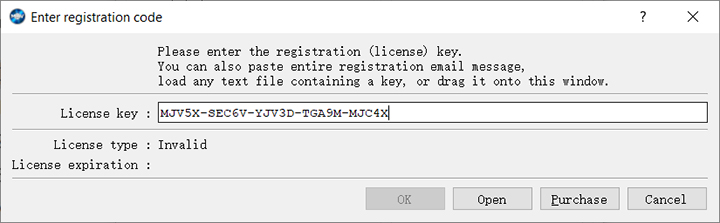
It's important to know that these are unofficial, unsafe, and almost always useless. As a shareware program, MakeMKV has no proven, working crack available.
Using a cracked version or fake key comes with serious downsides:
- High Malware Risk: Cracks are a common source of viruses, ransomware, spyware, and other malicious software that can steal your personal data or damage your system.
- Unstable and Outdated: Pirated versions often fail to run properly and can’t keep up with the latest Blu-ray/DVD decryption updates—rendering them useless for their main purpose..
- No Support: You won't receive help from the official MakeMKV team or forums if you’re using pirated software.
- Legal Issues: Downloading and using cracked software violates copyright laws and can lead to legal consequences.
Bottom line: There is no valid, safe or legitimate MakeMKV crack. The only reliable options are to wait for the official free beta key (released periodically by the developer) or buy a lifetime license directly from the official site. This ensures you get a secure, fully functional product—while supporting its continued development.
Why MakeMKV Doesn't Offer Permanent Free Keys
Many users wonder why MakeMKV, despite its long-standing "MKV is free while in beta" status, still doesn't offer a permanent free license key — especially when delays in beta key updates cause the software to stop working.
Here's why:
1. It's a Funding Model for Ongoing Development
MakeMKV's monthly beta keys allow the software to remain accessible while gently encouraging long-term users to support its development. According to forum comments, the developer only sells lifetime licenses, and revenue from these purchases helps fund updates, maintenance, and support.
"If you really can't wait, just buy a lifetime key to support MakeMKV." – Forum user
2. Monthly Key Expiry Prevents Abuse
The recurring beta key system ensures users always return to check for updates — and it prevents widespread distribution of outdated or cracked versions. This method also lets the developer fix bugs and improve features before a final release.
3. The Only Official License: Lifetime Key
Unlike some software with annual renewals or freemium models, MakeMKV offers only one paid option: a one-time, lifetime license. However, some users have recently reported issues:
- Payment gateway PayProGlobal was temporarily down.
- A few buyers said their key email didn't arrive — often due to spam filters or delays.
✅ Tip: After purchase, check your junk mail folder and allow 24–48 hours for delivery.
4. Free Isn't Always Reliable
Even though MakeMKV's free beta version is popular, the reliance on monthly keys — and the lack of auto-updates — means users are left hanging when delays or server problems occur. This highlights the need for a more stable and sustainable tool if you rip discs regularly.
FAQs
1. How do I get the MakeMKV beta key for 2026?
You can usually find the updated beta key on the official MakeMKV forum. If the 2026 key hasn't been posted yet, you may try temporary workarounds (like setting your system date back to October) until the new key is released.
2. Is there a lifetime key for MakeMKV?
Yes. MakeMKV offers a lifetime license key as a paid option. It's a one-time purchase and removes the need for monthly beta key updates. The key is delivered via email after purchase through PayProGlobal.
3. Is there a MakeMKV alternative that doesn't require monthly keys?
Yes. VideoProc Converter AI is an all-in-one multimedia software supporting DVD ripping, video/audio conversion, compression, basic edits, AI video/image/audio enhancement, downloading, and recording.
It offers a more stable and complete solution without monthly interruptions:
- It provides a 7-day or 15-day trail license key at no cost
- Its free trial always allows you to process a less-than-5-minute video for free
- The occasional giveaway is a good option to snag a free license
- Now it offers the lifetime license at up to 67% off discount
4. Can I use MakeMKV for free forever?
MakeMKV is free while in beta, but requires a valid monthly beta key to function. The developer only offers lifetime paid licenses as a permanent option. There's no permanently free version without some form of activation.
5. What if I paid for a MakeMKV license but didn't receive the key?
First, check your spam folder. The license is sent via email after purchase through PayProGlobal. If it doesn't arrive within 24–48 hours, contact PayProGlobal or MakeMKV support with your payment details to request a resend.
6. What happened to MakeMKV?
The official MakeMKV website has not posted the latest free version or updated the beta license key yet. The site and forum have occasionally gone offline in the past due to hosting issues or server overload. But please rest assured that the domain was renewed.




