
 New AI features are available
 Listed in DVD Ripper
ImgBurn is a popular freeware for creating ISO images and burning optical discs on Windows. However, its reliance on Windows, its lack of updates over the years, and potential security issues have prompted many users to seek modern alternatives.
So here we made this list of ImgBurn alternatives across Windows, macOS, and Linux. Each alternative supports essential features such as ISO image creation, disc burning, and more. If you are looking for a modern disc‑burning solution, consider these options.
1. CDBurnerXP
- OS: Windows
- Licensing: Freeware
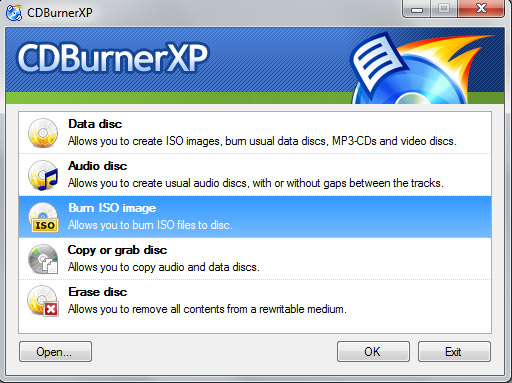
CDBurnerXP is a long-standing freeware disc burner that runs on Windows 2000 through Windows 11. It writes data CDs, DVDs, Blu-ray discs and even the now-defunct HD-DVD format. The program burns and creates ISO images, supports bootable discs and can author audio CDs from MP3, WAV, FLAC and other formats. It also offers disc spanning and post-burn verification. But please note that the standard installer bundles optional adware, but an ad-free installer or portable version is provided on the official site.
Features:
- Burn data CDs/DVDs/Blu-ray and HD-DVD media
- Create and burn ISO images and bootable discs
- Author audio CDs from multiple file formats and span data across multiple discs
Pros:
- Completely free for personal and business use
- Supports a wide range of disc and audio formats
- Includes a portable version
Cons:
- Not updated since 2019
- Lacks features such as video DVD authoring or detailed backup scheduling
- Bundled adware in the standard installer
2. WinX DVD Author
- OS: Windows
- Licensing: Freeware
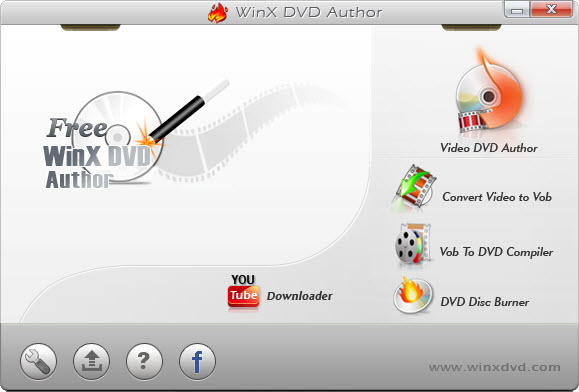
WinX DVD Author is a free DVD-authoring tool that targets home users who want to turn video files into playable DVDs. The software can burn MP4, ISO, VOB and many video formats to DVD with personalized menus. It lets you trim videos, add external subtitles and build simple menus. The interface looks a little dated but it still works.
Features:
- Author DVD-Video discs from most video formats
- Support subtitles, music, simple menu creation
- Download YouTube videos directly and include them in your projects
- Basic video editing features, trim, crop, resolution adjustments, etc.
Pros:
- Completely free
- Multilingual interface
- Burn DVDs without watermarks
- Multi-functional support beyond DVD burning
Cons:
- Not updated since 2019
- Lack of support for Blu-ray
3. AnyBurn
- OS: Windows
- Licensing: Freeware
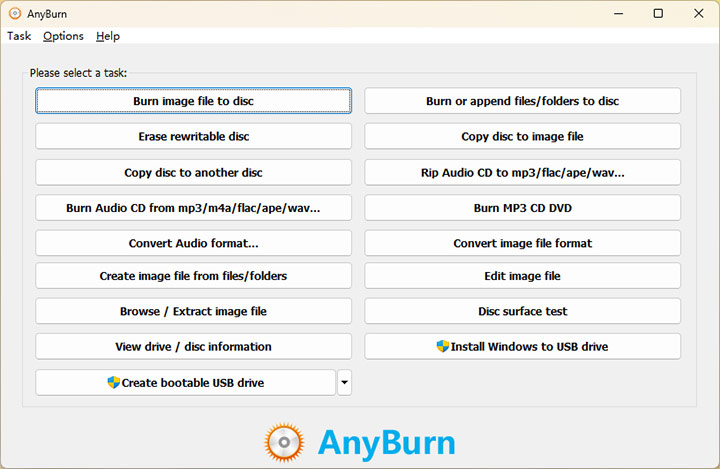
AnyBurn is a lightweight yet professional burning and imaging utility. The program supports all optical media, letting you create data discs, audio CDs and MP3 music CDs. It can rip audio CDs, erase rewritable discs, and create or burn various image formats including ISO, BIN/CUE and NRG. AnyBurn also includes tools for creating bootable USB drives and can even install Windows to a USB drive.
Features:
- Burn data discs, audio CDs, and MP3 discs to CD/DVD/Blu-ray
- Rip audio CDs, erase rewritable discs
- Convert between image formats, ISO, BIN/CUE, NRG, etc.
- Create bootable USB drives and Windows To Go installers
Pros:
- Ultra-lightweight, minimal resource usage
- Versatile: covers routine disc operations and uncommon tasks
- Frequent and regular updates to this day
- Completely free with no ads or nag screens
Cons:
- Utilitarian interface
- No advanced media authoring, DVD menu creation, or cover design
4. K3b
- OS: macOS, Linux, BSD
- Licensing: Open-source (GPL)
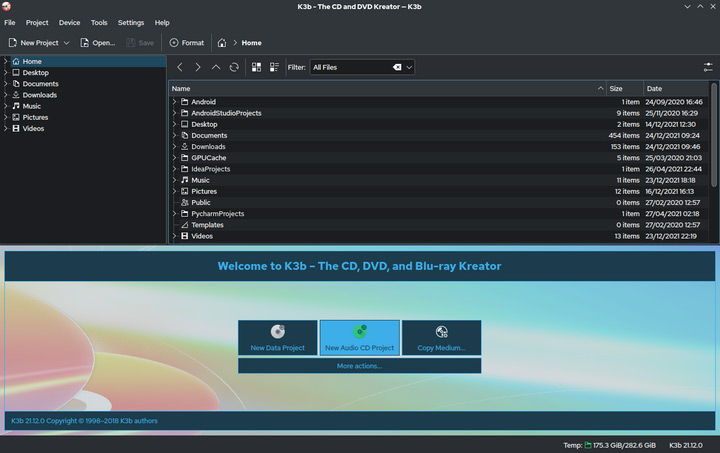
K3b is a full-featured disc burning and ripping application. It runs on any distro with KDE libraries and provides a friendly GUI comparable to commercial suites. K3b supports creating data discs, including options for file permissions and file system compatibility. It burns ISO and CUE/BIN images, copies DVDs/CDs and rips audio CDs and even Video DVDs. The program can burn audio CDs with on-the-fly format conversion and assemble video CD/DVD projects.
Features:
- Create data discs with detailed file-system and permission settings
- Burn ISO and CUE/BIN images; copy discs and rip audio and video DVDs
- Support for Blu-ray data burning and ripping
- Integrate CD-Text, audio normalization and plugin extensibility
Pros:
- Actively maintained within the KDE project
- Rich feature set comparable to commercial tools
- Wizards for novices and advanced settings for experts
- Support verifying burns, choosing file systems and normalizing audio
Cons:
- Require KDE/Qt libraries
- Does not author video DVD or Blu-ray menus
- Some features require additional packages and configuration.
5. Burn
- OS: macOS
- Licensing: Open-source (GPL)
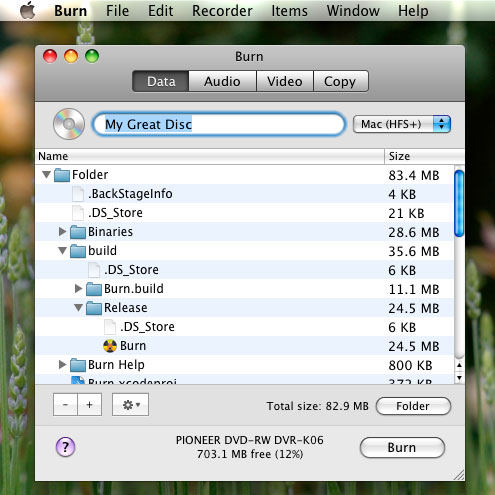
Burn is a lightweight, open-source disc burning application for macOS 10.9+. Easy to use, it's ideal for users who just want to burn CD/DVD discs without a steep learning curve. The program can create data discs with adjustable file system options, audio CDs from music files and video DVDs or VCD/SVCD discs. For video projects, Burn converts video to the proper format and can generate basic menus. It also copies discs and burns images using a minimal interface.
Features:
- Create data discs and audio CDs from various music formats
- Author simple video DVDs or VCDs/SVCDs
- Convert video automatically and allow basic menu creation
- Copy existing discs and burn images to physical media
Pros:
- Clean, four-tab multi-language interface
- Small and fast to download
- Fully open source with no ads or upsells
- Supports basic menu creation for video DVDs
Cons:
- No official Blu-ray support
- Minor compatibility quirks
- Limited editing and authoring features compared to commercial suites
6. X-CD-Roast
- OS: macOS, Linux, BSD, Unix
- Licensing: Open-source (GPL)
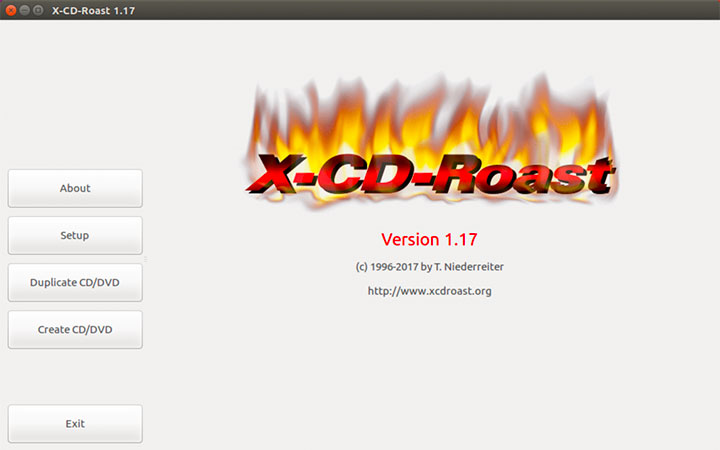
X-CD-Roast is a long-standing GTK-based front-end for cdrtools that combines command-line tools into an integrated graphical interface. It has been translated into 30 languages and offers a graphical setup and wav-player. The program lets you copy or master data and audio CDs on the fly, create or copy data, audio and mixed-mode discs with multisession support, and write bootable discs. The tool supports CD-Text, CDDB, data-DVD burning, etc.
Features:
- Compatible with many Unix-like systems
- Fully themeable via GTK2 themes
- Copy and create data, audio, and mixed-mode discs
- Include bootable disc support and CD-Text
Pros:
- Versatile feature set for an open-source front-end
- Support a variety of disc types and modes
- Multi-language support and theme customisation
- Provide networked burning via Remote-SCSI
Cons:
- Not updated since 2020
- Challenging for beginners compared with newer tools
- Primarily targeted at Linux and other Unix-like systems
Overview of ImgBurn Alternatives
Software |
Windows |
macOS |
Linux |
Best for |
|---|---|---|---|---|
CDBurnerXP |
✔ |
Best for data and audio disc burning |
||
WinX DVD Author |
✔ |
Best for multi-functional support beyond DVD burning |
||
AnyBurn |
✔ |
Best ImgBurn alternative Windows 11 |
||
K3b |
✔ |
✔ |
Best ImgBurn Linux alternative |
|
Burn |
✔ |
Best ImgBurn alternative for macOS |
||
X-CD-Roast |
✔ |
✔ |
Best GTK-based front-end for cdrtools |
Conclusion
So that's all of our best ImgBurn alternatives. Your choice depends on the platform and required features.
Windows users who need a straightforward burning tool can start with CDBurnerXP or AnyBurn. Both handle data, audio and ISO tasks, and AnyBurn adds bootable USB creation. WinX DVD Author is ideal for simple DVD-Video projects with basic menus. On macOS, Burn offers an easy way to create data discs, audio CDs and basic video DVDs. Linux users have excellent options: K3b provides a feature-rich, user-friendly suite for CD, DVD and Blu-ray tasks, while X-CD-Roast remains a powerful albeit old-fashioned front-end for cdrtools.
By matching the tool's strengths to your needs and operating system, you can replace ImgBurn with a modern, capable disc-burning solution.




