
 New AI features are available
 Listed in DVD Ripper
ImgBurn is a lightweight disc-burning program that many enthusiasts swear by. It can write ISO images, data files, and even audio discs with precision. However, we see people today have concerns about whether the software is safe or reliable, given that its installer has a reputation for bundling unwanted software.
So, is ImgBurn safe? We'll explain that and look at why people still use this program, as well as how to avoid its pitfalls.
Why the Safety Question Comes Up
For years, ImgBurn was distributed as a simple installer, but things changed in the late 2000s.
Bundled Adware in the Installer
In the late 2000s and early 2010s, the developer began including third-party offers.
Versions 2.5.1.0 to 2.5.7.0 bundled the ask.com toolbar, and the latest 2.5.8.0 version switched to OpenCandy. OpenCandy is an advertising software that suggests other programs during installation and is labelled a Potentially Unwanted Program by many security vendors.
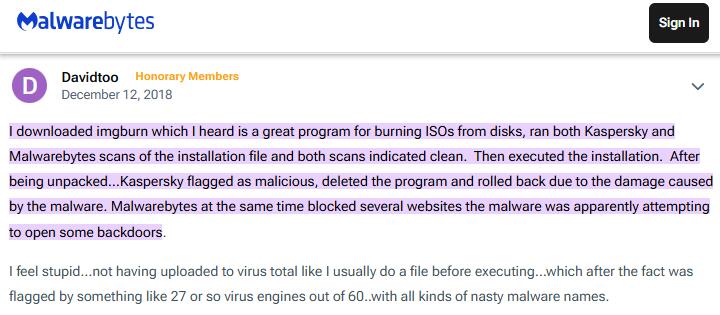
If you click through the official installer without caution, you may inadvertently end up with browser toolbars or other junkware alongside ImgBurn. In short, the ImgBurn installer tries to bundle annoying add-ons for revenue, which may be unsafe or at least undesirable.
Antivirus Warnings
Because of the adware, several antivirus tools flag or even block the official setup file. A VirusTotal scan finds numerous detections, not for viruses, but for adware and PUPs. Security programs such as Malwarebytes and Kaspersky warn users and may quarantine the installer.
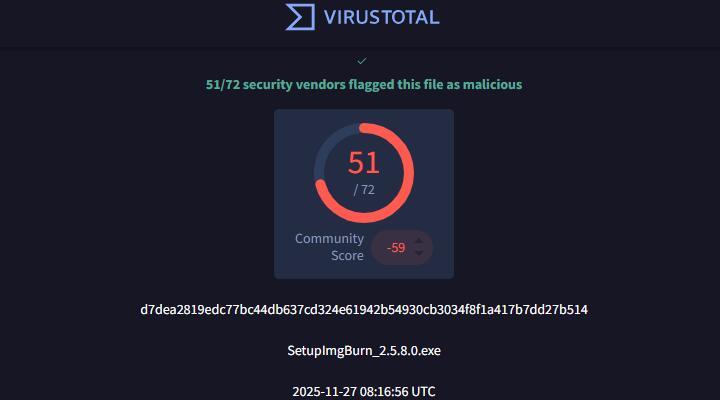
These warnings often confuse people into thinking ImgBurn itself is malicious; in reality, the program is clean, but the bundled offers are not.
Unofficial Downloads
The risk gets worse when you download from an unofficial mirror. The official site provides the installer that, as noted, contains adware offers but not outright viruses. However, many third-party freeware sites have repackaged ImgBurn with far worse.
Why Do People Still Use This Program
Set aside the installer controversy, and ImgBurn's core engine shines. The program was written by the developer of DVD Decrypter and has one of the most accurate burning engines available. It rarely produces a "coaster," which is a bad burn.
In fact, ImgBurn is considerably more reliable than any other burning program. When burns do fail, it's usually due to poor media or an aging drive rather than the software itself.
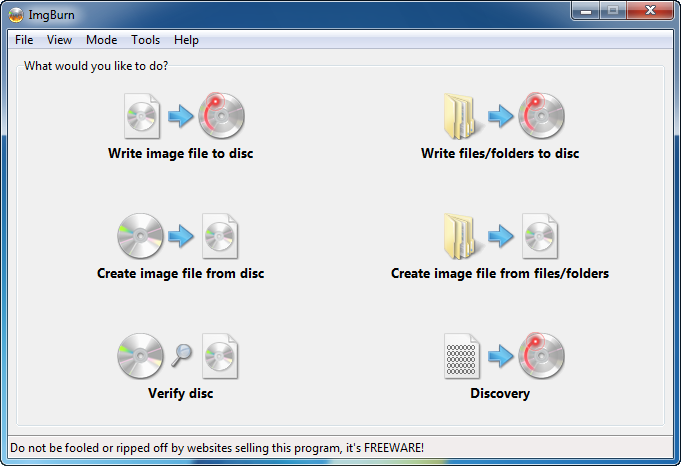
There are some drawbacks unrelated to safety. ImgBurn focused on burning. While it could create image files from discs, it doesn't author DVDs or convert video formats. The interface is plain and geared toward experienced users. The last update was in 2013, so it lacks modern conveniences like drag-and-drop. Despite its age, it still runs fine on Windows 10 and 11 and continues to produce error-free discs.
How to Install ImgBurn Safely
If you still wish to use ImgBurn, take some precautions to avoid unwanted software:
- Download from a trusted mirror for software versions without OpenCandy.
- Check file size and hashes.
- Scan the installer before setup.
- Use custom install and uncheck every extra offer.
- Extract the installer with 7-Zip, bypassing the adware stub.
Following these steps lets you enjoy ImgBurn's capabilities without the baggage.
Safe Alternatives to ImgBurn
If the idea of dodging bundled offers makes you uncomfortable, there are several disc-burning tools that provide a cleaner experience. In addition, Windows 10 and 11 let you right-click an ISO file and choose "Burn disc image". This minimal burner lacks advanced options but is quick and safe for one-off tasks.
Verdict
So, is ImgBurn safe? Yes, but only if you are careful. The ImgBurn program itself has an excellent reputation for accurate, reliable burns and includes a verification feature to ensure data integrity. The danger lies in its installer. It bundles advertising modules and, when downloaded from the wrong site, may even carry malware.
To use ImgBurn safely, obtain a clean "No OpenCandy" version, verify the file, and decline all optional offers. If you'd rather not take any chances, some alternatives can provide similar functionality without the installer drama.




