
 New AI features are available
If you're asking “is VLC Media Player safe?”, you may have already seen something that made the download look suspicious. Maybe VideoLAN sent your download through an unfamiliar mirror domain. Maybe VirusTotal showed one or two detections. Or perhaps you searched VLC security and found years of vulnerability reports mixed with people saying the player is completely safe.
That is what makes VLC confusing: the same app can look perfectly trustworthy in one situation and suspicious in another, depending on where you got it, which version you are running, and what kind of warning you saw. This guide breaks those situations apart so you can tell which ones actually matter and which ones are mostly noise.
Key Takeaway
| Question | What you need to know |
|---|---|
Is VLC itself safe? |
Yes, if you use the official version from VideoLAN and keep it updated. |
Where should I download it? |
Start from videolan.org or an official app store. An unfamiliar mirror can still be legitimate if VideoLAN sent you there. |
Should I update an old VLC installation? |
Yes. VLC 3.0.24 includes more than 130 security fixes, so an old copy can be missing patches that already exist. |
What if antivirus or VirusTotal flags VLC? |
One or two detections do not prove the file is malware. Check the download source and whether several reputable engines agree. |
Can a video file itself be dangerous? |
A specially crafted file or stream can exploit software vulnerabilities, which is another reason to keep VLC current. |
Is VLC Media Player Safe
Yes. The official VLC Media Player from VideoLAN is safe to install and use on Windows, Mac, and Linux.
VLC itself is not malware, spyware, or one of those free programs that quietly installs extra software alongside it. It is an open-source media player that has been maintained by the VideoLAN project for years.
The part that deserves some attention is the copy of VLC on your computer. An outdated version may be missing security fixes, and an installer downloaded from an unrelated website may not be the same file VideoLAN distributes.
So if you are deciding whether to install VLC, the basic rule is simple: get it from VideoLAN and keep it updated. The sections below cover the situations that tend to make VLC look suspicious even when the player itself is legitimate.
Why Does VLC Sometimes Look Unsafe
If VLC is safe, why do antivirus warnings and security reports keep showing up around it? There are a few different reasons, and they do not all point to the same level of risk.
Antivirus Scanners Do Not Always Agree
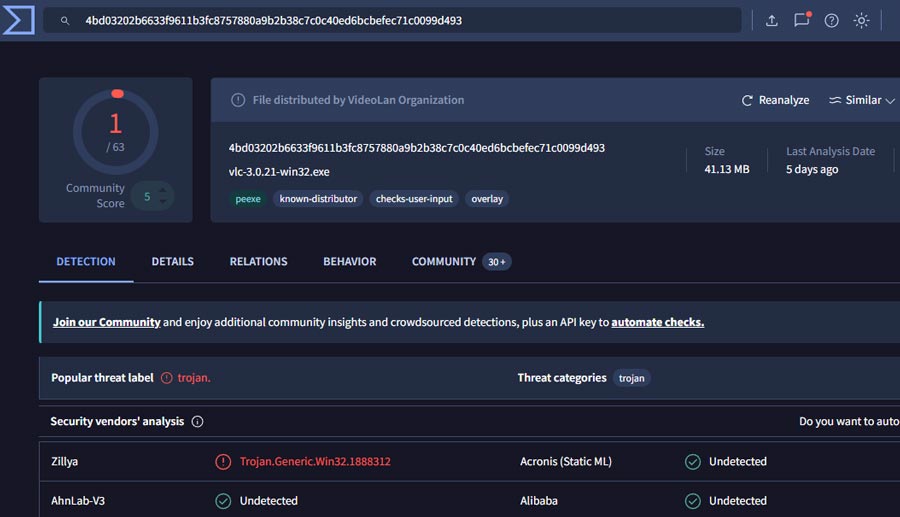
One of the most common scares happens after someone downloads VLC, uploads the installer to VirusTotal, and sees one or two security engines flag it. VirusTotal does not decide by itself that a file is safe or malicious. It shows results from many different antivirus products, and those products can disagree. False positives happen, especially when only a small number of scanners object while the rest report nothing.
A 1/70 or 2/70 result therefore needs context. Where did the VLC installer come from? Which engines flagged it? Are they reporting the same threat? That is very different from a file being detected by several major security products at once. Windows can add to the confusion with SmartScreen warnings. Some of those warnings are based on an app's reputation rather than a confirmed malware detection, so the exact wording matters.
VLC Has Had Real Security Vulnerabilities
The security reports are not all false alarms. VLC has had vulnerabilities fixed over the years, including bugs involving media files, streams, and components used to decode them. That is not especially unusual for a media player that supports a huge number of formats, but it is still something worth taking seriously.
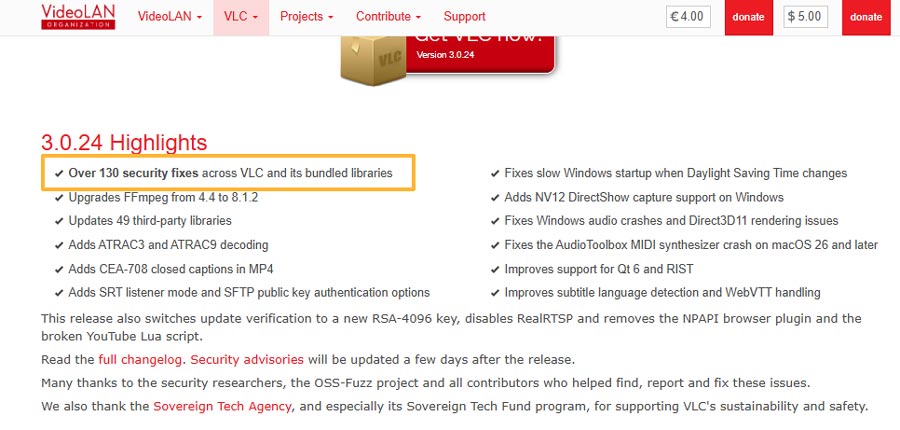
The latest release makes this particularly visible. VLC 3.0.24 was released on September 22, 2026, and VideoLAN calls it a major security update. It contains more than 130 security fixes across VLC and its bundled libraries, updates 49 third-party libraries, and upgrades FFmpeg from 4.4 to 8.1.2.
Seeing “130+ security fixes” can sound alarming at first. It also tells you that issues found in older code are being patched rather than left there indefinitely. For anyone running VLC, the practical takeaway is simple: an old version may be missing fixes that already exist.
There is one other source of confusion: VLC is popular enough that its name and icon are also used by unofficial download sites. We will deal with that separately, because checking where VLC came from is one of the easiest ways to avoid the problems that have nothing to do with VideoLAN's own software.
Can a Video File Be Dangerous in VLC
Yes, a specially crafted media file can sometimes exploit a security bug in VLC.
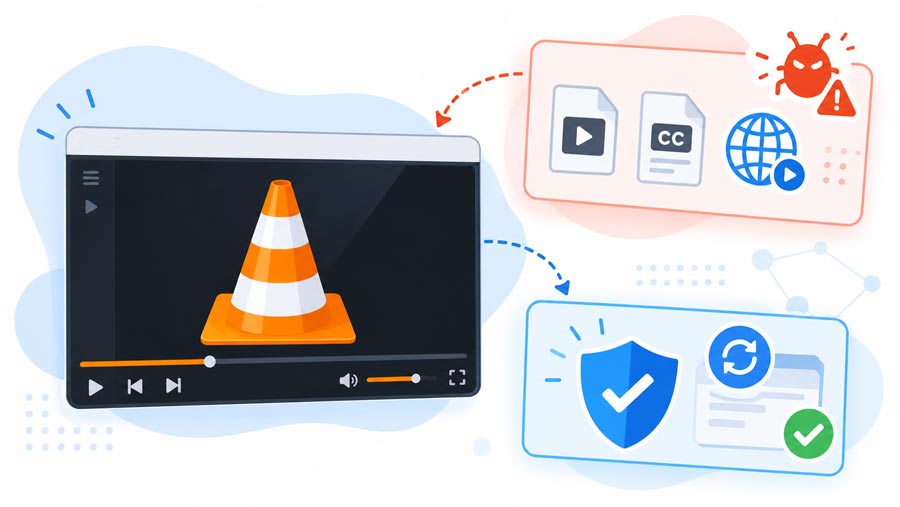
VLC does much more than display video frames. It has to parse codecs, containers, subtitles, playlists, metadata, and network streams. A flaw in one of those components can be triggered when VLC processes specially prepared data, which is why some past VLC security advisories have involved malicious files or streams.
That does not make an ordinary MP4 or MKV inherently dangerous. The risk is higher when two things come together: the file comes from an untrusted source, and VLC is running an older version that is missing security fixes.
If you regularly open media downloaded from unfamiliar sites, torrents, forums, or file-sharing links, keeping VLC updated matters more than simply checking whether the file extension looks familiar. An .mp4 or .mkv name tells you the container format, not whether the contents are trustworthy.
How to Keep VLC Media Player Safe
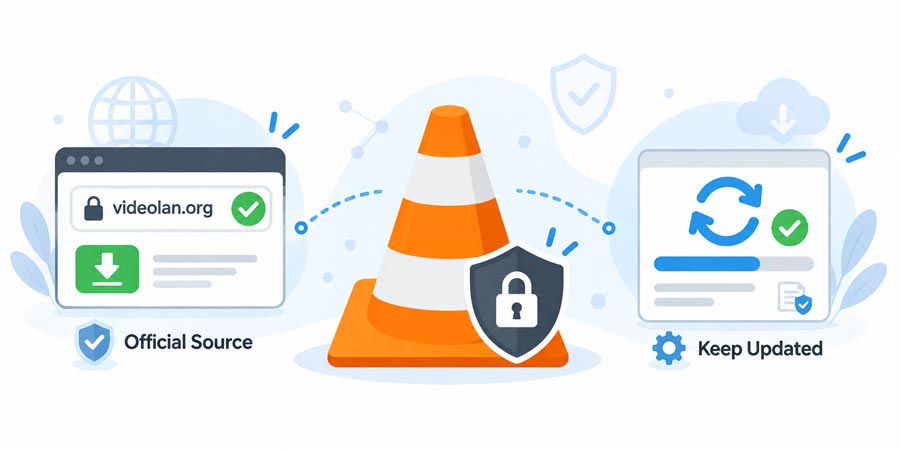
Two rules matter most: get VLC media player from the source and keep it updated.
1. Download from the official source
Only download VLC from videolan.org or your device’s official store. Don't trust a site just because it has the orange cone logo and scammers love to copy that.
If you click "Download" on the official site and the URL changes, don't worry about it; that’s just a mirror server. The actual risk is using third-party "download hubs." Those sites often bundle the installer with junk you don't want. If you don't remember where you got your version, just delete it and grab a fresh one from the official site.
2. Keep VLC Updated
Old versions of VLC might play videos just fine, but they miss critical security patches. The latest version, 3.0.24 (released Sept 22, 2026), includes over 130 security fixes and updates 49 bundled libraries like FFmpeg. If your VLC hasn't been updated in a while, it’s time to update. There’s no reason to risk running outdated code when a patched version is a free download away.
Does VLC Have Spyware or Track What You Watch
There is no known history of the official VLC Media Player being caught secretly tracking what users watch or bundling spyware. VideoLAN says VLC contains no spyware, ads, or user tracking, and its privacy policy says it does not collect user statistics, personal information, or analytics. VLC's name has appeared in malware stories before, though, which can make the history look more worrying than it is.
In 2017, VideoLAN responded to the Vault 7 disclosures after a modified copy of VLC Portable was reportedly used to hide malicious code. The malware had been added to a tampered version of VLC; VideoLAN said the technique was not present in a normal VLC installation. A later Microsoft investigation also found attackers using a legitimate old VLC executable to load a malicious DLL.
VLC has also had security vulnerabilities that could, in some circumstances, expose information if a malicious file or stream successfully exploited them. Those are software security bugs, not a tracking system built into VLC. For someone using the official desktop version of VLC media player today, there is no evidence in VideoLAN's published privacy information that VLC is recording a history of the local videos you watch for advertising or profiling.
VLC Is Safe, but Playback Problems Can Still Happen
VLC supports a huge range of formats, but some videos can still refuse to play properly because of the codec, container, resolution, or encoding settings. In that case, VideoProc Converter AI can convert or remux the file into a more VLC-friendly format such as H.264 MP4. It supports 370+ input codecs and 420+ output formats, including AV1, HEVC, MKV, MOV, and MP4. It can also handle jobs you may not want to do inside VLC, such as digitizing DVDs, compressing large videos, making quick cuts or crops, and using AI to upscale, stabilize, or smooth footage.
VLC Safety FAQs
Is it safe to allow VLC through Windows Firewall?
It can be, but VLC does not need firewall access just to play videos stored on your computer. Network access is useful for features such as streaming, casting, or controlling VLC from another device. If you use those features, allowing VLC on a trusted private network is usually enough. Avoid opening it to public networks unless you have a specific reason to do so.
Is the VLC update popup safe?
VLC has a built-in update checker, so an update notification can be legitimate. If a popup looks unusual or you are unsure where it came from, close it and download the latest version directly from videolan.org. VLC users have occasionally mistaken legitimate update and mirror messages for malware because the download address looked unfamiliar.
Why does VLC ask for network access?
VLC can play network streams, access shared media, cast content, and provide remote-control features. Any of these can require a network connection. If you only use VLC for local files, you do not need to enable network features that you never use.
Are VLC extensions and plugins safe?
Treat them separately from VLC itself. An official VLC installation can be trustworthy while a third-party extension, plugin, skin, or script comes from another developer entirely. Check who made it and where it came from before installing it, and avoid anything that asks you to disable security software or run unrelated installers.