
 New AI features are available
DVDFab Photo Enhancer AI is a Windows program that uses AI to improve photos. You can enlarge images, remove noise, sharpen blurry shots, colorize black-and-white pictures, and enhance anime-style art.
The tool is still available in 2026. You can download it and try it for free. However, the last real update to its AI models came in 2023. That means the software has not kept pace with newer AI photo tools.
In this guide, you will learn what DVDFab Photo Enhancer AI can do, how to use it, and where it falls short. You will also see a modern alternative that offers better results for most people today.
What Is DVDFab Photo Enhancer AI
DVDFab Photo Enhancer AI is a desktop program from the same company that makes DVDFab software. It runs only on Windows. You use it to improve photos with AI tools.
The program offers several main modules: Enlarge, Denoise, Sharpen, PhotoPerfect, Colorize, Cartoonize, and Anime.
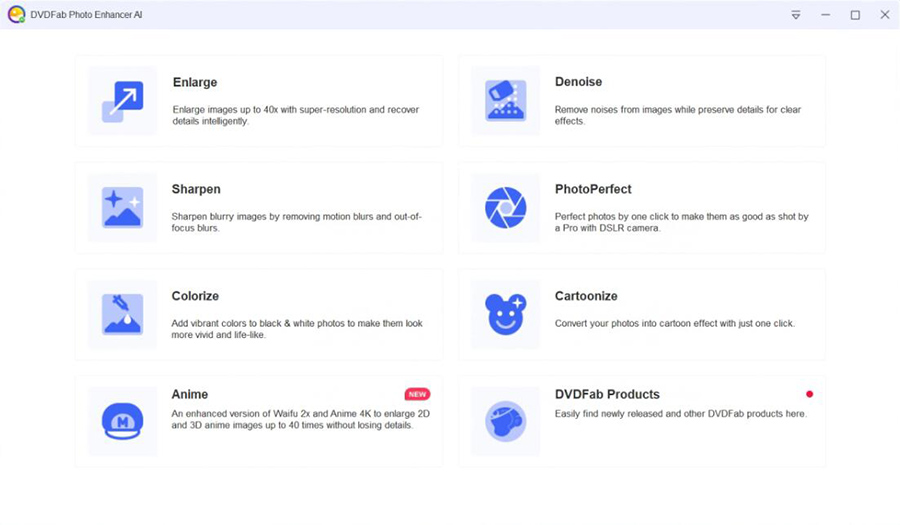
There are clear limits you should know about. The program does not support RAW photo files. It has no special tool made for fixing faces. The last update to its AI models happened in 2023. The current version is 1.3.2.6 from July of that year. Since then, the company appears to have shifted its development focus toward UniFab, which is designed for video files.
Key Features
DVDFab Photo Enhancer AI focuses on a small set of AI tools made for photo improvement. Each tool handles a different type of problem. Understanding what each one does helps you decide if the program fits your needs.
Capability |
Description |
|---|---|
Enlarge |
Upscale images up to 40 times their original size. |
Denoise |
Dedicated Denoise model, reduces both grain and color noise. |
Sharpen |
Dedicated Sharpen module |
PhotoPerfect |
One-click option, tries to fix several common problems at once. |
Colorize |
Fully automatic, turns black-and-white photos into color versions. |
Anime |
Waifu module, designed for anime, cartoons, and illustration-style images. |
Batch work |
Multiple/folder image loading supported. |
Metadata |
EXIF/IPTC/XMP preservation, useful for archival workflows. |
Input |
PNG, JPG/JPEG/JPE, BMP, TIF/TIFF, PPM |
Output |
PNG, JPG/JPEG, TIF/TIFF, BMP |
System Requirements
DVDFab Photo Enhancer AI runs only on Windows. There is no version for Mac or Linux. This sharply differentiates it from other AI photo enhancers, as similar software typically supports both Windows and macOS.
The official requirements are modest by today's standards. You need a 64-bit version of Windows. The program works on Windows 10 and Windows 11. Older versions such as Windows 8.1 and Windows 7 may also work, but support for them is limited.
Here are the main system requirements:
- 64-bit Windows (Windows 10 or Windows 11 recommended)
- At least 8 GB of RAM
- Intel or AMD processor from around 2015 or newer
- NVIDIA graphics card starting from GTX 750 Ti level with 2 GB of video memory or more
- AMD graphics card based on GCN 1.0 architecture or newer
The program can use your GPU to work faster. If your graphics card is older or has limited video memory, processing will run on the CPU instead. This makes the job slower.
How to Use DVDFab Photo Enhancer AI
The program is designed to be simple. You can improve photos in a few clear steps. Here's a typical workflow:
- Go to the official DVDFab website. Download and install Photo Enhancer AI.
- After launching the software, select a module that matches your goal from the main screen.
- Drag and drop your photos into the program or use the + button.
- The first time you use a tool, the program may ask you to download the matching AI model. Allow the download to finish before you continue.
- Choose an AI model from the drop-down list.
- Set a scale factor.
- Check the preview window. Zoom in to 100% or 200% so you can see the real quality. Try different strength levels or models if the first result does not look right.
- When you are happy with the preview, click the Start to Process button.
Pricing of DVDFab Photo Enhancer AI
DVDFab offers three pricing plans for Photo Enhancer AI: a 1-month license, a 1-year license, and a lifetime license.
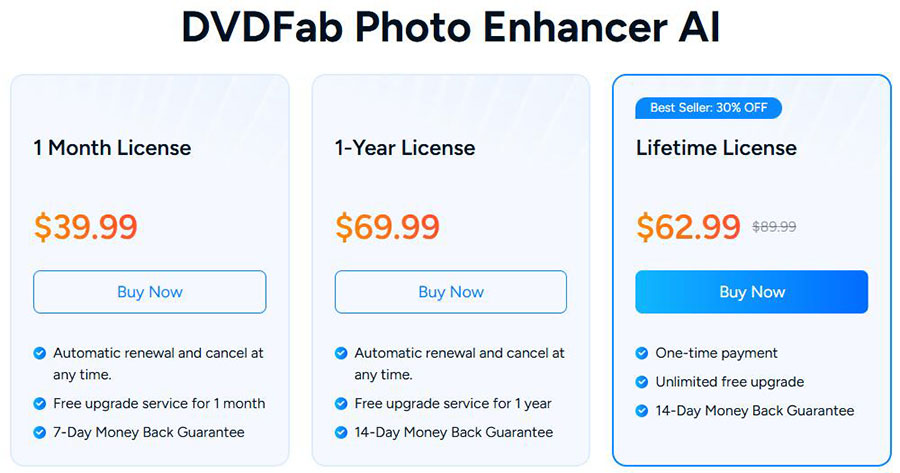
If you prefer a one-time purchase, the lifetime license for DVDFab Photo Enhancer AI is worth considering. However, the $39.99 monthly subscription is likely enough to deter most potential users, especially since Topaz Photo's monthly pricing falls in the same range. Check out our Topaz Photo review here for more information.
The trial is one of the better parts of the product. You can process five images with full features and no watermark. This lets you test the real quality on your own photos before spending any money.
Pros and Cons
Here is a clear look at the main strengths and weaknesses of DVDFab Photo Enhancer AI.
Pros:
- You get several useful AI tools in one program, including enlarge, denoise, sharpen, colorize, and Waifu.
- The program runs locally on your computer, so your photos stay on your device during normal use.
- The trial lets you process five images with full quality and no watermark.
- Supports TIFF and metadata preservation, useful for basic archival workflows.
- The hardware needs are lower than many newer AI photo tools.
Cons:
- The AI models have not been updated since 2023.
- Windows only; no RAW, PSD, DNG or modern Apple Silicon workflow.
- No dedicated face-recovery feature in the photo product.
- The company shares very little technical information about how the models work.
- Very high enlargement factors often create artificial-looking results.
DVDFab Photo Enhancer AI Alternative
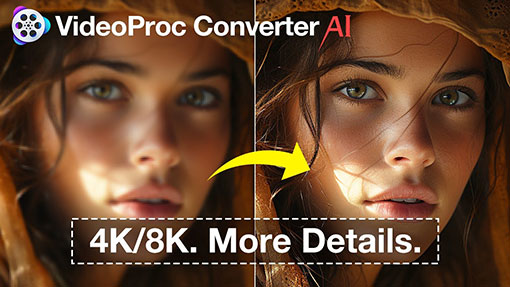
If you want a more modern and actively updated tool, VideoProc Converter AI is a strong choice. It handles AI image enhancement along with many other media tasks. The program receives regular updates and works on both Windows and macOS.
VideoProc Converter AI includes a dedicated Image AI module, including Super Resolution, Face Restoration, and Colorization. You can enlarge photos, reduce noise, and improve overall clarity. It supports common scale factors and can output images up to 10K resolution. The software is optimized for various hardware, including NVIDIA, AMD, Intel, and Apple chips.
VideoProc Converter AI - DVDFab Photo Enhancer AI Alternative
- Batch AI image upscaling up to 10K with sharper details.
- Receives regular updates on both Windows and macOS.
- Supports a wider range of modern hardware, including Apple chips.
- 4-in-1 automatic enhancement: denoising, deblurring, upscaling, details.
- All-in-one: AI tools, quick editor, converter, compressor, DVD ripping, etc.

Here's how to use the Image AI features:
- Open VideoProc Converter AI and select the Image AI module.
- Drag and drop your photos into the program. You can add multiple images at once for batch work.
- Choose an AI model that fits your photo.
- Set the scale factor or target resolution. You can also enable extra options such as face improvement or colorization when needed.
- Check the preview and adjust settings if necessary.
- Click Run to save the enhanced images.
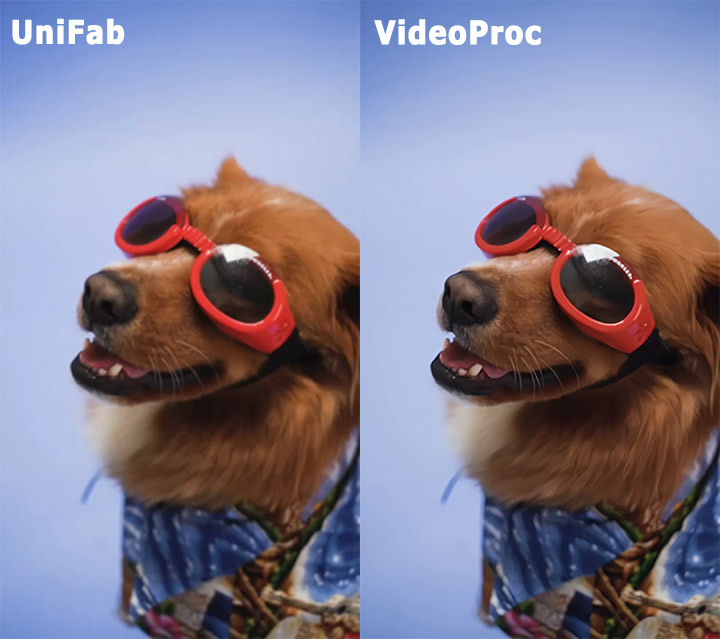
The workflow is simple and requires less manual setup than older tools. Because the program is still actively developed, you benefit from ongoing improvements in quality and performance. For most people who want reliable AI photo enhancement today, this makes it a more practical option.
Is DVDFab Photo Enhancer AI Worth It Today
DVDFab Photo Enhancer AI can still be useful for simple photo tasks. If you only need basic enlargement, light denoising, or a quick colorize job on Windows, the program can handle those jobs. The five-image trial makes it easy to test the results on your own photos before you spend any money.
At the same time, the software shows its age. The AI models have not been updated since 2023. Newer tools continue to improve in quality, speed, and ease of use. DVDFab also lacks support for Mac, RAW files, and dedicated face recovery.
For most people today, a modern alternative such as VideoProc Converter AI offers a better overall experience. It receives regular updates, works on both Windows and macOS, and requires less manual setup.


