
 VideoProc Converter AI
 New AI features are available


 Listed in
 Dealing with noisy or slightly blurry photos is a constant challenge for photographers. To tackle this, many have turned to AI-powered image enhancement, and Topaz Photo has long been a key player in this space.
When Topaz Photo AI first launched in September 2022 (around v0.1), the market for AI photo tools was still in its infancy, and AI enhancers were relatively rare. For years, it was widely regarded by professionals as the leading solution, especially as most photographers still relied on time-consuming, traditional editing methods.
Fast-forward to 2026, and the AI photo and video enhancement landscape looks very different. Tools for upscaling and improving images are now widespread, and competition is intense. In this crowded market, Topaz has updated its software, dropping the “AI” from its name to become simply Topaz Photo. The program now offers faster performance and more powerful processing—but it comes at a premium: the standalone app costs $199 per year, or $399 per year when bundled with Topaz Studio. While Topaz remains a strong contender, its premium pricing may be hard to justify given the many alternatives available today.
The key question, then, is whether Topaz Photo still delivers enough value to justify that price. After testing it in real-world scenarios, I'll share my thoughts on its performance and whether it's the right choice for photographers today.
What Is Topaz Photo
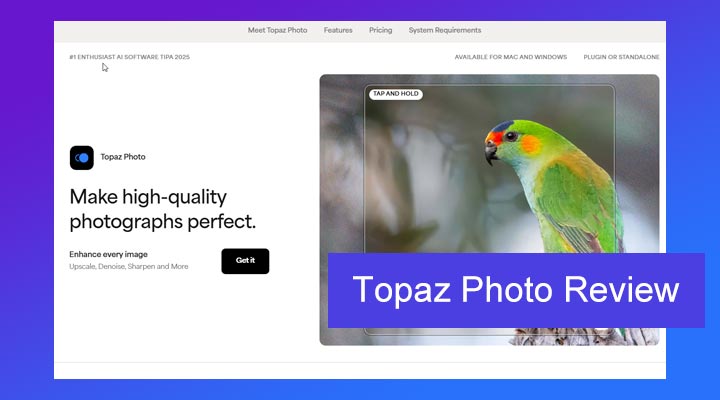
Topaz Photo, formerly known as Topaz Photo AI, is an AI-powered image enhancement program developed by Topaz Labs. It is designed to help photographers improve image quality by addressing common problems such as noise, softness, blur, low resolution, and damaged facial details.
Before Topaz Photo AI was introduced, these tasks were handled by several separate Topaz applications:
- DeNoise AI: Reduced grain and noise while preserving image detail.
- Sharpen AI: Corrected softness caused by missed focus, camera shake, or motion blur.
- Gigapixel AI: Enlarged low-resolution images using AI-generated detail.
Released on September 15, 2022, Topaz Photo AI brought the core capabilities of these tools into a single, more streamlined workflow. Instead of moving an image between separate applications, photographers could denoise, sharpen, and upscale it within the same interface. Topaz officially confirmed the September 2022 release and positioned the program as a unified workflow for users of DeNoise AI, Sharpen AI, and Gigapixel AI.
In September 2025, Topaz Labs rebranded its flagship as Topaz Photo. This subscription-based evolution adds RAW denoising, Super Focus, and restoration tools like dust-and-scratch removal. While the legacy 'Photo AI' app remains accessible to existing owners, Topaz has shifted all future model development and new features exclusively to this new version.
Topaz Photo AI Key Features
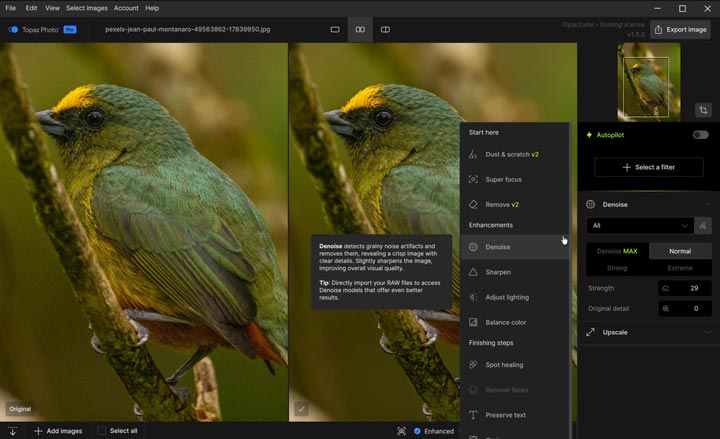
Topaz Photo is packed with features designed to address common image quality problems, all powered by AI. Let's break down the core functionalities of Topaz Photo:
| Feature Name | Description |
|---|---|
| Core Image Enhancement |
Denoise: Reduces noise while retaining as much detail as possible. RAW Denoise: Removes sensor noise and hot pixels from RAW images. Sharpen: Corrects softness caused by motion, lens blur, or missed focus. Upscale: Enlarges images by up to 6x and reconstructs missing detail. Recover Faces: Improves small, blurry, or low-resolution faces. Remove Object: Removes unwanted objects and fills in the background. Super Focus: Repairs more difficult out-of-focus images. Adjust Lighting: Corrects exposure and contrast in poorly lit areas. Balance Color: Removes color casts and adjusts image temperature. Dust & Scratch: Repairs dust and scratch damage in old photos. |
| Workflow and Integration |
Stacked Enhancements: Combines multiple enhancements in one workflow. Subject Masking: Applies enhancements only to selected areas. Presets: Saves commonly used settings for later use. Batch Processing: Processes multiple images in one queue. Plugin Integration: Works with Lightroom Classic, Photoshop, Photoshop Elements, Capture One, and Apple Photos. |

Heads up: Topaz has switched to a subscription model with Topaz Studio, and now you'll be paying $199/year instead of a one-time fee of $199 for Topaz Photo AI. If you're looking for a more affordable option, VideoProc Converter AI offers excellent value at just $34.95 per year or $54.95 for a lifetime. It provides powerful AI-driven enhancements for video, images, and audio, along with a comprehensive media processing toolkit.
Let's Put Topaz Photo to the Test
I evaluated five different problems: soft AI art, an old portrait, wildlife noise, a heavily cropped AI image, and dust removal. The tests below report the settings stated in our original test notes and judge the results by detail recovery, natural texture, artifact control, and whether the output remained faithful to the source.
Test 1. Enhance AI Art
The improvement is not cleary as expected. Everything still remains a blurry look.
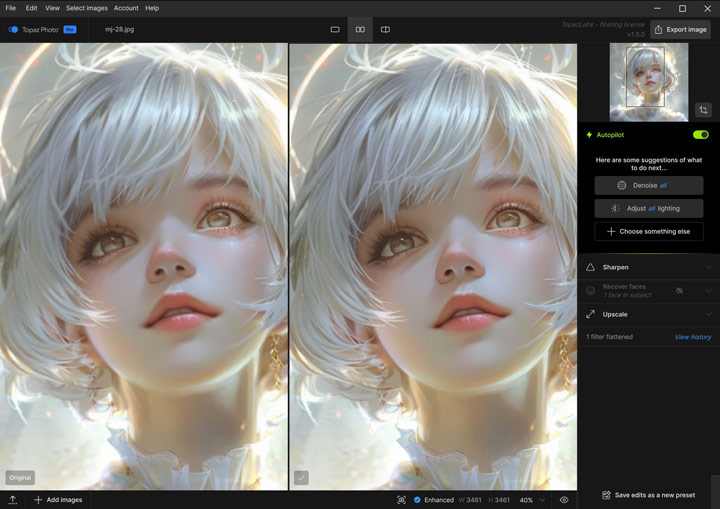
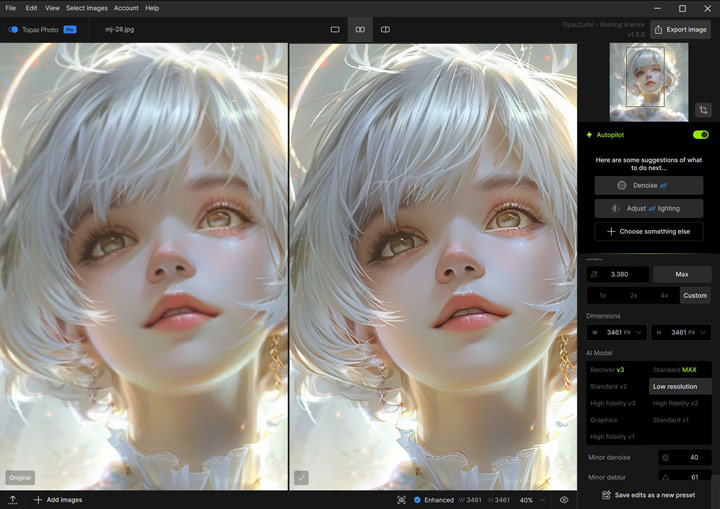
I then change the upscale model to Low Resolution. Thius brings me clear improvement in overall sharpness and structure. Facial details are more defined, and the image is noticeably cleaner.
Test 2. Deblur an Old Photo
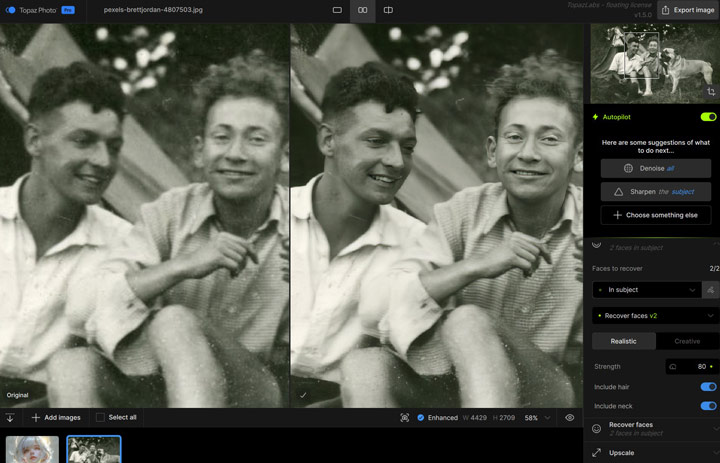
Based on the experience from Test 1, I first used Autopilot, then applied Face Restore (using Restore Face v2, Realistic option). The results were quite good. Facial structure was significantly recovered. At higher zoom levels, fine textures became slightly less detailed, with some smoothing in hair and skin, but everything still looked realistic and true to the original image.
Test 3. Enhance a Noisy Photo of a Bird
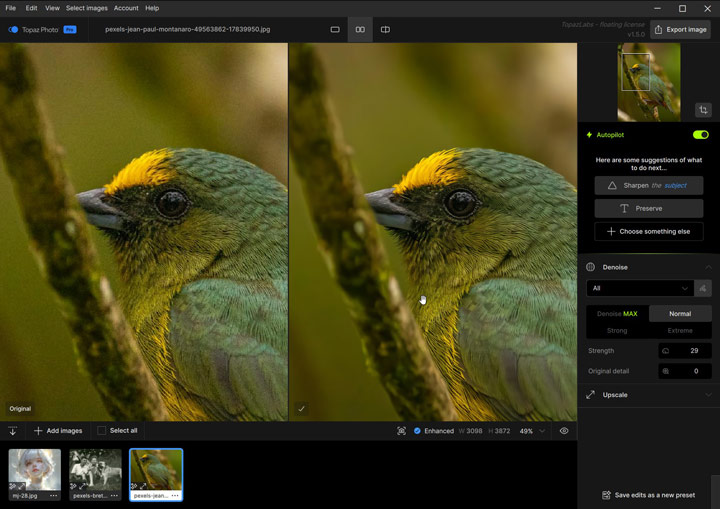
Settings used: Autopilot. The result was balanced with good detail retention. Feathers and branches remained sharp and natural-looking. The software also provides adjustable noise removal strength, but the default setting was already excellent.
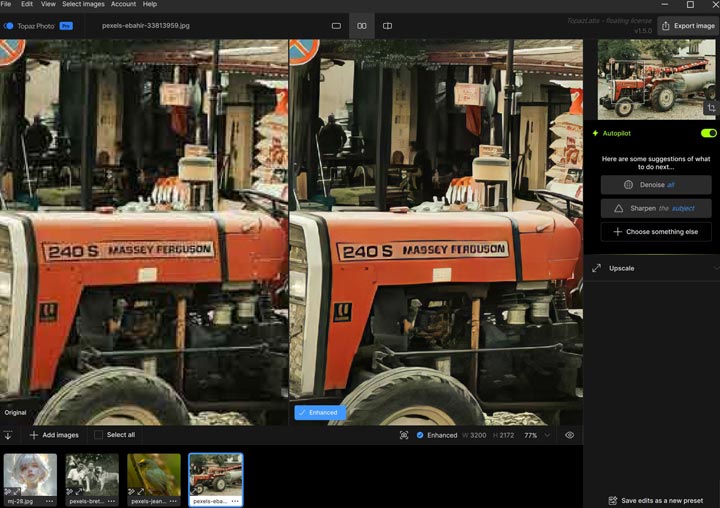
Test 4. Upscale a Cropped Low-Quality AI Image
Unfortunately, Topaz Photo delivers disappointing results. The text became distorted, and the entire image had a strange smudged appearance. I tried several other models, but none produced satisfactory results.
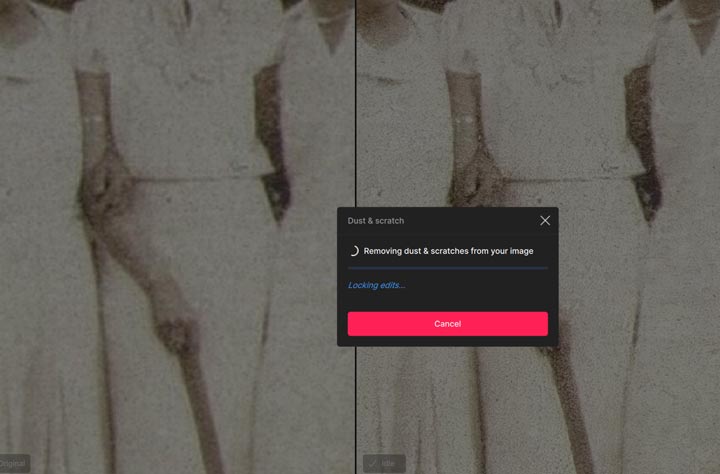
Test 5. Remove Dust from Photo
This ends upo with fiald. Topaz Photo seems taking forever to enhance my dusted photo.
How Much Does Topaz Photo Cost
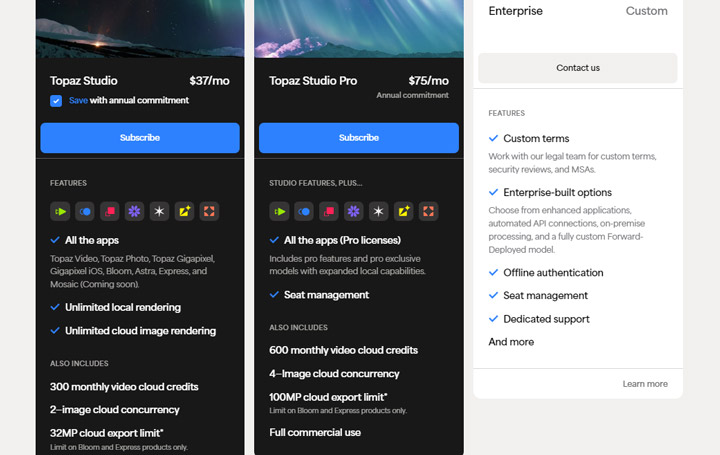
Not long ago, Topaz Photo used to follow a perpetual license model. You paid once ($199) and owned that version forever. If you wanted updates after the first year, you could renew your upgrade plan for $99–$119 per year. It wasn't cheap, but at least it felt like a one-time investment that you could control.
Recently, however, Topaz has switched entirely to a subscription-based system, and many users feel the pricing has become even steeper and less flexible. Now, it comes in a subscription mode, costing $199 annually, meaning you no longer own the program outright. You can also subscribe to it through Topaz Studio, which bundles every Topaz app into one package. However, that's even more pricey – $399 per year! This shift from ownership to a recurring fee has left many photographers feeling the pinch.
| Plan | Price | Includes |
|---|---|---|
Topaz Photo (Standalone) |
$199 per year |
Only supports upscaling and enhancing photos |
Topaz Studio |
$399 per year |
Photo AI, Video AI, Gigapixel AI, Bloom, and more. |
Topaz Studio Pro |
$799 per year |
Photo AI, Video AI, Gigapixel AI, Bloom, and more. |
System Requirements: Will It Work for You
Before you dive into using Topaz Photo, it's important to check if your computer has the necessary power. Like many advanced AI-driven programs, Topaz Photo can be quite demanding on your hardware to perform its tasks efficiently. Here are the minimum and recommended system specifications you'll need for both Windows and macOS:
| Operating System | Requirement Type | CPU | System RAM | Graphics Card (Windows) / Video RAM (Mac Intel) | CPU & Graphics Card (Mac Apple Silicon) |
|---|---|---|---|---|---|
| Windows | Minimum | Intel or AMD, with AVX instructions, released after 2013 | 16GB | NVIDIA GTX 980 Ti or higher (6GB VRAM) OR AMD Radeon 570 or higher (6GB VRAM) | N/A |
| Windows | Recommended | Intel or AMD, with AVX instructions, released after 2020 | 24GB | NVIDIA RTX 20 series or higher | N/A |
| macOS | Minimum | Intel with AVX instructions | 16GB | 6GB Video RAM | Apple Silicon processors |
| macOS | Recommended | (Intel: Not explicitly stated, likely newer Intel with AVX) | 24GB | (Intel: Not explicitly stated, likely higher VRAM) | Apple Silicon M2 or higher |
Notes:
Beyond the core components, you'll also need sufficient space on your hard drive for installation and program data. Topaz Photo requires approximately:
- Windows: Around 34.7GB (this includes program files and data that can vary slightly based on your GPU).
- Mac: Approximately 9GB.
Given these requirements, particularly the need for a good amount of RAM and a capable graphics card, Topaz Photo might not run optimally, or even at all, on less powerful computers. If your current system doesn't quite meet these specifications, or if you're looking for a less resource-intensive alternative that still offers AI enhancement capabilities, a lightweight option like VideoProc Converter AI could be a much better fit.
Pros & Cons of Topaz Photo
Pros of Topaz Photo
 Remarkable AI Enhancement Quality: This is arguably where Topaz Photo shines brightest. Its AI models are exceptionally good at tackling common image problems like noise and blur. The detail recovery and noise reduction are genuinely impressive.
Streamlined All-in-One Workflow: Have noise reduction, sharpening, and upscaling capabilities combined in a single application. This eliminates the need to open multiple programs or use different plugins, significantly simplifying and speeding up the post-processing workflow.
User-Friendly Interface and Automation: Topaz Photo is designed with ease of use in mind. The interface is clean and intuitive. The "Autopilot" mode, while not perfect for every image, provides a fantastic starting point and can handle basic enhancements with a single click, making powerful AI tools accessible even to beginners.
Effective for Large Projects: Batch processing is a significant time-saver for large volumes of photos. Features like prefix/suffix naming for easy organization and a visual processing queue to monitor progress help you manage your output efficiently.
Cons of Topaz Photo
 Can be resource-intensive and slow on less powerful computers.
The Autopilot mode may not always produce optimal results for all images; manual adjustments might be needed.
The cost is high, and free updates for new AI models are only included for the first year.
Potential for occasional artifacts or unnatural look if overused.
Lack the support for colorize faded photos.
Need additional cost for enhance and upscale videos.
User Feedback from Topaz Photo
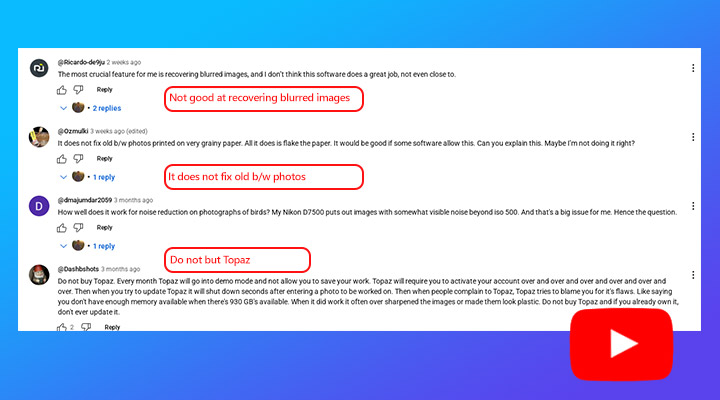
Topaz Photo generally receives positive user ratings. However, not all feedback is positive. Some users have noted performance issues, particularly with slower processing times when using features like upscaling. Beyond performance, specific user comments reveal a range of criticisms regarding the results themselves. Here are some examples of feedback from users:
1. Unimpressive results noted
"I've seen many many ads for TopazAI to denoise, sharpen, and upscale images. But when I tried the free trial version I was fairly unimpressed with the results (apologizes I don't have access to them at this time)." - by @Harmee-kun from reddit.com
2. Unnatural look reported
"I as impressed first, but pretty soon found the results fake and plasticky, it creates aliens. Stopped using it or do it to frighten people." - by @Terrible_Snow_7306 from reddit.com
3. Questionable value proposition
"After looking at the results of the various "filters" I really don't see this software being worth $200. Even though I am still working with an old version of Photoshop (CS6) and using three old Topaz filters (actually "antique" in computer years); DeNoise, Clarity and very occasionally" - by @rogerbeltz2370 from YouTube.com
4. Significant detail loss
"The face of the man lost a lot of definition. I think the original looked much better even with the noise. I tried the free demo and thought it did a horrible job." - @dougharder6258 from youtube.
Best Alternative to Topaz Photo: VideoProc Converter AI
Topaz Photo makes the most sense for photographers who regularly need advanced denoising, sharpening, masking, and photo restoration. But its $199 annual subscription and relatively high hardware requirements may be difficult to justify if you only enhance photos occasionally, or if you also work with video and audio.
For those users, VideoProc Converter AI offers a more affordable and more feature-rich alternative. On the image side, it handles everyday tasks like deblurring and face restoration with ease. For video, the AI-driven tools can upscale low-res clips to 4K, fix shaky footage, and smooth out frame rates. The suite is rounded out by audio tools that can clean up background noise or separate vocals from a track.
Why Consider VideoProc Converter AI?
- AI upscale and enhance photos, colorize old faded pictures, and restore faces.
- Boast AI-driven video features: super resolution, stabilization, frame interpolation, etc.
- Fix grain, noise, and other imperfections with original and even better details.
- Optimized performance and faster processing speeds even on mid-range computers.
- All-in-one media toolkit: edit, convert, compress, record, and download videos.

Topaz Photo vs VideoProc Convertert AI (Side by Side Comparison)
These programs overlap in image enhancement, but they serve different priorities. Topaz Photo provides a deeper workflow for repairing difficult photographs, while VideoProc Converter AI covers the most common enhancement tasks at a lower price and also handles video and audio.
| Feature | Topaz Photo | VideoProc Converter AI |
|---|---|---|
| Main Focus | Dedicated Photo Enhancement | Versatile AI Media Enhancer & Converter (Photos, Videos, Audio) |
| AI Capabilities | Photos: Upscale, Enhance, Face Restoration. Videos: No AI features. Audio: No AI features. |
Photos: Upscale, Enhance, Face Restoration, Colorize. Videos: Upscale, Enhance, Stabilize, Frame Interpolation. Audio: Remove Noise. |
| Performance | Can be resource-intensive, potentially slow on less powerful or older systems. | Highly efficient, fast processing, performs well even on mid-range computers. |
| Price | $199/year for Topaz Photo; $399/year for Topaz Studio | $34.95/year or $54.95 for a lifetime license |
| User Interface | Streamlined specifically for photo editing. | User-friendly interface designed for both video and photo tasks. |
Topaz Photo vs VideoProc Converter AI (See Our Test Result)
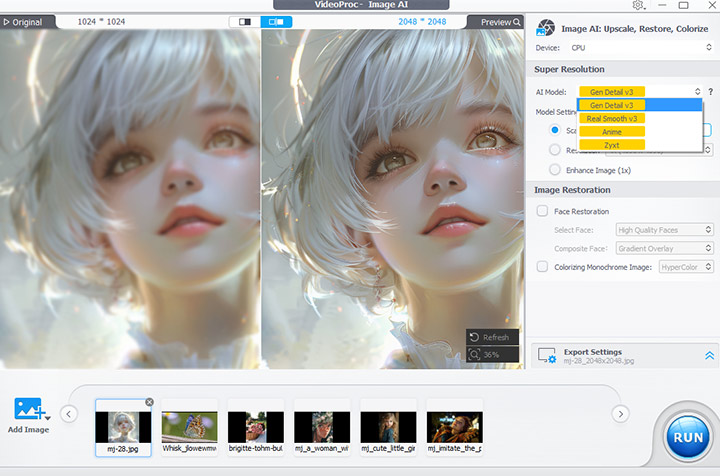
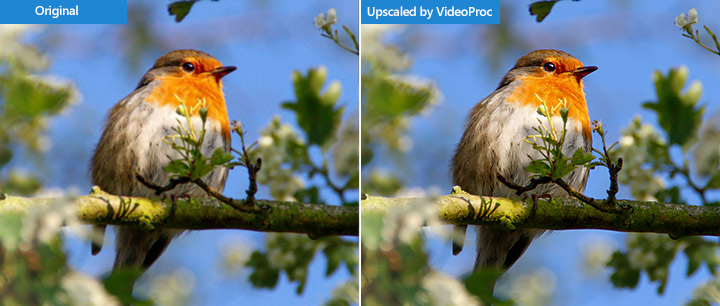
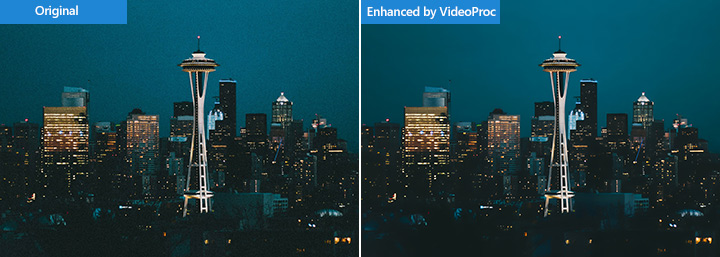
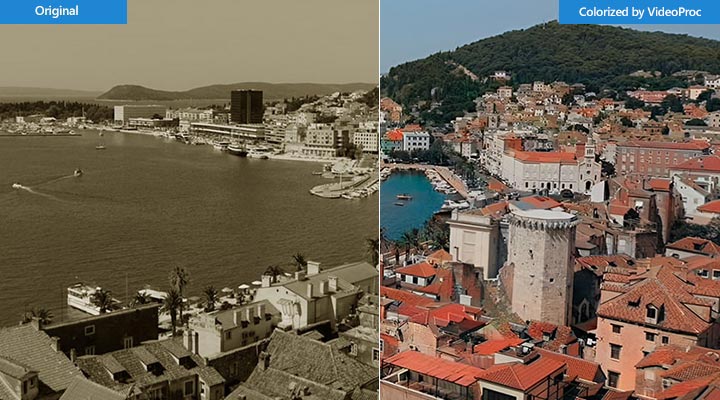
See the impressive results when VideoProc Converter AI is used to enhance photos.
1. Upscale AI Generated Images
2. Upscale Photography with Rich Details
3. Enhance Noisy Photography
4. Colorize Faded Photos
5. Restore Face(s)
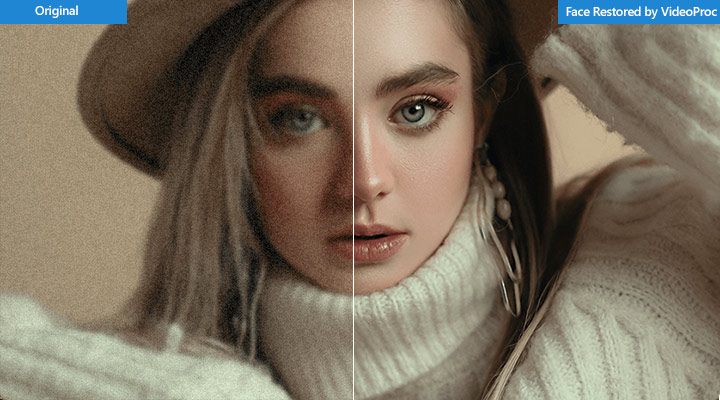
Ready for the best alternative to Topaz Photo? Download and install VideoProc Converter AI free.
Conclusion
In summary, Topaz Photo is a powerful AI tool specifically for photo enhancement, excelling particularly in noise reduction, sharpening, and upscaling with a straightforward interface. It's a solid choice for photographers whose primary focus is dedicated AI photo quality and a streamlined workflow, especially if they are already using other Topaz products. However, if you need a more versatile software solution that performs efficiently on a wider range of computers and handles both photo and video processing with a balance of AI and manual control, VideoProc Converter AI presents a compelling alternative. Ultimately, your decision comes down to your specific needs: Topaz Photo is excellent for pure AI photo power if your budget and system allow, while VideoProc Converter AI offers broader capabilities and efficiency for users working with both photos and videos.



