
 Download Online Videos & AI Upscale to HD/4K!
ClipGrab is a free video downloader available on Windows, macOS, and Linux. It supports downloading videos from popular streaming sites, such as YouTube, Vimeo, Dailymotion, and others, and can convert downloads to formats like MP4 or MP3. It has a simple interface and makes basic downloads easy.
While ClipGrab is convenient, people sometimes seek alternatives to ClipGrab due to its limitations or concerns. Notably, the official installer has bundled third-party software that could pose security risks. Additionally, other programs may offer more features, better performance, or support for additional platforms.
Therefore, I tested a range of download programs and compared their download speeds and quality options, ultimately compiling this list of ClipGrab alternatives. I believe that together they can meet most common use cases for stability, feature depth, ease of use and safety.

1. VideoProc Converter AI
If you are looking for an equally powerful desktop program, VideoProc Converter AI is a perfect ClipGrab alternative for Mac and Windows.
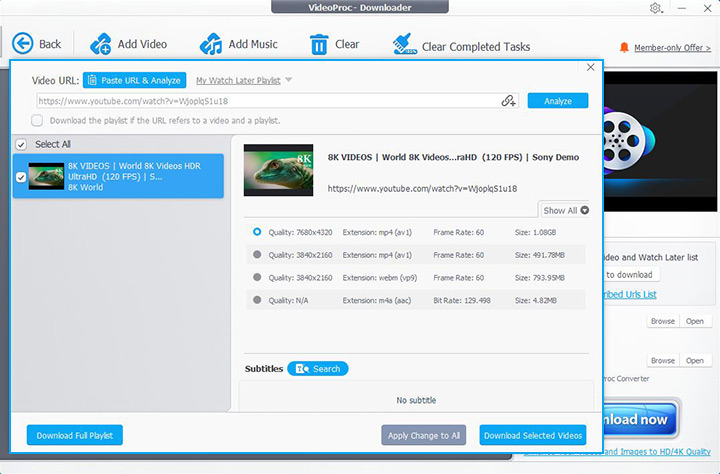
The desktop program includes a built-in downloader that supports grabbing content from more than 1000 sites. You can save videos, music, or even live streams from major platforms as well as many smaller or regional sites. This downloader supports batch downloads simultaneously from different platforms. This is something many other tools cannot do.
It's easy to use. When you paste a link, the program returns all available qualities and formats, along with codec information. You can then choose the one you want, up to 8K if supported. On top of that, VideoProc Converter AI is an all-in-one video converter and enhancer. You can convert the downloaded files to almost any format or enhance them with AI tools.

Pros
- Fastest, most stable, and highest success rate among all tested programs
- High-quality output up to the original upload's maximum
- Compatible with 1000+ websites, YouTube, Facebook, TikTok, etc.
- Download videos, music, playlists, channels, etc.
- All-in-one: converter, compressor, DVD backup, AI tools, etc.
Cons
- Software to install, less convenient for one-off downloads.
- Lack of support for Linux/BSD.
- Freemium pricing. The free version is limited to downloading from 10+ sites.
2. SaveFrom.net
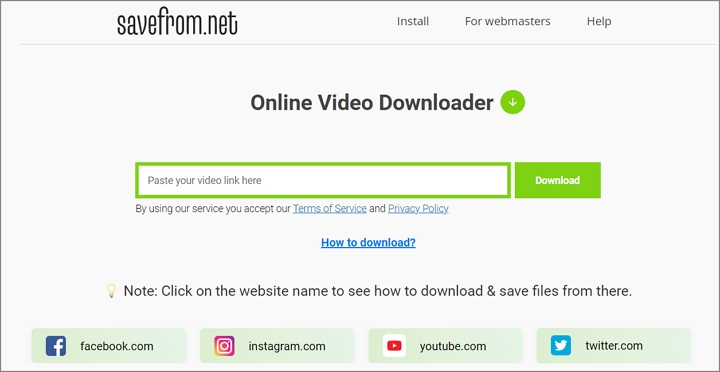
For users who just want quick downloads, online tools are good choices. SaveFrom.net is a free web-based alternative to ClipGrab that lets you grab embedded videos from sites without installing any software.
The tool supports fewer websites than desktop software. You can only download videos or audio from a few major platforms, such as Facebook, Instagram, YouTube, etc. You paste a link and choose a format. However, due to technical limitations of a purely online tool, by default the highest combined quality it offers is often 720p MP4. Additionally, SaveFrom has been blocked in the United States. You may need to use a VPN to bypass this restriction.
Pros
- Multi-platform compatibility through any modern browser
- Free to use without installation or login
- Simple to use, just paste a link and click download
- Download videos from over a dozen mainstream services
Cons
- Limited format and quality options up to 720p resolution
- Web-based downloads may produce videos without audio
- Ad-supported with occasional redirects
- Lack of support for batch downloading
3. Video Downloader PLUS
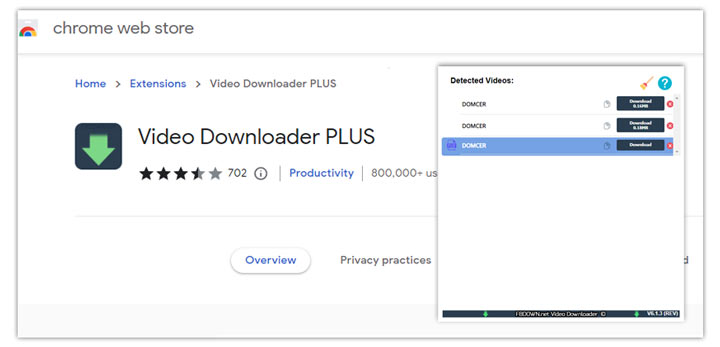
Video Downloader PLUS is a versatile Chrome extension that allows users to save video content from a wide range of platforms, including Facebook, Vimeo, Dailymotion, and Twitch. By automatically detecting media as you stream, the extension enables you to download most popular video formats with ease.
Please note that, in compliance with Chrome Web Store policies, YouTube downloads are strictly prohibited. Additionally, while the extension supports most major streaming sites, certain technical restrictions or site-specific limitations may occasionally prevent video detection or downloading.
Pros
- Free and easy-to-use Chrome extension
- Work with most major video sites except YouTube
- Detect and download multiple media formats
Cons
- Cannot download from YouTube due to browser regulations
- Limited support or technical issues on specific websites
4. YT-DLP
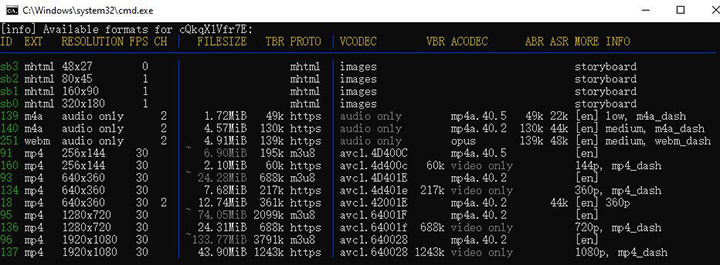
For users who are comfortable with a command-line interface, yt-dlp stands as a powerful, open-source ClipGrab alternative. Maintained by an active community, this free tool offers unparalleled control over your media downloads.
yt-dlp boasts compatibility with nearly 2000 websites. By default, it retrieves the highest available resolution and prioritizes modern codecs like VP9 and AV1, though these settings are fully customizable. Beyond standard downloads, you can also specify a timestamp range to download only a portion of the video. Advanced users can even extend functionality via plugins for new sites or post-processing.
Pros
- Powerful, free, and open-source
- Unmatched flexibility and download control
- Constantly updated to ensure site compatibility
Cons
- CLI only, lack a graphical user interface
- Steep learning curve for beginners
- Can feel cumbersome for quick, casual, or one-off downloads
Related: How to Use YT-DLP: The Easiest Guide You'll Ever Read
5. Seal
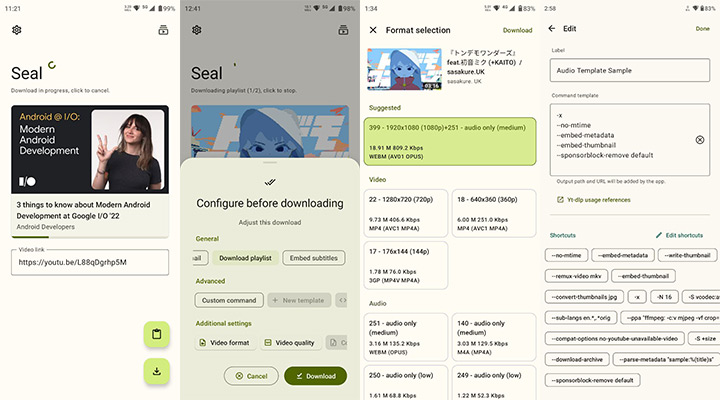
Seal is a fantastic ClipGrab alternative for Android. It's a premier open-source project built on yt-dlp. By leveraging the power of yt-dlp, Seal provides compatibility with thousands of video platforms. It caters to both casual users and power users, offering the ability to create custom presets and input advanced command-line arguments.
The user experience is seamless: users can either paste a URL directly or utilize the Android "Share" menu to send links to the app. To ensure maximum performance, Seal integrates an aria2c engine for accelerated download speeds. As it is not hosted on the Google Play Store, you have to download and sideload the APK via F-Droid or GitHub.
Pros
- Completely ad-free and open-source
- Bring the full power of yt-dlp to a mobile interface
- Support high-resolution downloads with extensive configuration options
Cons
- Must be sideloaded (not available on Google Play)
- By design it downloads only one item at a time, which may slow down bulk tasks
- Some features still require understanding yt-dlp, such as editing meta or advanced flags.
Conclusion
Although ClipGrab still works for downloads, the alternatives above provide a better mix of reliability, features, and safety. Your ideal ClipGrab replacement depends on how you use video downloads.
If you are an advanced user comfortable with command-line tools, yt-dlp is the go-to option. For quick, one-off downloads on any device, web services like SaveFrom.net suffice, but you have to accept low quality and intrusive ads. For regular downloading, especially at high resolutions or in bulk, VideoProc Converter AI strikes a good balance between functionality and ease of use as a ready-to-use GUI on desktop.
Consider your platform, technical comfort and feature requirements, then choose the ClipGrab alternative that makes saving videos effortless.




