
 Download Online Videos & AI Upscale to HD/4K!
 Listed in
 How many times have you ever tried to save a video from Instagram but failed? With more than 90 million photos and videos added to Instagram daily, there's a good chance you'll come across something you would want to keep. It sounds unbelievable that Instagram does not offer a feature for people to download others' content offline.
So on that note, we've compiled a list and comparison of some of the best Instagram video downloaders, the most reputable and trustworthy. Go through the features and choose the one that suits you best.
| Tool | Platform | Key Strengths |
|---|---|---|
SnapInsta |
Online |
Simple interface, supports Reels, Stories & IGTV, original quality |
VideoProc Converter AI |
Windows & Mac |
4K support, GPU acceleration, batch download, converter & editor |
FastDL |
Online |
Address-bar shortcut, carousels, no login, no limits |
4K Stogram |
Windows & Mac |
Download by username / hashtag / location, Stories & Highlights |
Repost+ for Instagram |
iPhone / iPad |
Optional watermark, scheduling, AI captions, folder organization |
Reshare app |
iPhone |
Download videos & photos, no watermark, auto-copy caption |
Quick Save |
Android |
Clipboard detection, built-in editor + 9-grid splitter |
Video Downloader & Story Saver |
Android |
HD Stories/Reels, multi-download, Share menu support |
1. SnapInsta
Online video downloaders are always a good choice when you don't want to download or install any software. Most of them are pretty easy to use and compatible with almost any web browser, making them easily get access from almost any device.
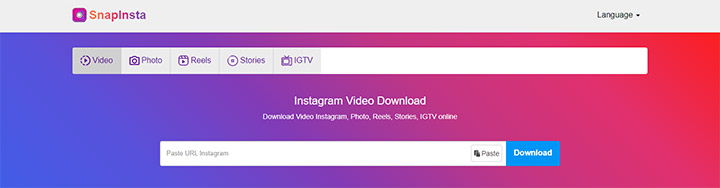
SnapInsta is the Instagram version of SnapTik. SnapTik allows you to download TikTok videos, while SnapInsta helps with saving Instagram videos. It's an efficient Instagram downloader to save photos and videos online. Through the website, you can easily download your favorite content with high quality in just a few seconds, be it Instagram Story, Reels, or IGTV videos. SnapInsta is a near-perfect online Instagram downloader regardless of annoying ads on the page. Note that it works only with public accounts.
Features:
- Easy to use with a simple interface.
- Download Instagram videos, photos, reels, stories, and IGTV videos.
- No need to log in to your Instagram account.
- Save videos in their original resolution and quality.
2. VideoProc Converter AI
One surprising fact is that Instagram is the 9th most searched term on Google, considering that most users access Instagram through the app. So if you prefer to access Instagram via a browser, chances are you'll need one Instagram video downloader running on your Mac or Windows PC.
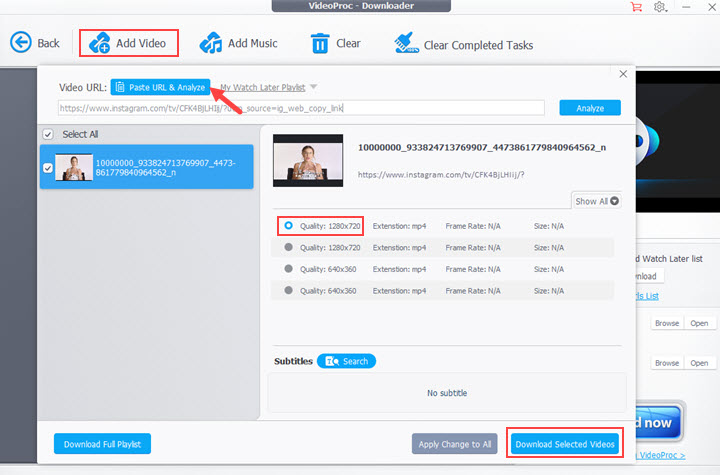
VideoProc Converter AI is a versatile and one-stop video processing software with a built-in Instagram downloader. This built-in downloader allows downloading videos, playlists, or M3U8 from a lot of websites, not only just Instagram. The high-quality engine firmly keeps the original video quality, and you can preserve the highest possible quality when downloading IG videos with VideoProc Converter AI.
Features:
- Support multi-platform downloads, not only just downloading Instagram videos
- Keep the highest video quality possible, even 4K videos
- Fast and stable downloading powered by GPU acceleration
- Support batch downloads at a time
- Record live streams so you won't miss Instagram Live anymore
- Convert Instagram to MP4, MOV, MP3, and 420+ other formats you need
- Provide simple editing features to help you polish your video before uploading
- Serve as a video converter, MP4 compressor, and screen recorder as well

3. FastDL
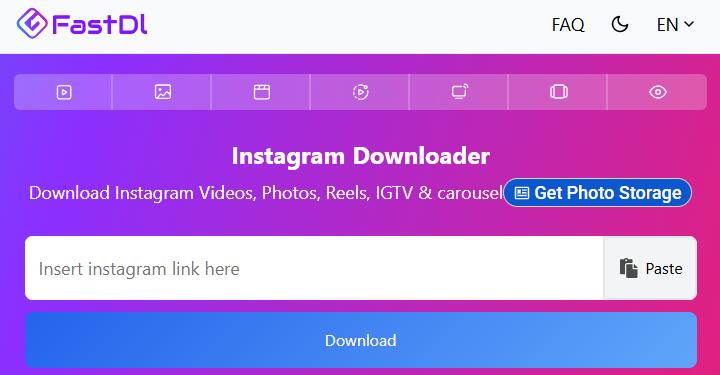
FastDL is a clean online Instagram downloader that works directly in your browser—no app install or account required. It supports videos, photos, Reels, IGTV, and multi-item carousels, and delivers them in their original quality. One practical extra is the address-bar shortcut: type f-d.app/ in front of any Instagram link and you'll land straight on the download page.
Features:
- Download Instagram videos, photos, Reels, IGTV, and carousel posts in original quality
- No login or Instagram account needed
- Works on mobile, tablet, and desktop browsers
- Optional address-bar shortcut for one-step downloads
- No daily download limits or added watermarks
4. 4K Stogram
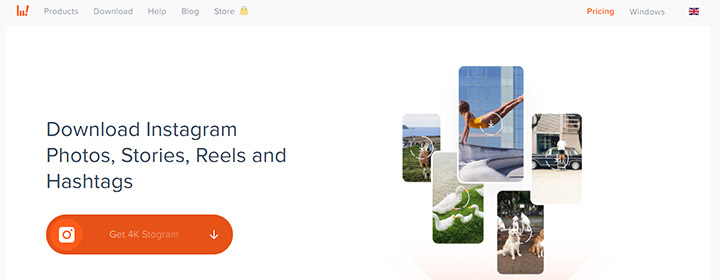
4K Stogram focuses more on Instagram. Unable to save content from other platforms, 4K Stogram lets you download Instagram posts by username, hashtag, or location. It will download all the existing and upcoming posts automatically. Another practical feature is that you can create a full back of your Instagram account, and download Instagram stories, current posts, and Highlights. It can also save private accounts you follow and download Stories and Highlights — features most online tools lack.
Features:
- Download Instagram posts by username, hashtag, or location if you subscribe.
- Save content from a private Instagram account.
- Back up your Instagram account.
- Download Instagram posts published during your chosen time periods.
Note: 4K Stogram has been discontinued by its developer due to Instagram’s increasing restrictions; the existing version remains available for download but will no longer receive updates or official support.
5. Repost+ for Instagram
Since most access Instagram through the app, you'll probably want an Instagram downloader app for your mobile devices.
Repost+ for Instagram is a highly rated iOS app (4.8 stars from over 160K reviews) designed for saving and reposting Instagram photos and videos. Copy a link from Instagram and the app automatically detects it, letting you download the media and prepare it for reposting. It stands out with practical extras like optional watermarks, post scheduling, AI caption generation, and hashtag tools that help users who regularly share content. You can choose to add or remove a watermark when reposting.
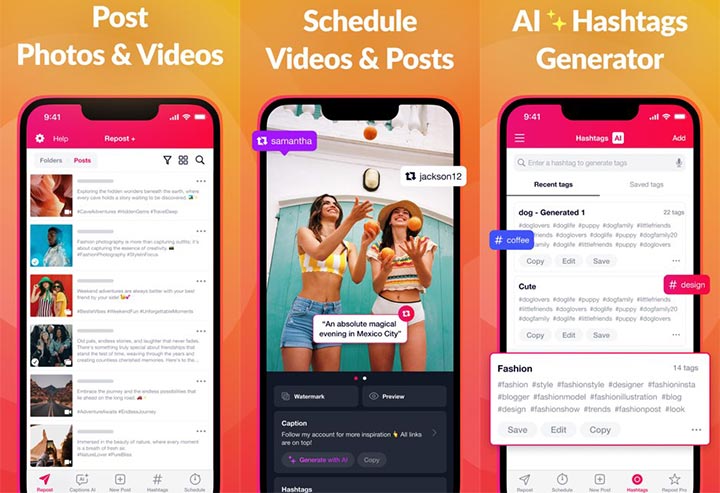
Features:
- Download Instagram photos and videos for offline saving or reposting
- Optional watermark to credit the original creator (or remove it)
- Schedule reposts for later
- AI caption generator and hashtag suggestions
- Organize saved content into folders
- Supports both iPhone and iPad
6. Reshare app
For iPhone and iPad users, there is not much art to save videos from Instagram either. Countless results will pop up if you search for an Instagram video downloader in the app store. Excluding the crap app that doesn't work, here is the best Instagram video downloader for iPhone.
Reshare app is formerly Regrammer, one of the best IG downloaders for photos, videos, stories, reels, and IGTV videos. As the name suggests, this app helps repost videos and photos of any public account on Instagram. Just copy the link and Reposter for Instagram will paste it automatically. Reposter for Instagram is free to use, no coins or tokens are needed, though it does have a pro version to remove ads and enable the "Copy caption" feature.
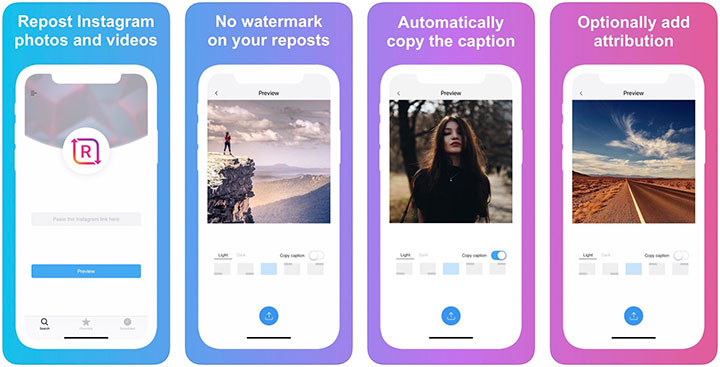
Features:
- Download videos, stories, reels, photos, and IGTV videos.
- Save videos to the camera roll.
- Add no watermark on your reposts.
- Schedule posts to share later.
- Choose to add attribution (or not).
7. Quick Save
Quick Save is a lightweight Android app built specifically for saving Instagram photos and videos. After you copy a share URL inside Instagram, simply open Quick Save—the media appears automatically and can be downloaded with one tap. Beyond basic saving, the app includes a simple photo editor with color filters and a 9-grid splitter so you can prepare images for Instagram posts without switching tools.
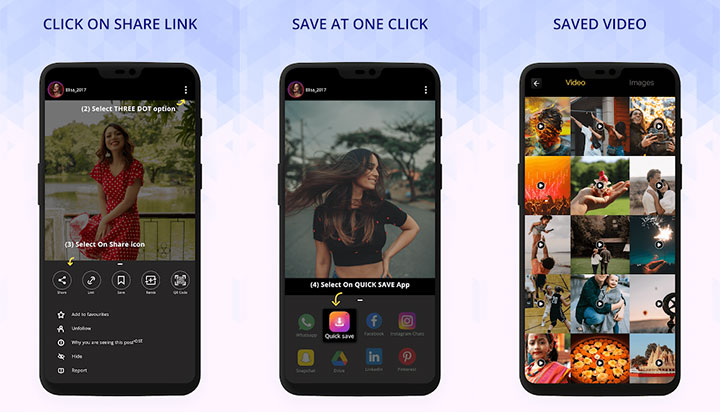
Features:
- Detects Instagram links from the clipboard and shows the media ready to download
- Save photos and videos to your device gallery in one tap
- Built-in image editor with color filters and 9-grid photo splitter
- Share downloaded media directly back to Instagram or other social apps
- Clean material-design interface
8. Video Downloader & Story Saver
Video Downloader & Story Saver is a popular Android app (10M+ downloads) focused on saving Instagram videos, Reels, photos, and especially Stories in HD. You can either copy the Instagram link and paste it into the app, or use the system Share menu to send content directly to it—both methods trigger an automatic download straight to your gallery. It also supports multi-item downloads and claims the ability to save content from private accounts when access is available. It is particularly strong for users who frequently save Stories or want to download multiple items at once.
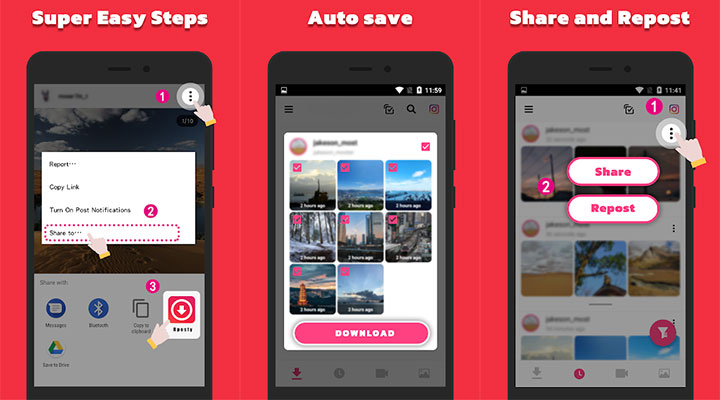
Features:
- Download Instagram videos, Reels, photos, and Stories in HD without watermarks
- One-tap paste from clipboard or direct Share-to-app support
- Multi-download support for several items at once
- Auto-saves media directly to your device gallery
- Works with private accounts when the content is viewable
- Fast download speeds with a simple interface
FAQ
What is the best Instagram downloader?
VideoProc Converter AI is the strongest overall choice for PC and Mac users. It supports high-quality downloads up to 4K, batch downloading, GPU acceleration, and extra tools like conversion and editing. For quick online needs, SnapInsta and FastDL are excellent free alternatives. On mobile, Video Downloader & Story Saver (Android) and Repost+ for Instagram (iOS) perform well.
How to download from Instagram for free?
The easiest free method is using an online tool. Open Instagram, copy the link of the video, Reel, Story, or photo you want. Go to SnapInsta or FastDL, paste the link, and click Download. No account or software is required. These tools work on any device and keep the original quality for public content. Always respect the creator's rights when saving.
Is there a free bulk downloader for Instagram?
Yes. FastDL and SnapInsta allow unlimited downloads of individual posts and carousels at no cost. For true bulk downloading by username, hashtag, or location, 4K Stogram offers a free version that can automatically save multiple posts. Note that 4K Stogram has been discontinued for updates, but the existing free version still works for many who need account backups.