
 VideoProc Converter AI
 New AI features are available




Can Remini Photo Enhancer really turn a blurry photo into a sharp, detailed image? And when AI brings missing details back to life, how much of what you see is actually real?
To find out, we put Remini Photo Enhancer to the test with a range of challenging images, from a heavily blurred video screenshot and an old group photo to low-light portraits, animal photos, and fine text. Some results surprised us, particularly when we looked beyond the initial before-and-after comparisons. In this Remini Photo Enhancer review, we'll take a closer look at the real results, uncover what Remini does well (and where it falls short), and explore its free version, pricing, and whether it's truly worth using in 2026.
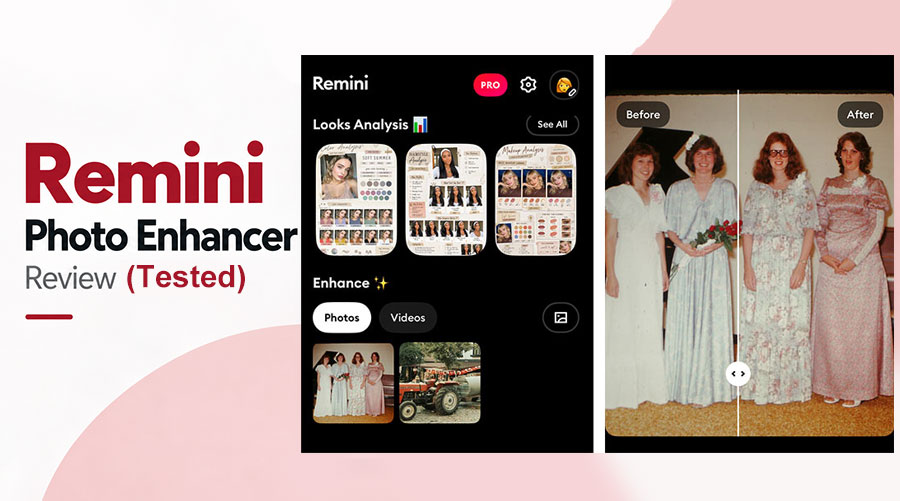
Remini Photo Enhancer Review: Quick Verdict
Who's it for: Remini Photo Enhhancer is a good pick for casual users who want to improve blurry portraits, selfies, and old family photos quickly.
What we liked:
- Impressive enhancement of severely blurred faces.
- Visibly clearer old portraits and group photos.
- Simple enhancement workflow with minimal editing experience required.
- Free photo saving was available through an ad-supported process in our test.
- Convenient access through mobile apps, with a separate web-based service available.
What could be better:
- AI-reconstructed facial details can sometimes look artificial.
- Skin texture may appear overly polished or retouched.
- Less consistent enhancement of animals, fine textures, and text.
- The free experience can be interrupted by ads.
- Recurring subscriptions may be costly for occasional users.
What Is Remini Photo Enhancer
Remini is an AI-powered photo enhancement service developed for improving blurry, pixelated, grainy, and low-quality photos. Its most recognizable capability is facial enhancement. Instead of relying solely on conventional sharpening, Remini uses AI-based processing to reconstruct and enhance facial details, helping turn indistinct portraits into clearer, more polished images.
Remini is available through mobile apps for iOS and Android, as well as a separate web service.
Its photo enhancement capabilities include:
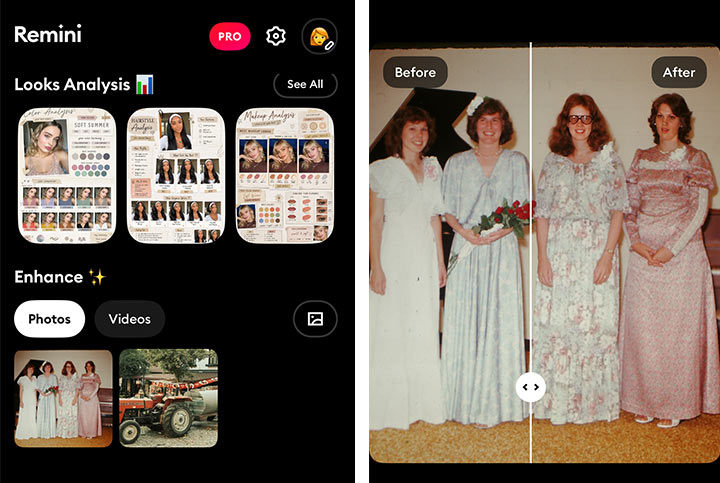
- Face enhancement: Improve the clarity and definition of faces in blurry photos.
- Old photo restoration: Make aged, low-quality portraits easier to recognize.
- Blur reduction: Improve the appearance of soft or out-of-focus images.
- Photo quality enhancement: Reduce visible imperfections and improve overall clarity.
- Background enhancement: Enhance details beyond the main subject where supported.
Remini also offers additional AI features, but this review focuses primarily on its ability to enhance existing photos. The biggest attraction is simplicity: users can improve portraits without manually adjusting sharpening, noise reduction, and other complex photo-editing settings.
But how well does it actually work?
Let's Put Remini Photo Enhancer Into Test
We tested Remini Photo Enhancer on six images with common quality issues, including blurry faces, heavy noise, and old photos with unclear details. Our evaluation focused on five key aspects:
- Clarity: Does the enhanced photo look noticeably sharper?
- Facial accuracy: Are the original facial characteristics preserved?
- Detail recovery: Does the tool improve fine textures and small features?
- Naturalness: Does the result still look like a real photograph?
- Usability: How convenient is the enhancement and saving process?
Test 1: Can Remini Really Fix Blurry Faces
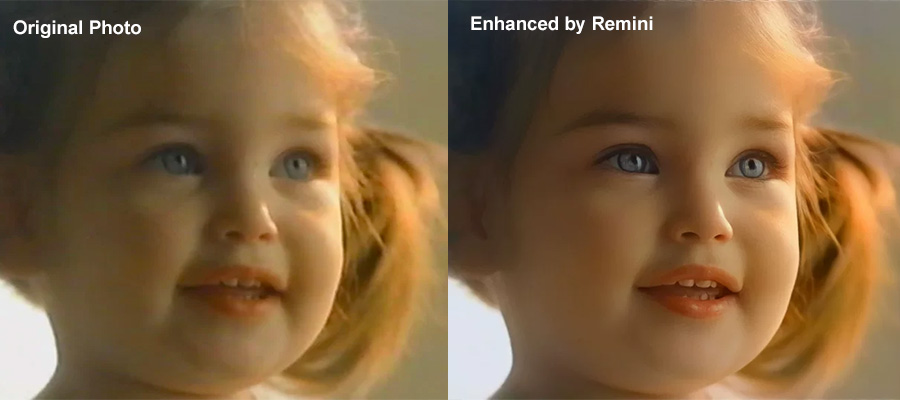
The original image was a heavily blurred screenshot from a video, with facial details barely recognizable. After enhancement, Remini made the face noticeably clearer, bringing out features that were previously hard to see.
However, the result had a strong oil-painting effect, with overly smooth skin and AI-generated details that looked less than natural. See the before-and-after comparison below and judge for yourself.
Test 2: Can Remini Enhance Multiple Faces Accurately
Remini did a pretty good job on this group photo, making most faces noticeably clearer and more defined. The overall result was impressive, though not flawless.
Some details were less successfully enhanced. For example, the second person's ear from the left actually looked blurrier after processing. Still, the improvement was quite noticeable overall. Take a look at the comparison below.



Test 3: Can Remini Improve Low-Light Photos
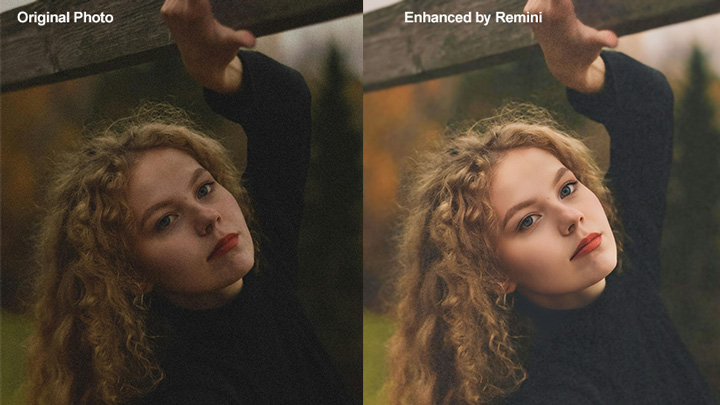
We tested Remini on a grainy, low-light portrait. It effectively reduced noise and made the image look cleaner and brighter.
However, the increased brightness also changed the original nighttime atmosphere. Whether that's an improvement depends on your preference for clarity or preserving the original mood.
Test 4: Can Remini Enhance Blurry Animal Photos
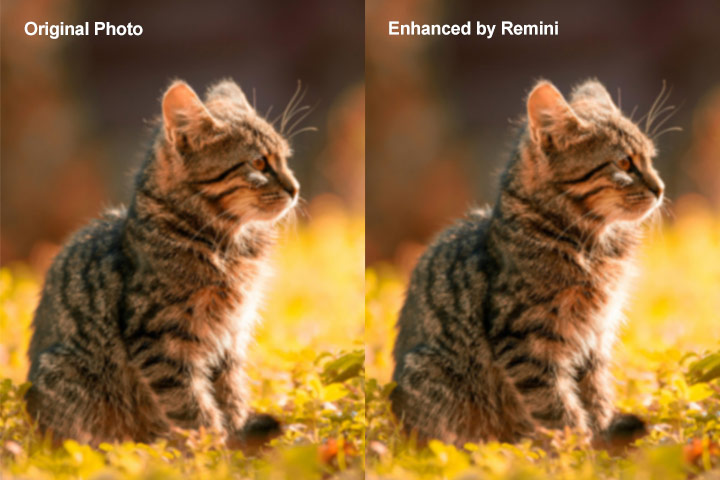
We tested Remini on a blurry cat photo, but the improvement was limited. The image remained relatively soft, with little noticeable recovery of fine details. Compared to its impressive facial enhancement results, Remini struggled to bring the same level of clarity to this animal photo.
Test 5: Can Remini Restore Fine Details
We used a blurry butterfly photo to test Remini's ability to restore fine textures. Unfortunately, the results were underwhelming.
The butterfly's delicate details remained soft, with little improvement in sharpness. Most of the visible changes were in color rather than actual detail recovery.


Test 6: Can Remini Enhance Compressed Text
Finally, we tested a heavily compressed image containing small text and fine details.
Remini made only minor improvements. The text remained difficult to read, and the smaller features were still blurry, suggesting that its AI enhancement is less effective at reconstructing heavily compressed text.
Overall, Remini performed best on human faces, delivering noticeably clearer portraits and group photos. However, improvements were limited for animals, fine textures, and compressed text. Some enhanced faces also looked overly retouched, sacrificing natural details for a more polished appearance.
Remini Photo Enhancer Pricing: Is the Subscription Worth It
Remini Photo Enhancer is free to download, but it also offers paid subscriptions and in-app purchases. As of October 2026, its US App Store listing includes weekly subscription options such as Remini Lite at approximately $4.99–$7.99 per week and Remini Pro at $9.99 per week. Other purchase options may also appear. The exact price can vary depending on the platform, region, subscription offer, and account.
To put weekly subscriptions into perspective:
| Example weekly price | Cost over 4 weeks | Cost over 52 weeks |
|---|---|---|
$4.99 |
$19.96 |
$259.48 |
$7.99 |
$31.96 |
$415.48 |
$9.99 |
$39.96 |
$519.48 |
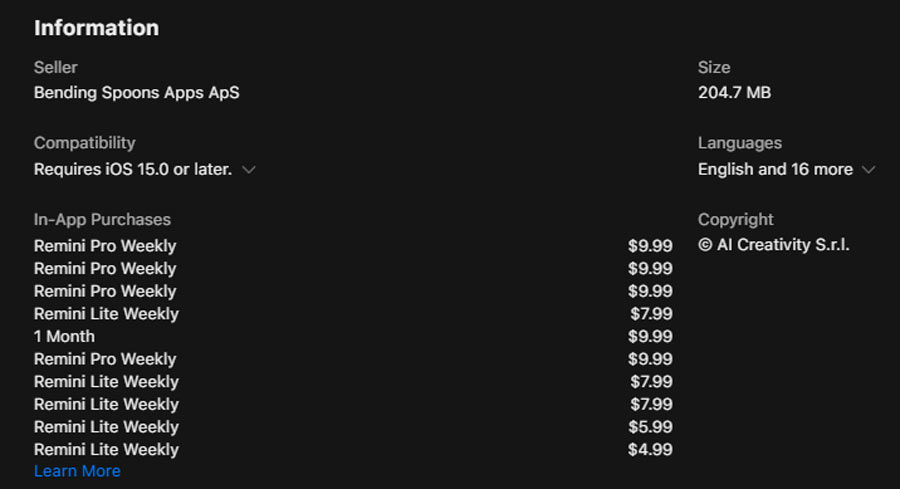
These figures illustrate the cumulative cost of maintaining a weekly subscription continuously. They are not annual subscription prices. So, is Remini worth paying for? In our opinion:
It is worth it if:
- You frequently enhance portraits and selfies.
- You regularly restore old family photographs.
- You prefer a convenient mobile workflow.
- You want to avoid repeated advertising interruptions.
It is not be worth it if:
- You only need to enhance a handful of photos.
- You mostly work with landscapes, animals, or text-heavy images.
- You're sensitive to recurring subscription costs.
- You need precise control over how original details are preserved.
Can You Enhance Photos Without Paying
Yes. In our test, we were able to enhance and save photos without purchasing a subscription. However, the experience wasn't entirely interruption-free. Before saving an enhanced image, the free version required us to watch an advertisement. The ads we encountered lasted approximately 10 to 30 seconds.
For someone restoring one or two photos occasionally, this may be a reasonable compromise. But if you're enhancing a large collection of images, repeatedly watching advertisements can become frustrating.
It's also worth noting that free access, advertising requirements, and feature availability is vary by app version, platform, and region.
Remini Photo Enhancer Pros and Cons
Pros
- The standout result from our testing was Remini's ability to improve a heavily blurred video screenshot. The difference in facial clarity was substantial.
- It made faces in an old group photo easier to see, producing a more polished image.
- You don't need advanced photo-editing knowledge to get noticeable improvements.
- Remini's mobile-focused approach makes it appealing for quick photo enhancement.
- During our test, enhanced photos could be saved without subscribing after watching ads.
Cons
- Skin texture and lips may contain details reconstructed by AI rather than faithfully restored.
- Some faces develop an artificial or studio-polished appearance.
- Our animal, butterfly, and compressed-text tests showed limited detail improvement.
- Free users may need to watch advertisements before saving photos, as we experienced.
- A recurring weekly plan may not make financial sense for occasional enhancement tasks.
Remini Photo Enhancer App vs. Web Tool: Which Should You Use
Remini Photo Enhancer is available through mobile apps and a web-based service, but the experiences are not necessarily identical. The mobile app is particularly convenient for people who want to improve selfies and family photos directly on their phones. Remini Web provides a browser-based workflow that may be more practical for people working on computers.
| Feature | Remini Mobile App | Remini Web |
|---|---|---|
Primary use |
Quick mobile photo enhancement |
Browser-based photo enhancement |
Access |
iOS and Android apps |
Web browser |
Typical workflow |
Select and enhance phone photos |
Upload photos through a browser |
Convenience |
Better suited to on-the-go editing |
Better suited to computer workflows |
Features and billing |
App-specific options |
Web-specific options may differ |
Best Remini Alternative for More Flexible Photo Enhancement
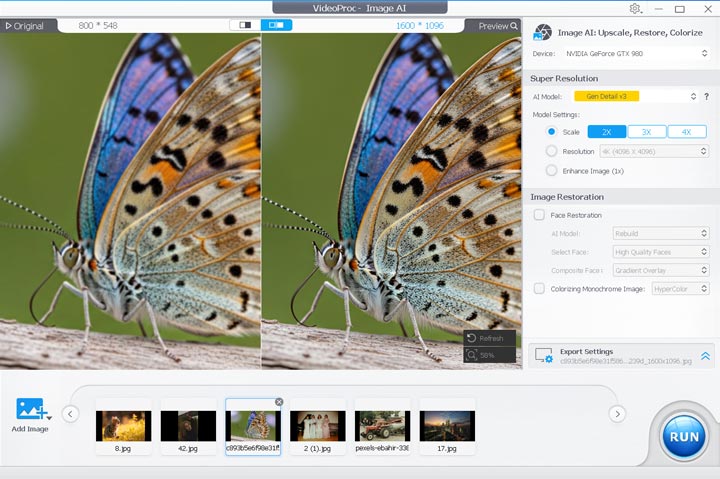
Remini Photo Enhancer is great for quick photo fixes, but subscription costs can add up over time. And while its mobile app is convenient for enhancing a few photos, a desktop workflow may be more practical for processing large batches. If that sounds like your situation, VideoProc Converter AI is worth considering. It can sharpen blurry photos, reduce noise, restore faces and old pictures, colorize black-and-white photos, and upscale images to 4K, 8K, or even 10K. It also supports batch processing and offers different AI models to suit your images.
Beyond photos, it includes AI tools for enhancing videos, stabilizing shaky footage, removing background noise, and separating vocals from music,etc. With the available of the affordable lifetime license, it offers much better long-term value.

Remini Photo Enhancer vs. VideoProc Converter AI
| Category | Remini | VideoProc Converter AI |
|---|---|---|
Best for |
Quick portrait and selfie enhancement |
Enhancing various types of photos |
Platform |
iOS, Android, Web |
Windows, Mac |
Photo enhancement |
AI-powered, especially face-focused |
Upscale photo to 8K/10K; Fix common flaws like noises and blurriness; Restore unclear face(s); Colorize faded photos |
AI models |
Platform-dependent options |
30+ AI models to elevate media quality |
Batch processing |
Varies by platform and plan |
Supported |
Extra tools |
AI photo and video features |
AI-enhance video and audio quality; Convert, edit, compress videos Download video, audio, subtitles. |
Pricing model |
Recurring subscriptions |
Multiple license options |
Ideal users |
Casual, mobile-first users |
Desktop users and batch workflows |
Is Remini Photo Enhancer Worth It in 2026
Yes, especially for those who want to quickly enhance blurry faces, selfies, and old portraits. Remini delivers impressive results with minimal effort, making it a solid choice for casual users. However, if preserving original details is your priority, or you frequently enhance large batches of photos, it may not be the best fit.