
 VideoProc Converter
 New AI features are available
 Listed in
 Image enlargement, also called image resizing or image upscaling, means making a digital image physically bigger by adding more pixels. For photographers, this is often essential because it allows them to create large, high-quality prints from smaller originals and preserve important details when cropping. It can even bring old, faded photos back to life. But image upscaling is not just for professionals. It also plays a key role in making website images look sharp on today's high-resolution screens. For everyday users, it can help improve family photos for printing or turn low-resolution pictures into nice desktop wallpapers. Ultimately, the key is understanding how the process works and choosing the right photo enlargement software to achieve the desired results.
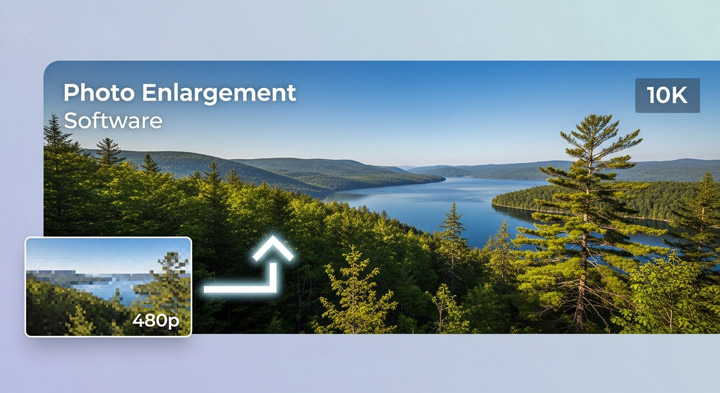
Photo Enlargement Methods: Traditional vs. AI
Before exploring the top photo enlargement software, it's essential to understand that different image upscalers utilize different methods to increase your image resolution. These methods typically fall into two categories: traditional resampling and AI-powered upscaling. The following table summarizes the key differences to help you make an informed decision:
| Feature | Traditional Resampling (Bicubic, Lanczos) | AI-Powered Upscaling |
|---|---|---|
Core Principle |
Mathematical algorithms estimate new pixels based on surrounding pixels. |
Machine learning algorithms analyze image content and generate new details. |
Detail Retention |
Can struggle to preserve fine details, especially at larger scaling factors. |
Superior detail preservation, generates new details for realistic results. |
Artifacts |
Can introduce blurring, pixelation, and other artifacts. |
Reduces artifacts, produces sharper and more natural-looking images. |
Processing Speed |
Generally faster and requires less processing power. |
More computationally intensive, may require specialized software or online services. |
Best For |
Quick, minor upscaling or when resources are limited. |
Significant enlargements or when detail preservation is paramount. |
Software/Tools |
Included in most image editing software (Photoshop, GIMP, etc.). |
Requires specialized AI upscaling software or online services (Topaz Photo AI, etc.). |
Consider your specific needs and the type of images you typically work with when selecting photo enlargement software. Some programs offer a combination of traditional and AI-powered methods, allowing you to choose the best approach for each situation. Experiment with different image editing software to see which delivers the best results for your images.
Full Review of Best Photo Enlargement Software
1. VideoProc Converter AI
Best For: AI-powered image and video upscaling, as well as an all-in-one solution for converting and editing.
Rating: 9.8/10  by One Hour Professor
AI-Powered: Yes. It uses AI models like Gen Detail V3 and Real Smooth V3, each tuned for different image types.
Max Enlargement: Up to 4x enlargement with detail preservation.
VideoProc Converter AI delivers impressive results when it comes to enlarging and enhancing photos. Its AI-powered image upscaling can enlarge photos by up to 400% while preserving — and often improving — visual quality.
Trained on a wide range of real-world images, the AI model reconstructs lost detail in textures, skin, fur, hair, and edges, making old, blurry, low-resolution, or compressed photos look sharp and vibrant. Whether you're working with grainy smartphone shots, slightly out-of-focus portraits, or vintage scans, the Image AI feature intelligently restores clarity and sharpness while reducing noise, artifacts, and blur.
This makes it ideal for preparing photos for large prints, 4K displays, or simply giving new life to images that once seemed unusable. In addition to photo enhancement, it also offers AI video tools such as video upscaling, stabilization, and frame interpolation. And as part of a complete media toolkit, it includes features like format conversion, DVD ripping, and online video downloads—covering most of your day-to-day digital needs in one place.
Image Support: Broad support, including .jpg, .png, .tiff, webp, bmp, and various raw formats from AI image generators, Sony, Canon, Panasonic, Fujifilm, and more.
Pricing: Free trail; $34.95/year (3PCs), $54.95 for a lifetime license (1PC), $79.95 for a family lifetime license (3-5PCs).

Pros:
- Enlarges video and images by 200%, 300%, and 400% with enhanced detail.
- Reconstructs details while automatically fixing imperfections.
- Supports batch upscaling of thousands of images at high speed.
- Includes extra AI features: colorizing images, restoring faces, upscaling/deshaking videos, etc.
Cons:
- It cannot run on mobile.
Real-World Image Enlargement Test with VideoProc
VideoProc offers four AI models tailored to different image types. I tested each with a representative image:
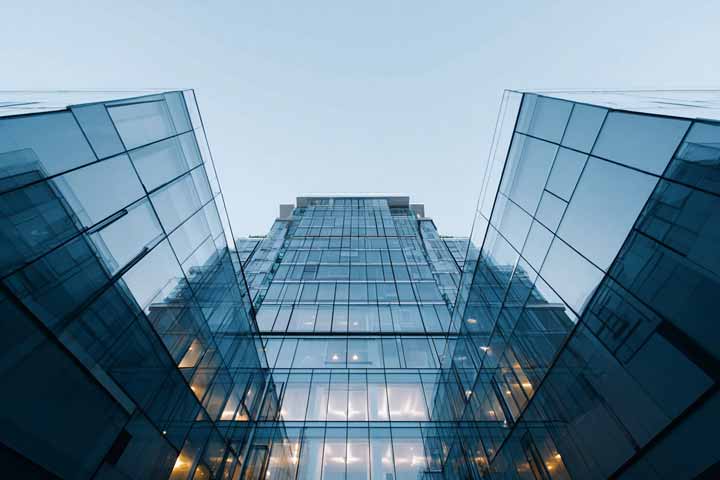
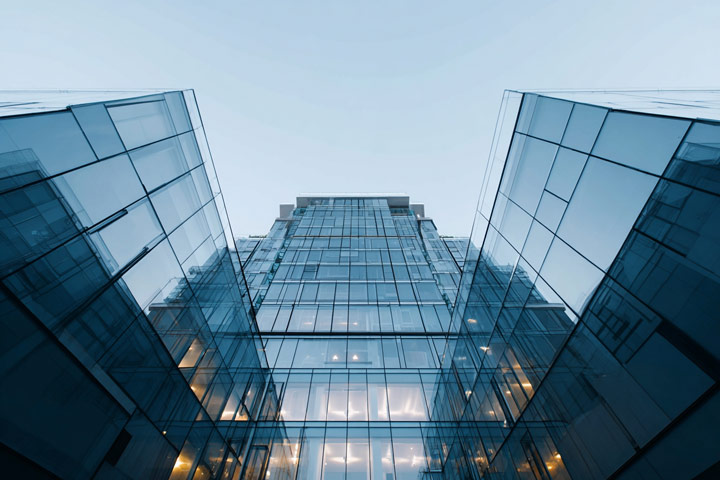
Test 1. 4x Enlargement with Gen Details v3



Test 2. 4x Enlargement with Real Smooth v3


Test 3. 4x Enlargement with Anime

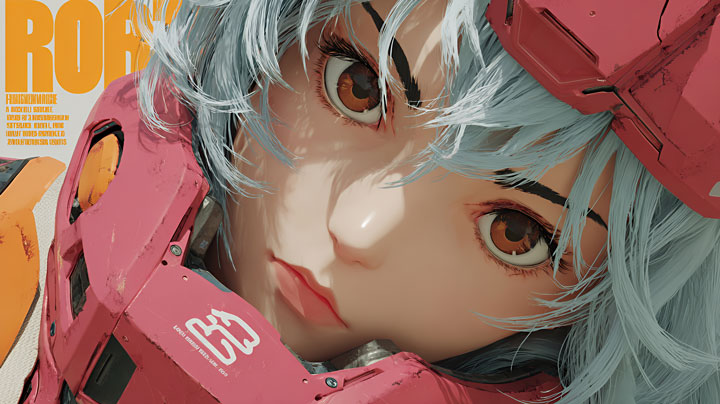
Test 4. 4x Enlargement with ZYXT
2. Topaz Photo AI
Best For: Dedicated AI-powered image upscaling, particularly for large enlargements.
Rating: 9.8/10  by PCMag
AI Powered: Yes, with Standard Quality, High Fidelity, and other models.
Max Enlargement: Up to 6x image enlargement.
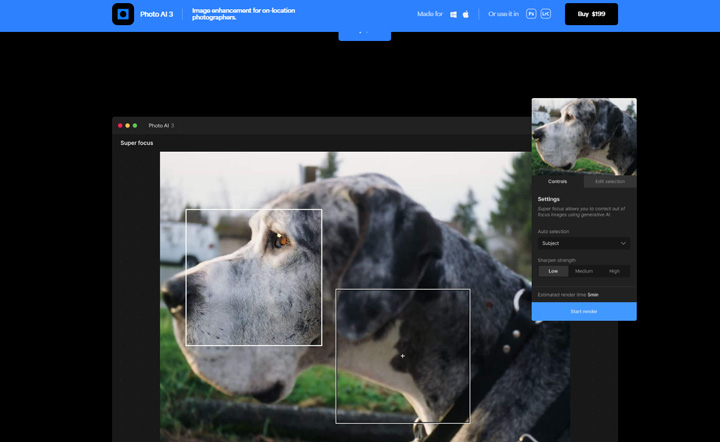
Topaz Photo AI is a specialized tool that uses AI to upscale images by up to 600% while preserving as much detail as possible. It also includes a few helpful features, such as sharpening blurry images and adjusting lighting to correct colors - both of which can make a noticeable difference. However, it's worth noting that the software is quite expensive: a lifetime license costs $199, which includes only one year of free updates. And it only works for images - if you also need video enhancement, you'll have to purchase Topaz Video AI separately for another $199.
Pros:
- Excellent AI-powered image enlargement.
- Preserves detail and reduces artifacts.
Cons:
- Cannot upscale and enhance videos.
- Expensive subscription fee.
- Require a powerful computer.
Image Support: JPEG, PNG, TIFF, and RAW.
Pricing: $199 for a lifetime license, including one year of free updates for new models.
Real-World Image Enlargement Test with Topaz Photo AI
Test 1: 4x Enlargement with Standard V2

The process was time-consuming, with model downloads taking over an hour. However, the results were impressive, enhancing details in skin, hair, and other intricate areas.
Test 2: 4x Enlargement with High Fidelity v2

I noticed some color shifts and slight over-sharpening in certain areas. Overall, though, a successful enhancement.
3. Adobe Photoshop
Best For: Professional image editing, graphic design, and advanced image manipulation, including AI-powered upscaling.
Rating: 4.5/5 by G2
AI-Powered: Yes (but its limited to Adobe Photoshop 2023 and later).
Max Enlargement: Primarily limited by system resources.
Photoshop remains the industry standard, offering an unparalleled suite of tools. Its image upscaling capabilities are powered by advanced algorithms, including the AI-powered Super Resolution feature (part of Neural Filters). This leverages machine learning to intelligently analyze and upscale images, preserving detail and minimizing artifacts. Furthermore, Photoshop's generative AI features (powered by Adobe Firefly) allow users to add, remove, or replace content using text prompts, effectively expanding and modifying images.
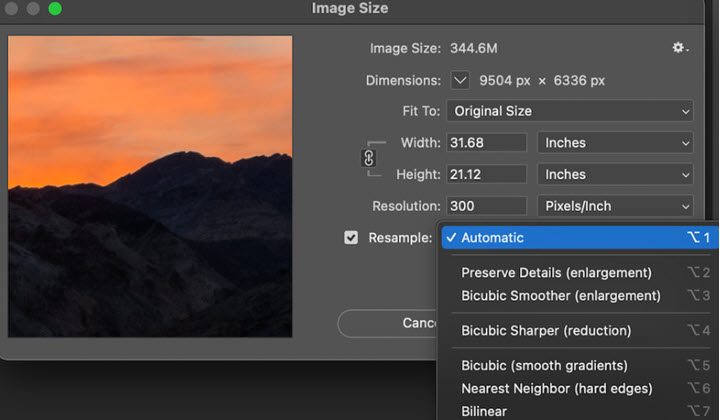
Image Support: Extensive, including JPEG, PNG, TIFF, PSD, and RAW.
Pricing: Starting from 34.49USD per month, or 22.99USD per month but paid annually.
Pros:
- Industry-standard software.
- Powerful features for advanced editing.
- AI-powered Super Resolution for exceptional upscaling.
- Extensive plugin ecosystem.
Cons:
- Expensive subscription.
- Steep learning curve.
- Can be resource-intensive.
Real-World Image Enlargement Test with Adobe Photoshop
Test 1. 4x Enlargement

The overall clarity improved, but the effect wasn't dramatic. Details in areas like earrings, hair, and the neck remained somewhat unclear.
Test 2. 4x Enlargement

The enlarged version appeared clearer with reduced noise and blur. Overall, a satisfactory result.
4. Fotor
Best For: Quick and easy online photo editing and upscaling.
Rating: 3/5  by G2
by G2
AI-Powered: Yes, with Advanced and Standard modes.
Max Enlargement: Up to 4K (2x upscale ratio).
Fotor is a user-friendly online photo editor that offers a wide range of features, including AI-powered image upscaling. Initially known as a beginner-friendly platform for quick edits with plenty of preset templates, it has rapidly evolved with advancements in AI technology. Today, Fotor has become one of the top places to explore AI-driven features - such as photo colorization, old photo restoration, photo-to-animation, AI avatar generation, and more.
When it comes to image upscaling, Fotor allows you to boost your image resolution up to 4K while preserving impressive detail. In addition to AI tools, the platform also includes filters, effects, and retouching options to further enhance your images. Overall, Fotor is a convenient all-in-one solution for anyone looking to quickly improve image quality online.
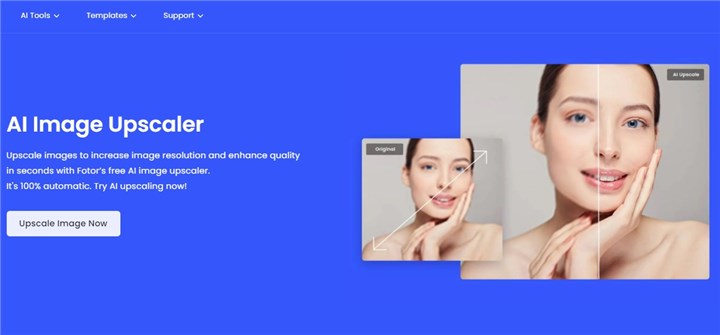
Image Support: JPG, PNG, HEIC, HEIF, and WebP.
Pricing: $8.99/month for limited features, or $19.99/month for Fotor Pro with bulk image enlargement and full AI access.
Pros:
- Easy to use.
- Variety of editing tools.
- Convenient online platform.
Cons:
- Limited features in the free version.
- Limite to upscale image to 4K.
- Upscaling sometimes brings artifacts.
- Requires an internet connection.
Real-World Test of Enlarging Image via Fotor
Test 1. 2x Enlargement with Fotor
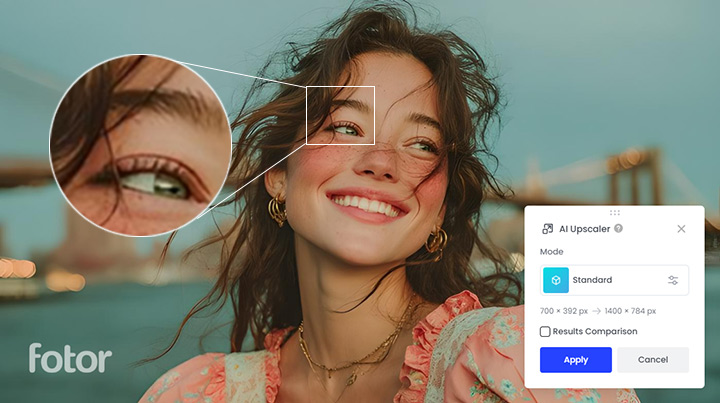
The 2x upscale ratio is limiting. The output looked over-sharpened and lacked detail, possibly due to using the standard upscaling method.
Test 2. 2x Enlargement with Fotor
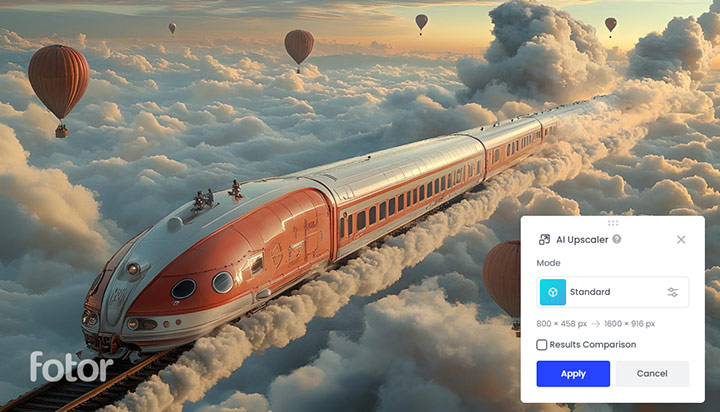
Fotor seems to perform better on images with fewer details, delivering more natural enhancements without noticeable artifacts or over-sharpening.
5. PhotoAid
Best For: Passport photo creation and enhancement, including resizing and enlarging.
Rating: 3.9/5 by G2
AI Powered: Yes. AI-powered resizing and enhancement algorithms.
Max Enlargement: 2X
Image Support: Supports JPEG, WEBP, and PNG.
PhotoAiD is an online tool and mobile app that uses AI-powered algorithms to create compliant photos for official documents like passports, visas, and driver's licenses. It automatically resizes, crops, and enhances images to meet specific requirements for different countries and purposes.
While it's not primarily designed as an image enlarger, PhotoAiD offers a free image enlarging tool that allows you to enlarge images up to 2x the original size while preserving facial details. It's a convenient and reliable solution for anyone who needs to create official document photos quickly and easily.
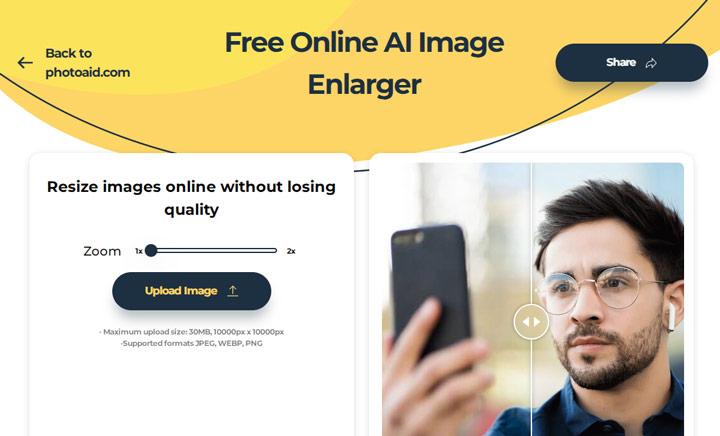
Pricing: The image upscaling feature is free to use.
Pros:
- Specialized in enlarging images with human faces.
- Ensures compliance with official photo requirements.
Cons:
- Not suitable as a general-purpose image upscaler.
- Requires an internet connectio.
Real-World Enlargement Tests with PhotoAid:
Test 1. 2x Enlargement

The output face looked unnatural, with altered eyes and lips. The color of the pupils also shifted slightly. It seemed to generate a new image based on the original, similar to Topaz Bloom.
Test 2. 2x Enlargement
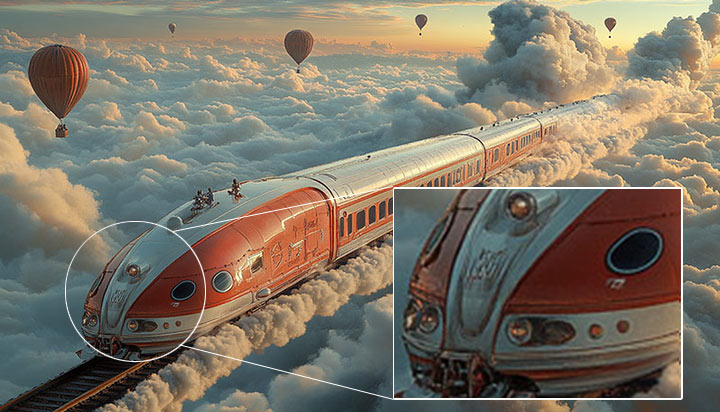
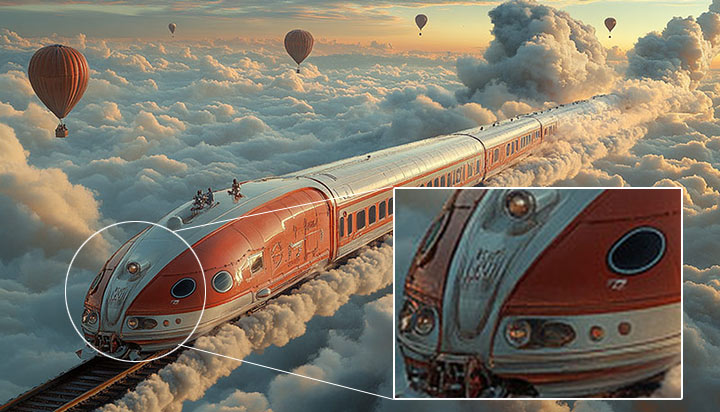
The image was simply enlarged in pixels, resulting in a pixelated and unattractive result.
6. ImgLarger
Best For: Online AI image enlarging for various purposes.
Core Algorithm(s): AI-based image enlargement technology.
Max Enlargement: Up to 8x enlargement (maximum output resolution is 8K).
ImgLarger is an online platform specializing in AI-powered image editing, conversion, and enhancement, along with some creative tools like turning portraits into cartoons or expanding images with AI. It supports up to 8× enlargement, making it suitable for various uses - from printing to web design. For users who want to enhance image quality without installing complex software, ImgLarger offers a simple and accessible solution. The downside? It can feel a bit ad-heavy at times.
Image Support: JPEG, PNG, and WebP.
Pricing: Free.
Pros:
- Allow for bulk enlarge multiple images.
- Supports up to 8x enlargement.
- No watermark; No sign in reequipment.
Cons:
- Requires an internet connection.
- Quality varies depending on the image.
- The ads is a little bit distracting.
Real-World Enlargement Tests with ImgLarger (400% Enlargement):
Test 1. Enlarge by 400% of the original
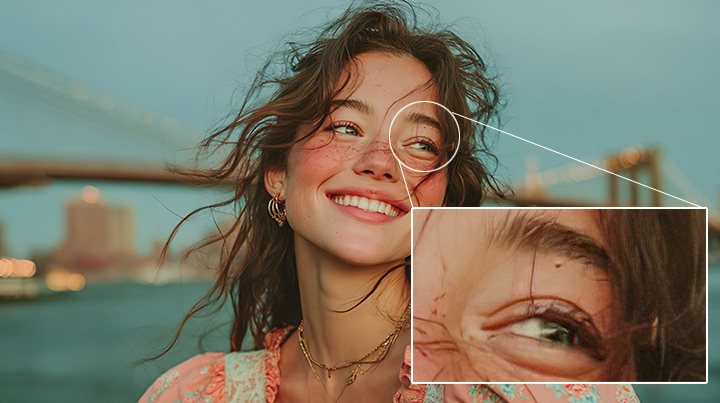
The image was enlarged, but with significant quality loss. Freckles looked unnatural, and the eyeline and eye appeared distorted. The flower pattern in the dress remained blurry.
Test 2. Enlarge by 400% of the original

The result looks good and natural overall. While there's still a slight loss of detail, the enhancement feels smooth and visually pleasing.
FAQs about Photo Enlargement
1. What is photo enlargement?
Photo enlargement, also known as resizing or upscaling, is the process of making a digital image physically larger by adding more pixels. This is crucial for creating high-quality prints, preserving details when cropping, and ensuring images look sharp on high-resolution screens.
2. What's the difference between traditional and AI-powered photo enlargement?
Traditional methods like Bicubic or Lanczos resampling estimate new pixels based on surrounding ones, often struggling with fine details and introducing artifacts. AI-powered image enlarging, on the other hand, uses machine learning algorithms to analyze image content and generate new, realistic details, resulting in superior detail preservation and fewer artifacts, especially for significant enlargements.
3. How to choose the best photo enlargement software?
When selecting photo enlargement software, consider your specific needs, such as the type of images you work with and the desired enlargement factor. Evaluate whether you need traditional resampling for minor adjustments or AI-powered upscaling for significant enhancements and detail preservation. Experiment with different tools to find which delivers the best results for your particular images.



