
 VideoProc Converter
 New AI features are available

 Listed in
 Editor's Update: This review was originally based on my hands-on testing of Google Veo 3. Google has since released Veo 3.1 and expanded the features available through Flow, Gemini, and its developer platforms. My eight-prompt test results still reflect the original Veo 3 experience, while the specifications, access options, and pricing information below have been updated for 2026.
Google Veo 3 changed the direction of AI video generation by making sound part of the generation process rather than an afterthought. Announced at Google I/O in May 2025, Veo 3 could generate video with synchronized dialogue, environmental audio, and sound effects. This addressed one of the biggest limitations of earlier AI video tools, which often required creators to add voices, music, and effects separately in post-production.
Google has since introduced Veo 3.1, an upgraded model with better prompt adherence, stronger audiovisual synchronization, improved image-to-video generation, more realistic motion, and additional creative controls. To see how much the model has actually improved, I tested Veo 3.1 again using eight carefully designed prompts. The tests covered cinematic scenes, character movement, spoken dialogue, sound effects, realistic physics, camera control, and more complex visual instructions.
Some results genuinely impressed me. Others revealed that even Google's latest video model can still struggle with character consistency, dialogue accuracy, complex motion, and precise creative direction. So, is Veo 3.1 now a dependable production tool, or is it still mainly an impressive AI demo? Here is my unfiltered verdict.
What is Google Veo 3。1
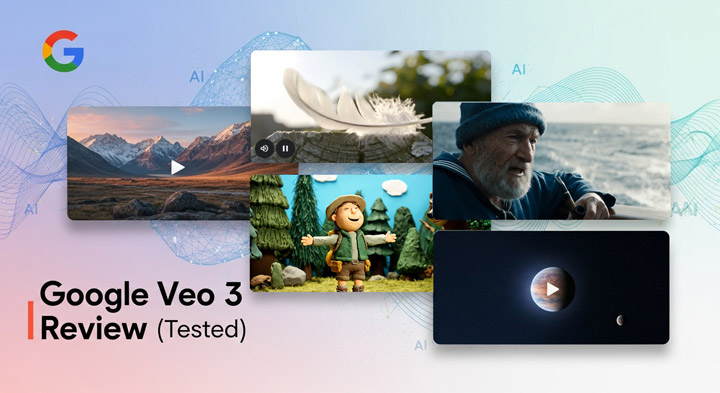
Building on Veo 2, Veo 3.1 is Google DeepMind's latest video-generation model, adding synchronized audio, stronger image-to-video capabilities, and greater control through visual references.
In Google Flow, Veo 3.1 is offered in several variants, including Lite, Fast, and Quality. Depending on the selected model and feature, users can generate clips lasting four, six, or eight seconds in horizontal or vertical formats. Some reference-based features remain limited to eight-second generations.
For developers, supported Veo 3.1 workflows can output video at 720p, 1080p, or 4K resolution at 24 frames per second. Exact resolution and duration options depend on the model version, interface, and whether a feature is still in preview. Veo is available through several Google products:
- Google Flow: A filmmaking-oriented workspace for creating clips, scenes, and longer sequences.
- Gemini: A simpler interface for generating short videos from prompts or images.
- Gemini API and Google's cloud platform: Programmatic access for developers and businesses building video-generation workflows.
This distinction matters because Veo does not offer the same controls, limits, resolutions, or pricing in every interface.
Upscale and Enhance Your Google Veo 3.1 Videos to 4K Clarity
Native 4K in Veo 3.1 is pricey, costing around $18 per 30 seconds. Instead of burning credits on retries, dial in your vision at 1080p first. When you're happy with the result, use VideoProc Converter AI to bring it up to 4K. It delivers a clean, high-res finish with way more flexibility—letting you upscale as many videos as you want without the per-retry fees.

What Google Says Sets Veo 3.1 Apart
Google's official pitch for Veo 3.1 boils down to giving creators director-level control over their shots. Here's what makes this update practically useful:
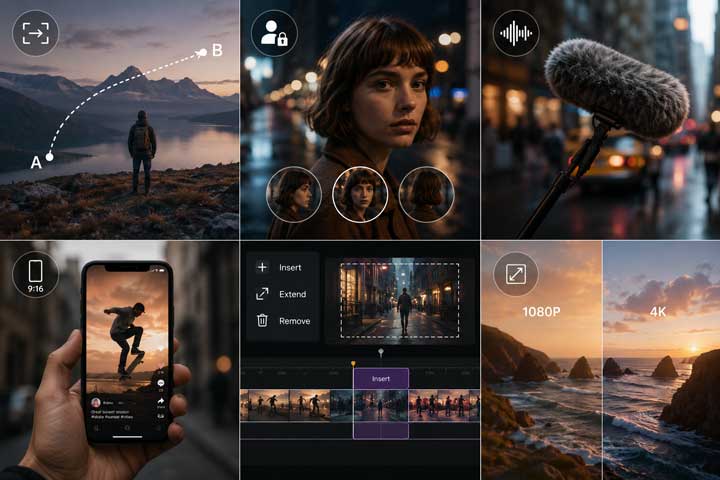
First and Last Frame Control: Setting a first and last frame allows you to guide exact camera motion and character actions from point A to point B.
Character & Style Locking: By feeding reference images into the model, you can keep the same face, outfit, or lighting setup across multiple generated clips.
Built-in Synced Audio: The model creates matching ambient sound, dialogue, and effects right inside the generation process, saving time in post-production.
Native Vertical Video: You get true 9:16 generation from the start—no awkward center-cropping or lost details for mobile-first content.
Targeted Video Editing: Using tools like "Insert" or "Extend," you can modify specific parts of a clip or lengthen a shot without re-generating the whole thing from scratch.
Upgraded Resolution: Output starts at a crisp 1080p with optional 4K upscaling available directly in Flow and the Gemini API.
Google Veo 3.1 Review: Hands-on Experience and Performance Analysis
Google promised a lot with Veo 3.1, but promo clips don't tell the whole story. To see how it performs in the real world, I tested its physics, character locking, camera control, and render quality. For an easy comparison, I left my previous Veo 3 test results in place so you can see the generational jump for yourself. Here is the breakdown.
1. Visual Spectacle and Action Sequences
Generated with Veo 3
Generated with Veo 3.1
Prompt: "futuristic cityscape with towering skyscrapers. Two high-speed aircraft are locked in a thrilling chase, weaving between buildings at incredible speed. The camera follows one aircraft in close-up, shifting between tight shots and wide views as the aircraft performs tight maneuvers - banking, flipping, and diving to avoid enemy fire. Laser beams streak across the sky, cutting through the air with sharp, vibrant light. Explosions occur in the distance, lighting up the city below. The camera zooms in on the aircraft's sleek design, capturing the reflection of the cityscape on its metallic surface as it speeds through. The sound of engines roaring and lasers cutting the air intensifies the tension of the chase."
My Analysis: This prompt tested Veo 3's camera control, fast action, visual effects, and audio synchronization.
Observation: Veo 3 performed impressively, with smooth camera movement and well-timed lasers and explosions. Veo 3.1 improved further with sharper details, clearer visuals, and more immersive background audio.
2. Scale, Destruction, and the Human Challenge
Generated with Veo 3
Generated with Veo 3.1
Prompt: "A giant monster rampages through the heart of a bustling city. Skyscrapers crumble, and the streets crack open with each step the creature takes. The camera tracks the monster's massive form, showing the destruction as it causes buildings to collapse, fires to erupt, and debris to scatter across the streets. People run in panic, fleeing the chaos. Fire trucks and police cars rush through the streets, their sirens blaring. Dust fills the air as shockwaves from the monster's steps ripple through the environment. The monster's movements are slow but deliberate, each of its steps leaving destruction in its wake."
My Analysis: This prompt tested Veo 3's handling of large-scale destruction, crowds, debris, lighting, and sound.
Observation: Veo 3.1 rendered the overall scene with greater detail and realism. The human figures also improved, though distorted faces and broken details were still noticeable.
3. Tranquil Garden with a Robot: Nuance and Reflection
Generated with Veo 3
Generated with Veo 3.1
Prompt: "A tranquil garden bathed in soft, golden afternoon light. The camera begins with a wide shot of a beautifully manicured garden, filled with vibrant flowers in full bloom. Slowly, the focus shifts to a delicate robot, standing quietly in the middle of the garden, its polished metallic surface reflecting the sunlight. The robot takes a slow, graceful step forward, its mechanical joints moving smoothly. It pauses, bending down to gently touch a rose in full bloom, as if savoring the beauty of nature. Its metallic arm trembles slightly as if in a tender gesture, exuding an unexpected sense of warmth. The scene feels serene, romantic, and otherworldly, with soft breeze swaying the flowers and birds occasionally flitting by. The camera slowly pans to capture the subtle reflections of light on the robot's surface, adding a soft glow to its form, and highlighting the gentle interaction between technology and nature."
My Analysis: This prompt tested subtle details, reflections, soft lighting, and the robot's interaction with nature.
Observation: Veo 3 created a calm, convincing scene with natural movement and realistic reflections. Veo 3.1 improved the fine details and made the overall scene feel more coherent and believable.
4. Magical Forest with Giant Flying Turtle: Character Consistency Challenge 1
Generated with Veo 3
Generated with Veo 3.1
Prompt: "A lush, magical forest filled with oversized flowers and towering trees that sway gently in the breeze. In the center, a young girl in a light dress, with messy hair and a curious expression, walks along a winding path surrounded by glowing, whimsical creatures that seem to appear and disappear in the air. Her eyes widen as she approaches a clearing and discovers a giant, flying turtle with a serene, wise face. The camera pulls back to reveal the turtle's shell, which is covered in beautiful, glowing moss and ancient runes. The turtle lifts its head and looks at the girl with gentle eyes, as if acknowledging her presence. The girl climbs onto its back, and the scene shifts to a stunning aerial view of the magical landscape-floating islands, sparkling waterfalls, and vibrant creatures. The camera zooms in on her joyful face as the turtle begins to glide across the sky, the wind rushing through her hair. Soft, ambient music, filled with both mystery and wonder, plays in the background, creating a dreamy atmosphere."
My Analysis: This prompt tested fantasy detail, character consistency, camera changes, and dreamlike atmosphere within an eight-second scene.
Observation: Neither result was convincing. Veo 3 lacked detail and did not match the prompt closely, while Veo 3.1 produced severely distorted facial features.
5. Realism in Everyday Scenarios with Dialogue: The Audio Test
Generated with Veo 3
Generated with Veo 3.1
Prompt: "In a cozy, well-lit beauty studio, a beauty influencer in her late 20s sits casually in front of a mirror, her vanity organized with makeup products. She smiles at the camera, holding up a foundation bottle. Beauty Influencer: "Hey guys, today we're going for a fresh, everyday look that's super easy to recreate!" She starts applying foundation, blending it effortlessly with a makeup sponge, the camera focusing on her skin as it looks smooth and natural."
My Analysis: This prompt tested dialogue sync, facial expressions, product handling, and realistic makeup application.
Observation: Veo 3 generated natural speech and a convincing presentation, but the product in her hand kept changing between a foundation bottle, makeup sponge, and eyeshadow brush. The makeup application also looked unrealistic, and the model even switched from foundation to lipstick. Veo 3.1 looked much more natural and even added a close-up during the makeup application, which made the result far more convincing.
6. Arctic Scene with a Polar Bear: Wildlife Photorealism
Generated with Veo 3
Generated with Veo 3.1
Prompt: "A photorealistic, National Geographic-style shot of the Arctic. A polar bear stands at the edge of a frozen sea, the icy landscape stretching out into the distance. The sky is overcast, casting a soft, cold light across the scene. The bear's thick white fur glistens with frost as it crouches, eyes locked on the water below. The camera slowly zooms in, capturing the bear's sharp, focused gaze. With a sudden, powerful movement, the polar bear plunges its massive paw into the freezing water, sending ripples across the surface. The ice cracks slightly, and fish dart in the water. The bear pulls its paw back, its claws dripping with water, and proudly holds a wriggling fish. A soft wind blows, swirling snowflakes across the scene, and the sky above shifts between dark clouds and pale sunlight, creating a dramatic and haunting atmosphere. The camera lingers on the bear as it feasts, showcasing the rugged details of its fur and the raw beauty of its environment. The crisp, icy texture of the water and the frozen icebergs contrast with the powerful, yet graceful movements of the polar bear."
My Analysis: This prompt tested photorealistic wildlife, animal fur, snow and water textures, harsh weather, and fast natural movement.
Observation: Both Veo 3 and Veo 3.1 performed very well. The fur, snow, water, and Arctic soundscape all felt highly realistic, with very little of the usual AI-generated look. Both models were especially convincing in this type of nature scene.
7. Cinematic Montage: The Passage of Time and Consistency Challenge 2
Generated with Veo 3
Generated with Veo 3.1
Prompt: "A cinematic montage capturing a woman's life through the ages - 10, 20, 30, 50, and 60. The scenes should evolve to reflect the passage of time: youthful joy at 10, ambition and energy at 20, reflection and introspection at 30, the weight of time at 50, and a mixture of joy and exhaustion at 60. Music: The music should shift with each age, starting playful and light at 10, energetic at 20, reflective at 30, slower and filled with regret at 50, and melancholic at 60."
My Analysis: This prompt tested character consistency, age progression, emotional storytelling, and music synchronization across multiple life stages.
Observation: Veo 3 was acceptable but inconsistent. The younger version looked slightly blurry, and some emotions did not match the prompt, likely because too many life stages were compressed into eight seconds. Its music synchronization, however, was accurate. Veo 3.1 felt much more natural, with emotions that matched the prompt more closely and smoother transitions between scenes thanks to the longer duration..
8. Beach Interview with Spontaneous Dialogue: Natural Interaction
Generated with Veo 3
Generated with Veo 3.1
Prompt: "A realistic YouTuber interview on a sunny tropical beach in Bali. The interviewer's voice asks, "So, what's your favorite way to spend the day on the beach?" The interviewee smiles and responds and then keeps walking toward the sea. The camera follows her as she walks toward the water, capturing the carefree moment."
My Analysis: This prompt tested natural outdoor movement, environmental detail, and Veo 3's ability to generate a fitting spoken response.
Observation: Veo 3 looked highly natural, from the footprints in the sand to the spontaneous answer, which fit the scene well. Veo 3.1 improved the image quality and finer details, but some facial features appeared distorted.
Google Veo 3: Pros and Cons
Based on my extensive hands-on time with Google Veo 3.1, here's a summarized look at its strengths and weaknesses:
Pros:
- Excellent native audio generation with convincing dialogue, ambience, music, and sound effects.
- Strong photorealism, especially for nature, animals, lighting, textures, and cinematic environments.
- Better prompt adherence and scene accuracy than Veo 3.
- Smooth, cinematic camera movement in action and tracking shots.
- Improved human motion, facial expressions, and object interaction.
- More flexible controls through image references, frame guidance, extensions, and multiple quality modes.
Cons:
- Faces can still become distorted, especially during movement or camera changes.
- Character identity is difficult to maintain across multiple shots.
- Hands, small objects, and physical interactions may behave unnaturally.
- Complex prompts with several actions or scenes can produce incomplete or inconsistent results.
- Dialogue, voices, and background music are not always fully controllable.
- Generating a usable result may require several attempts, making credit costs add up quickly.
Google Veo3.1 Pricing Plans
It's hard to pin down a single price for Veo 3.1 since Google frequently updates their rates based on region and account types. To give you a clearer (and more up-to-date) picture, here is how the Flow credits are currently distributed:
| Access Level | Included Flow Credits | Key Notes |
|---|---|---|
No subscription |
50 per day |
Free credits do not roll over |
Google AI Plus |
200 per month |
Entry-level paid access |
Google AI Pro |
1,000 per month |
Suitable for regular experimentation |
Google AI Ultra entry tier |
10,000 per month |
Higher limits and lower Lite/Fast credit costs |
Google AI Ultra top tier |
25,000 per month |
Intended for heavier creative use |
Developer API |
Pay as you go |
Charged according to model, duration, resolution, and audio |
Google's current support information lists those Flow allocations, although plan names, local prices, availability, and benefits may differ by region.
Current Flow Credit Costs
At the time of this update, Flow lists the following approximate costs per generated result:
| Model | Standard Subscriber Cost | Ultra Subscriber Cost |
|---|---|---|
Veo 3.1 Lite |
10 credits |
5 credits |
Veo 3.1 Fast |
20 credits |
10 credits |
Veo 3.1 Quality |
100 credits |
100 credits |
Credit costs apply to each generated result, not necessarily each prompt submission. One request may produce more than one result and therefore consume credits more than once. Google also warns that costs and limits can change, so the value displayed inside Flow should be treated as the final price.
Developer Pricing
For developers, Google charges for Veo generation by the second.
Current listed rates vary by model, resolution, and whether synchronized audio is included. For example, Veo 3.1 video with audio is listed at $0.40 per generated second for 720p or 1080p and $0.60 per second for 4K. Fast and Lite variants are considerably cheaper.
This makes the API more flexible than a consumer subscription, but costs can increase quickly when an application generates several alternatives per prompt or repeatedly retries unsuccessful shots.
How to Write Effective Prompts for Veo 3 and Veo 3.1 (Tips for Better Videos)
Getting the best out of any AI video generator, especially one as powerful as Veo 3.1, hinges on how well you communicate your vision. Think of your prompt as a script for an incredibly fast and talented, yet literal, film crew. Here are some key tips to help you craft prompts that truly bring your ideas to life with Veo 3 and Veo 3.1:
Don't ignore the sound: This is probably Veo 3's best feature. Describe the background noise or specific sound effects (like a "heavy sigh" or "thumping bass"). It actually helps the AI "feel" the rhythm of the video.
Be specific about actions: Instead of saying "someone is cooking," try "chopping onions with a chef's knife." Specificity stops the AI from guessing and creates much cleaner interactions between characters and objects.
Use your "Director" voice: Think like you're on a film set. Want more drama? Ask for a "close-up with shallow depth of field." Want it to feel epic? Try a "wide drone shot." Veo 3 is surprisingly good at mimicking specific camera styles.
The 8-second rule: You can't tell a long story in 8 seconds. Focus on one clear action per prompt. If the scene is too busy, the AI gets confused and the quality drops.
Iterate, iterate, iterate: If a video is almost there but not quite, don't delete the prompt. Just adjust the lighting or the verb you used. Sometimes a tiny wording change is all it takes to get exactly what you're looking for.
Who is Google Veo 3.1 For
Google Veo 3.1 is an incredibly powerful AI text/image to video generator, but its target audience isn't necessarily everyone. Here's a breakdown of who will benefit most:
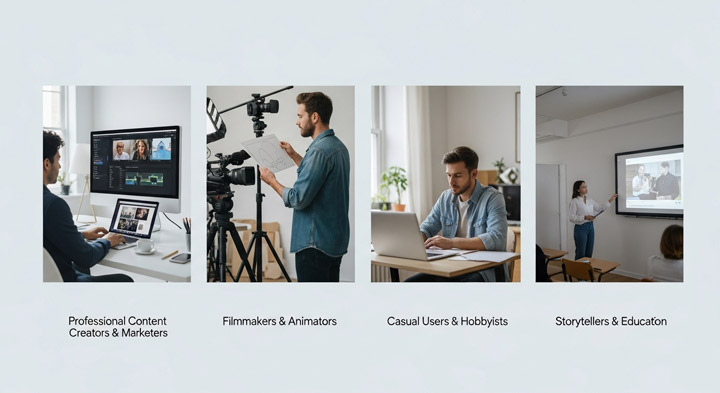
1. Professional Content Creators & Marketers
With its high-quality output, native audio, and ability to follow complex prompts, Veo 3 is ideal for quick, high-impact social media shorts, ad creatives, or initial storyboards. Its integration with Flow further enhances professional workflows.
2. Filmmakers & Animators
While it won't replace traditional filmmaking just yet, Veo 3 is an invaluable tool for ideation, visualizing complex scenes, or generating specific shots with precise camera movements and audio during pre-production.
3. Casual Users & Hobbyists
The pricing might deter some, but those passionate about exploring AI's creative potential and willing to invest will find Veo 3 a fascinating and capable tool for personal projects.
4. Storytellers & Educators
The ability to bring narratives to life with synchronized audio opens up new avenues for educational content, short stories, or visual aids that were previously costly or time-consuming to produce.
The Future Look of Google Veo3.1
Veo 3.1 is a significant step for AI video, but the pace of innovation is relentless. Looking ahead, we can expect to see major advancements that tackle current limitations and unlock new possibilities. This means support for significantly longer, more coherent video clips, coupled with breakthroughs in hyper-realistic human rendering and intricate detail. Future iterations will also likely offer enhanced user control and deeper editing capabilities directly within the platform, making powerful filmmaking tools like Flow even more robust. Google's ongoing commitment to AI means Veo 3 is on track to become an indispensable asset, dramatically widening access to high-quality video production for creators globally.
Frequently Asked Questions (FAQ)
1. Is Google Veo 3.1 free to use?
No, accessing Google Veo 3.1, especially for higher usage limits or without watermarks, typically involves a cost. While limited free usage opportunities might be available, it's generally positioned as a premium AI video generation tool.
2. What are Veo 3.1's main limitations?
Currently, Veo 3's primary limitations include an 8-second maximum video length per generation, a standard output resolution of 1080p (for most users), occasional minor anomalies in fine details (like illegible text), and challenges with perfectly realistic object interaction physics or extremely nuanced human emotions.
3. How does Veo 3.1 handle audio generation?
Veo 3.1 boasts a standout feature: it excels at natively generating highly relevant sound effects, ambient sounds, and even character dialogue that is almost perfectly lip-synced with the visuals. This integrated audio significantly enhances realism and immersion.
4. What is the relationship between Veo 3 and Flow?
Veo 3.1 is Google's core generative AI video model - it's the powerful engine that creates the video and audio. Flow is Google's dedicated AI filmmaking workspace. Flow uses Veo 3.1 (along with other Google AI models) to provide users with a comprehensive environment to build narratives, control camera angles, extend footage, and manage their prompts for filmmaking projects.
5. Can Veo 3.1 generate longer videos?
As of now, the maximum length per generated clip is 8 seconds. For longer narratives, users need to generate multiple clips and manually stitch them together. However, future updates are widely anticipated to increase this clip length.