
 VideoProc Converter
 New AI features are available
 Listed in
 Can Midjourney make videos? Short answer: Yes, you can make videos with Midjourney starting from June 2025. Its ability to generate videos came with the first video generation model, the V1 Video Model.
This article covers everything you need to know about the original question: whether Midjourney can generate videos, including its capabilities, pricing, and results.
Does Midjourney Do Video
Midjourney is originally famous for its AI image generation. You can also create videos from images using its new V1 video generation model. Midjourney released this I2V model to the public on June 19, 2025.
The basic idea is simple: You provide an image, either from Midjourney or one you upload, along with an optional text prompt describing movement or style, and Midjourney animates it into a 5-second video clip. You can then extend the video up to four times if needed, up to a maximum output duration of 21 seconds.

Unlike traditional text-to-video systems, this approach is more like image-to-video. Midjourney adds animation in a stylized, cinematic way that stays true to the original image's look and feel. You cannot generate videos directly from text prompts alone. It's currently the first version of this video tool, so outputs are somewhat limited in length and quality.
Midjourney Video Generator Pricing
Midjourney video generation is available to all users with a paid Midjourney subscription; there is no free tier. Higher subscription tiers offer more generation time (GPU hours) and higher output resolutions.
All plan tiers can create videos, but there are distinctions in both mode and resolution.
- All plans can generate videos in Fast Mode.
- Standard, Pro, and Mega plans support HD resolution (Fast Mode only).
- Pro and Mega plans can generate SD videos (480p) in Relax Mode.
- HD (720p) videos are only available in Fast Mode (not Relax).
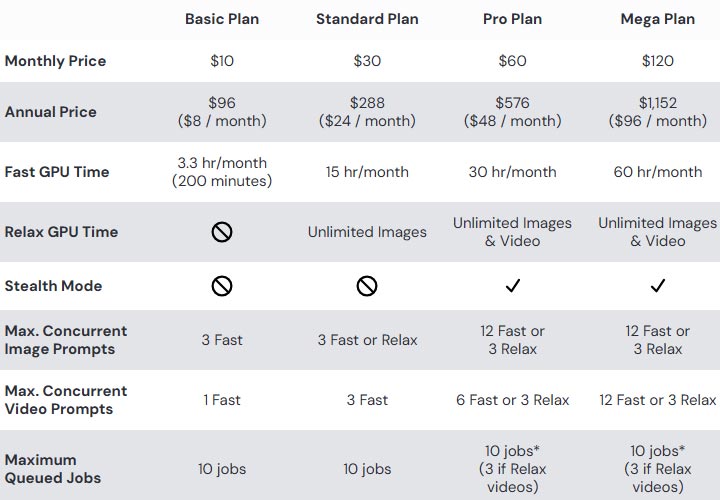
Video jobs are computationally heavier than image jobs, and Midjourney charges them against your GPU time accordingly. Each SD video costs ~8x as much GPU time as a single image. HD video consumes ~3.2x as much of that as a normal video.
Bottom line: You'll need at least the $10/month Basic plan to unlock Midjourney's video generator. Video generation costs significantly more GPU time than images (roughly an 8-25x cost multiplier). So you get fewer outputs per dollar. Higher-priced tiers make it more feasible to experiment with videos thanks to greater Fast GPU hours. Functionally, the core video tools are available on every plan, but resolution options, Relax Mode access, and concurrent generation limits differ by tier.
Midjourney Video Tutorial (Step by Step)
MVideo generation is available on both the Midjourney web app and Discord. On the web, you can use the Animate buttons for Midjourney images or Starting Frame controls for your own images. On Discord, you can use the Animate buttons under upscaled images or add --video to a prompt with an image URL.
Below is a step-by-step guide on how to create videos with Midjourney's AI video generator in the web app.
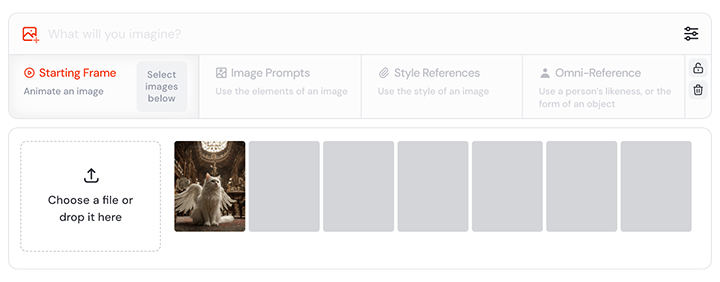
- Go to midjourney.com and log in with your account. Use the Continue with Discord option if you use Midjourney via Discord before.
- Select an image to animate. This starting frame can be an existing Midjourney image in your gallery or a new/uploaded image through the images panel.
- Change Midjourney video generation settings. Here are some parameters you can control:
- Animate Manually: You can write a text prompt to describe the animation style or content.
- Auto: Midjourney will animate the image in a natural way without further instruction.
- Loop: This creates a looping video (meaning the same start and end frame).
- Ending frame (optional): Uses a specific image as the ending frame for your video.
- Video Motion: Low Motion creates subtle movements, while High Motion introduces more dynamic and cinematic motion.
- Video Raw (optional): This reduces the extra creative flair that Midjourney usually adds.
- Batch Size (optional): Reduces the default number of generated videos (4 → 1 or 2) to save GPU time.
- GPU speed: This lets you choose to generate videos in Fast or Relax Mode (Pro and Mega plans only).
- Stealth Mode: It controls who sees your creations on the Midjourney website.
- Generate the video and get different variations.
- Extend the video if you want a longer clip (Auto and Manual options). Midjourney allows generating an additional 4 seconds of footage continuing from the end of the video. You can do this up to 4 times, until it reaches 21 seconds, which is the maximum length available.
- Download or share your video once you are happy with the results.
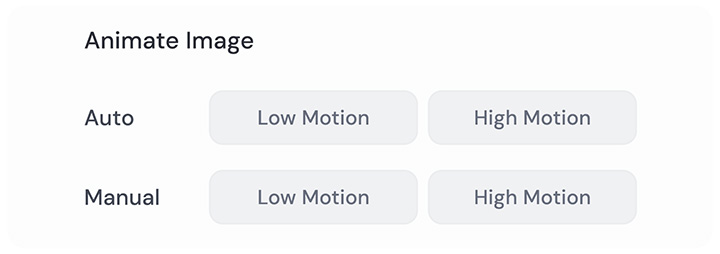
In summary, using Midjourney's video generator is fairly straightforward. You pick or upload an image, prompt if needed, choose motion settings, generate the 5s video, then optionally extend and download. The web interface makes it point-and-click, so once you know where the buttons are, it's quite user-friendly. Alternatively, you can add the parameter to the end of your prompt text, namely --motion low, --motion high, --raw, --loop, --end, and --bs #. These are special command flags that Midjourney recognizes for video jobs.
Midjourney Video Generation Capabilities
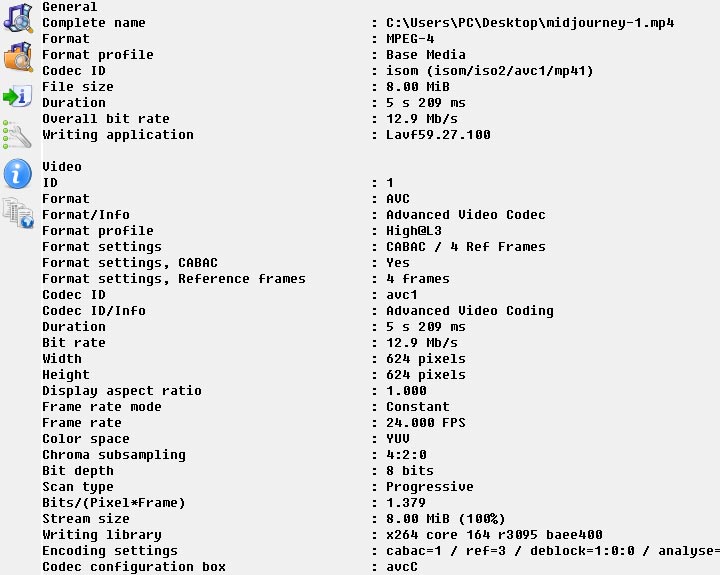
In a nutshell, a single Midjourney video generation lasts just 5 seconds at 24 fps. The resolution is approximately 480p for SD video and 720p for HD. It's great for storyboarding and previw, but not an end product. You can certainly extend its duration, but for the raw one-shot results, here's what I can tell from the media information of a downloaded SD Midjourney video.
Duration
The default video length is 5 seconds per generation. After generating a 5s clip, you can extend the video by 4-second increments up to four times, reaching a maximum of ~21 seconds total (5 + 4 + 4 + 4 + 4). However, even at full length, Midjourney videos are very short (under half a minute), suitable for brief animations or looping visuals rather than long narratives.
Format
Midjourney offers different formats to download: compressed MP4 for social, original MP4 H.264 Raw video, and animated GIF. All videos are 24 frames per second and currently no audio track is included – the output is silent.
Resolution and Aspect Ratio
Essentially, Midjourney maintains the same shape as the input image but may adjust the aspect ratio slightly. The exact pixel dimensions depend on the aspect ratio of your starting image. Here is how different starting image aspect ratios will affect your video's pixel dimensions:
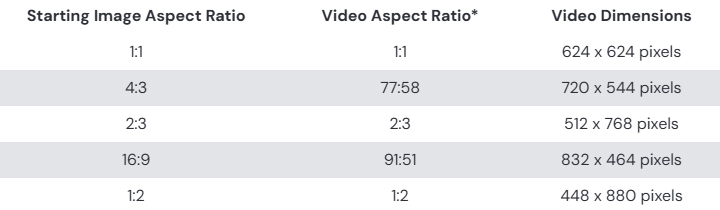
Videos are generated in 480p by default. If you are on the Standard, Pro, or Mega plan, you can also generate 720p HD videos using Fast Mode. Even though Midjourney can output a video with a maximum width exceeding 720 pixels, the quality will be classified as 720p if you upload it to another video-sharing platform, according to Midjourney.
This means the videos are not very high-res or sharp in practice. They might be enough for web viewing or demos, but nowhere near 4K or HD quality.
Tips: Midjourney does not currently offer a video upscaling feature. If you need a higher-resolution video, you would have to upscale frames or use external AI video upscalers after the fact. VideoProc Converter AI is a decent choice.
- AI Super Resolution: Upscale Midjourney videos up to 4K and images up to 10K
- Frame Interpolation: Increase the frame rate to up to 5 times and 480 fps
- Batch Processing: Efficiently process multiple Midjourney videos or images at once
- Video Stabilization: Correct shaky footage for smooth and steady playback
- All-in-one toolkit: Format converter, compressor, downloader, basic edits, etc.

Midjourney Video Examples
Here are some real examples that showcase what the V1 model can do. I think these examples can give you a clearer sense of its visual style, motion handling, and creative potential.
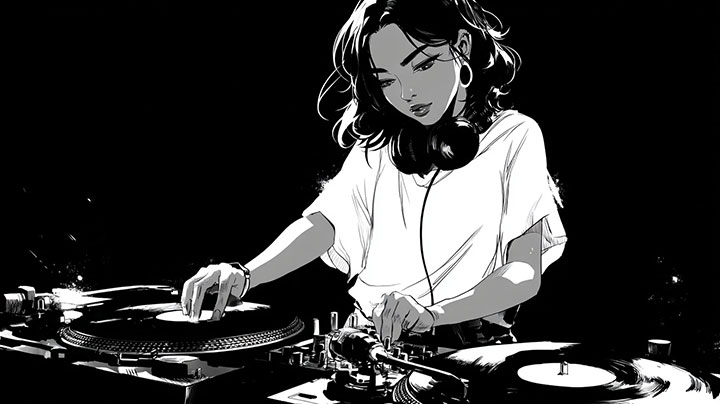
Prompt: A low angle shot of an embarrassed, heavily blushing anime girl with ash blonde and pink two-tone hair and green eyes.
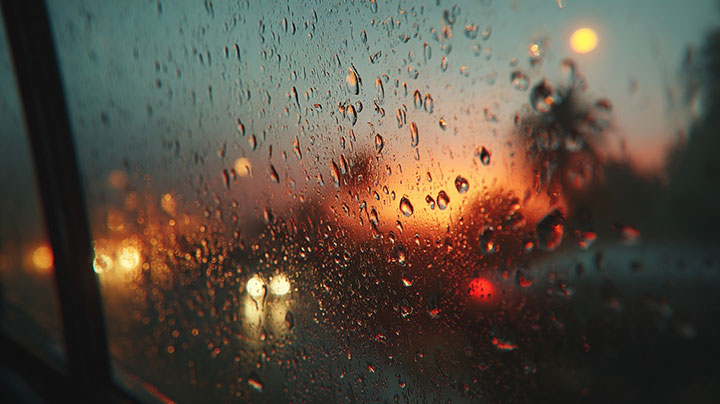
Prompt: Dual glass mockup with condensation, moody tone
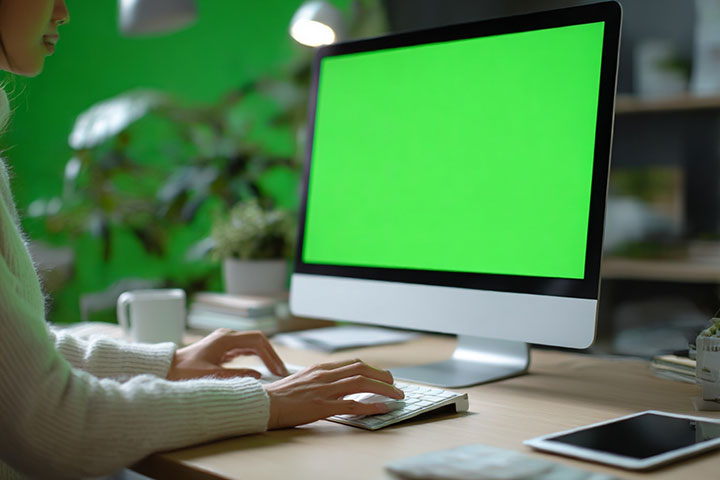
Prompt: Employee watching greenscreen computer at remote workplace closeup. Unrecognizable businesswoman using mouse device with mockup pc in office. Unknown female working at chromakey digital gadget on desk
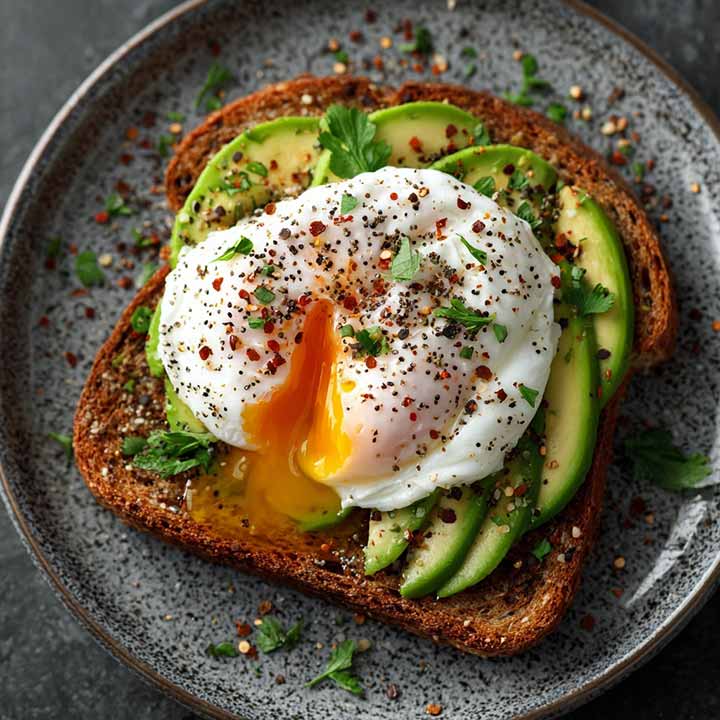
Prompt: a top view of Whole Grain Toast with Avocado and Poached Egg
Related Reading: Midjourney Reviews: Pros, Cons, and My Two Cents
Midjourney vs Runway ML
The launch of V1 Video Model puts Midjourney in competition with other AI video generators like Runway. Both of them use artificial intelligence and can generate videos.
With Midjourney V1, you turn a still image into a stylized short video. Clips start at 5 seconds and can be extended up to 21 seconds. Output is available in SD or HD. The Animate workflow is dead simple and produces a strong artistic, cinematic look that stays true to Midjourney's image style. There is no native audio, and you give up scene‑by‑scene control. As for pricing, you need a paid plan starting at $10 per month.
Runway allows both image-to-video and text-to-video with timeline editing. It offers more control through features such as motion brush, camera controls, and more. Clips are typically limited to around 10–16 seconds depending on the model, with higher resolution options. The outputs generally look more realistic with better motion and physics consistency. Runway has a limited free tier and paid plans starting around $12–15 per month. For more details, read our Runway review here.
In short, choose Midjourney when you want quick, stylized, painterly animations that match its distinctive aesthetic. Choose Runway when you need greater realism, more editing control, text-to-video capability, or a fuller post-production workflow.
FAQ
Does Midjourney do video now?
Yes, Midjourney can create videos through its V1 model. It lets you animate a still image into a short video, typically 5 seconds long, with optional extensions up to 21 seconds. The feature is available on both the web app and Discord for all paid users. You can generate videos in SD (480p) on any plan, or HD (720p) on Standard, Pro, and Mega plans in Fast Mode.
Can Midjourney create animated GIFs?
Midjourney does not create animated GIF files directly. But after generating the video, there is an option to download the generated video as an animated GIF. It's useful for sharing short clips on social media or embedding motion art on websites.
What are the limitations of Midjourney video creation?
You can only create videos from an image with Midjourney, not directly from text. Videos start at 5 seconds and can be extended to a maximum of 21 seconds. They contain no audio, and motion control is relatively basic. Resolution is limited to 480p on the Basic plan; 720p is available on higher plans but only in Fast Mode. There is no built-in video upscaling feature. While Midjourney excels at artistic, stylized animations, it lacks the multi-scene storytelling tools, native audio, and higher resolutions found in some competing AI video generators.



