
 New AI features are available
 Listed in
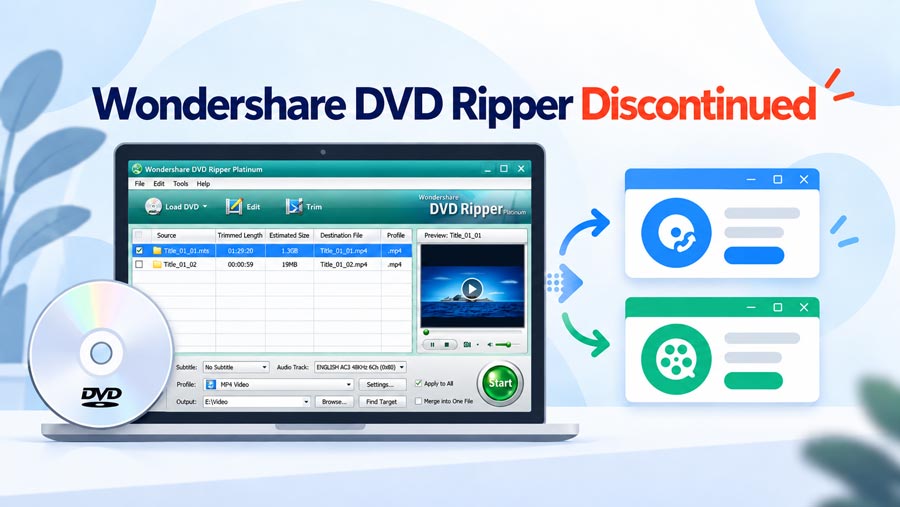
 If you use Wondershare DVD Ripper, there's a good chance you've seen the discontinued notice by now. Wondershare has been emailing users to say that Wondershare DVD Ripper is being discontinued, with paid services and auto-renewal ending on September 10, 2026, followed by a full product shutdown on October 12.
The dates themselves are clear. What is less clear is what happens afterward. Will an already-installed copy of DVD Ripper still open after October 12? Will an existing license remain activated? What happens if you reinstall Windows or move the software to a new PC? And if you still have DVDs to convert, what should you use instead?
That is what this guide covers: what Wondershare has confirmed, what remains unknown, what existing users should do before the shutdown, and which alternatives make sense afterward.
- Quick Answer
- What Wondershare Has Confirmed About the DVD Ripper Shutdown
- Will Wondershare DVD Ripper Still Work After October 12
- What Happens to Your Existing Wondershare DVD Ripper License
- Can You Still Download Wondershare DVD Ripper
- What Should Existing Users Do Before October 12
- Any Good Alternative to Wondershare DVD Ripper
- FAQs
Quick Answer: Is Wondershare DVD Ripper Discontinued
Yes. Wondershare DVD Ripper has been discontinued. Wondershare now lists both Wondershare DVD Ripper Platinum and Wondershare DVD Ripper for Mac among its discontinued products.
- September 10, 2026 (New York Time): All paid service channels, including auto-renewal, were deactivated.
- October 12, 2026 (New York Time): All Wondershare DVD Ripper product services will be completely discontinued and the product will be taken offline.
- Until October 12: Paid users can continue accessing the product as usual.
So if you already use Wondershare DVD Ripper, there is no need to stop using it immediately. However, I would not rely on it as a long-term DVD ripping solution after October 12.
Wondershare DVD Ripper Shutdown: What Has Confirmed
Wondershare has sent out notices regarding the end-of-life for DVD Ripper. If you are a current user, there are two critical dates you need to mark on your calendar:
| Date | What Changes |
|---|---|
September 10, 2026 |
Paid service channels and auto-renewal are deactivated |
October 12, 2026 |
All DVD Ripper product services end and the product is taken offline |
What We Know and What We Don't
Wondershare has not yet clarified the software's behavior after October 12. It remains uncertain whether installed copies will continue to launch, or if the product will require an active connection to verify its license. The following table compares confirmed information with the details currently missing from the official notice:
| Question | Current Answer |
|---|---|
Is Wondershare DVD Ripper being discontinued? |
Confirmed |
Can paid users continue using it before October 12? |
Yes, according to Wondershare |
Will paid services or auto-renewal continue? |
No. They ended September 10 |
Will an installed copy stop opening on October 12? |
Wondershare has not said |
Will existing activation remain valid afterward? |
Not confirmed |
Will you be able to activate it again after reinstalling Windows? |
Not confirmed |
Will the installer remain available after the shutdown? |
Not confirmed |
This lack of transparency is a major concern. There is a world of difference between a software product losing its online features and it becoming a digital paperweight. Until Wondershare provides a clear answer on whether these copies will function offline, anyone relying on this tool should start looking for an alternative immediately.
Will Wondershare DVD Ripper Still Work After October 12
Possibly, but there is no official confirmation either way.
If DVD Ripper is already installed and activated on your computer, it is possible that some local ripping and conversion functions will continue working after October 12. The shutdown notice does not say that installed copies will automatically stop launching on that date.
At the same time, I would not assume that an existing installation will remain fully usable indefinitely. Commercial software can depend on online services for things such as account login, activation, license verification, downloads, updates, or reinstalling on another computer. Wondershare has not explained which of those services, if any, will remain available once DVD Ripper is taken offline. That creates a few practical risks:
- Your current installation may continue working, but a future reinstall may not.
- Moving to a new computer may require an activation service that is no longer available.
- A license check or account-related feature could stop working even if the core converter itself still runs locally.
None of those outcomes has been confirmed by Wondershare, so I would treat them as possibilities rather than guarantees. If you still have important DVD projects, the safest approach is to finish them while Wondershare officially supports access to the product.
What Happens to Your Existing Wondershare DVD Ripper License
This is probably the biggest unanswered question in Wondershare's announcement. The company says paid users can access DVD Ripper as usual until October 12, but it does not explain what happens to existing licenses after the service is discontinued. That leaves several common situations unclear:
- If DVD Ripper is already activated on your current PC, will that activation remain valid?
- If you reinstall Windows, can the same license be activated again?
- If you move to a new computer, will activation still work?
- Will account login or license verification remain available?
Wondershare has not answered those questions in the discontinuation notice. For that reason, I would not assume that owning a valid license key guarantees that you will always be able to reinstall and activate DVD Ripper after October 12.
Can You Still Download Wondershare DVD Ripper
Not easily. If you already purchased DVD Ripper, your Wondershare account, original purchase email, or installer backup is probably the first place to check. For a fresh public download, however, I could not find a reliable official source for the final version of Wondershare DVD Ripper.
I checked numerous old product pages, tutorials, and third-party software listings. Many were no longer useful: some returned errors, some had lost the original download link, and others redirected to Wondershare DVD Creator or unrelated Wondershare products.
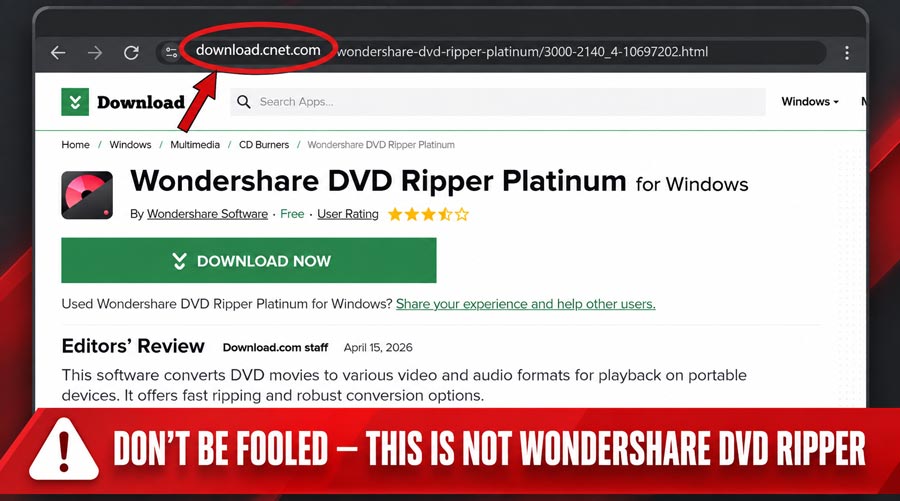
That creates a major problem. Even if you stumble upon an old installer file somewhere, you have no way to verify if it's the final official version, if the file has been tampered with, or if it will even activate against a decommissioned server. An installer is useless without a working license check. I strongly advise against hunting through third-party download sites—the security risk of running an unverified .exe far outweighs any potential benefit.
What Should Existing Users Do Before October 12
There is no reason to rush through every DVD you own simply because the shutdown date is approaching. But if you still depend on Wondershare DVD Ripper, there are a few practical things worth doing now.
1. Keep a copy of your license information and any installer you already have. If something goes wrong later, those are much easier to keep now than to recover after the product disappears.
2. Finish any DVD conversions that actually matter to you. If you have family recordings, hard-to-replace discs, or projects you have been putting off, those are more important than trying to process an entire collection just to beat a deadline.
3. Test another DVD ripping tool before you actually need it. The best time to find out that a replacement does not work with your discs is not the day after your old software stops activating.
4. Do not uninstall a working copy of DVD Ripper unless you have a reason to. Until Wondershare explains what happens to activation after the shutdown, reinstalling later may carry more risk than simply leaving a working installation alone.
Any Good Alternative to Wondershare DVD Ripper
Yes. There are. You really aren't missing out on much by letting Wondershare DVD Ripper go. The program is over ten years old at this point, and its age shows everywhere. The interface feels dated, the ripping process is slow, and it lacks support for modern video formats. Even free tools available today do a much better job.
1. VideoProc Converter AI: A More Natural Replacement for Wondershare DVD Ripper
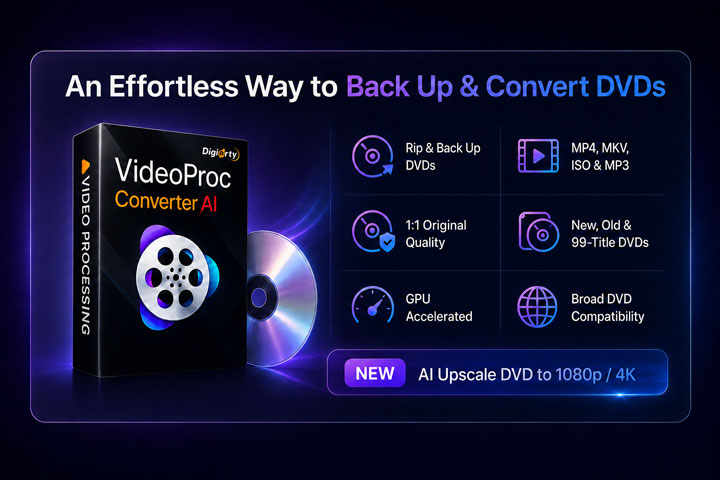
If you want to move on from Wondershare DVD Ripper without giving up its ease of use, VideoProc Converter AI is a much more modern and capable replacement. It can rip DVDs to MP4 with H.264, HEVC, or AV1, as well as MKV, MOV, and 420+ other formats, with ready-made presets for quick conversion and full control over bitrate, frame rate, audio, and subtitles when needed.
It supports both 1:1 and selected-title backups, can automatically detect the main title on complicated discs. One of the most alluring part is it handles commercial DVDs such as Disney 99-title and Sony UOPs automatically and one its own. With the support for the level-3 GPU acceleration technology, its incredibly fast. In my NCIS DVD test, it correctly picked the 41-minute main title from several similar entries and finished the backup in just 305 seconds. Even better, it includes a complete set of media tools and AI features, allowing you to convert, compress, download, and even upscale old DVD footage to 1080p or 4K.

Pros
- Handles copy-protected commercial DVDs without extra plugins
- Automatically detects the main title on complicated DVDs
- Supports 1:1 backup as well as selective title and chapter ripping
- Supports modern codecs including H.264, HEVC, and AV1
- Offers ready-made presets without taking away manual output controls
- Makes good use of modern hardware acceleration
- Includes AI upscaling for improving low-resolution DVD footage
- Works with DVD discs, ISO images, and VIDEO_TS folders
Cons
- Includes many non-DVD features that some users may never need
- AI enhancement adds extra processing time and is not necessary for every rip
2. HandBrake
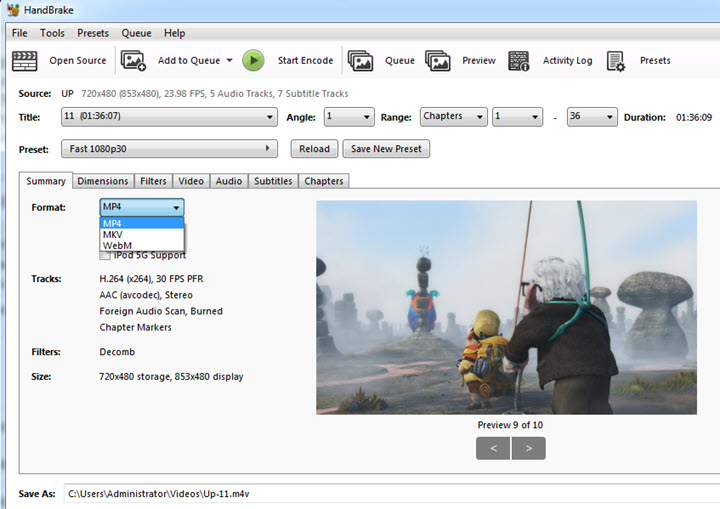
HandBrake is probably the easiest recommendation if you mainly work with homemade or otherwise unprotected DVDs. It is free, actively maintained, and far more modern on the encoding side than the old Wondershare DVD Ripper. Current versions support H.264, H.265/HEVC, AV1, VP9, MP4, MKV, and WebM, along with hardware encoders from Intel, NVIDIA, AMD, and Apple. It also gives you much more control over quality, bitrate, subtitles, audio tracks, cropping, filtering, and compression. The trade-off is ease of use. HandBrake puts a lot of technical settings front and center, which can feel overwhelming if you just want a quick conversion.
The bigger drawback is commercial DVDs. HandBrake does not remove copy protection on its own, and the usual libdvdcss workaround only gets you so far. It can deal with CSS encryption, but it is not a general-purpose solution for the other protection schemes and deliberately complicated disc structures found on some commercial DVDs.
Pros
- Completely free.
- Actively maintained.
- Supports modern codecs including H.265 and AV1.
- Good hardware-encoding support.
- Excellent control over video quality, file size, audio, and subtitles.
- Available on Windows, macOS, and Linux.
Cons
- Not as beginner-friendly as the old Wondershare workflow.
- Does not natively bypass DVD copy protection.
- More settings than casual users may actually want.
- Better suited to transcoding than one-click commercial DVD ripping.
HandBrake vs. VideoProc vs. Wondershare DVD Ripper
The differences become clearer when you compare the three side by side.
| Feature | Wondershare DVD Ripper | HandBrake | VideoProc Converter AI |
|---|---|---|---|
Status |
Discontinuing Oct. 12, 2026 |
Actively maintained |
Actively maintained |
Ease of use |
Easy |
Difficult |
Easy |
DVD features |
|
|
|
Media processing |
Basic DVD conversion |
|
|
AI features |
❌ |
❌ |
|
Support latest codecs |
Limited |
✔️H.264, HEVC, AV1 |
✔️H.264, HEVC, AV1... |
Best fit |
Existing users during the transition |
Free, advanced transcoding |
Closest all-in-one replacement |
FAQs About Wondershare DVD Ripper Discontinuation
1. Is Wondershare DVD Ripper officially discontinued?
Yes. Wondershare has told users that DVD Ripper is being discontinued. Paid service channels and auto-renewal ended on September 10, 2026, and all product services are scheduled to end on October 12, 2026 (New York Time).
2. Can I renew my Wondershare DVD Ripper subscription?
No. According to Wondershare, all paid service channels, including auto-renewal, were deactivated on September 10. Paid users can continue accessing the product as usual until October 12.
3. Why is Wondershare discontinuing DVD Ripper?
Wondershare has not provided a specific reason. In its email to users, the company says the decision was made because of "various unavoidable circumstances," but it does not explain what those circumstances are. There is therefore no solid basis for claiming that DVD Ripper was discontinued because of declining demand, licensing issues, technical problems, or because another Wondershare product replaced it.
4. Will Wondershare DVD Ripper stop opening on October 12?
Wondershare has not said. The company has confirmed that all product services will end and that DVD Ripper will be taken offline, but it has not explained whether an already-installed and activated copy will continue launching afterward.
5. Will my old license still work if I reinstall DVD Ripper?
That is also unknown. Wondershare's notice does not say whether activation or license verification will remain available after October 12. If your current installation is working, do not assume that reinstalling the program later will necessarily return you to the same working state.
6. Should I uninstall Wondershare DVD Ripper after October 12?
There is no need to uninstall a working copy simply because the official service has ended. If the software continues working on your current computer, you may choose to keep it installed. Just remember that future updates, compatibility, activation, and support should no longer be treated as guaranteed.
7. Is Wondershare DVD Ripper the same as Wondershare DVD Creator?
No. They are separate products. DVD Ripper was built primarily for converting DVD content into video files, while DVD Creator is primarily designed around creating DVDs and Blu-ray discs. Other Wondershare products may include DVD-to-video functionality, but that does not make them the same product as the discontinued Wondershare DVD Ripper.