
 New AI features are available
You downloaded Any Video Converter (AVC), tried to convert a file, and then realized the feature you want is locked behind a paywall. It's easy to want to search for a free "Any Video Converter key" or "serial code" to unlock the Pro or Ultimate version without paying. However, many of those free Any Video Converter keys are either already blocked or, worse, come with viruses or malware that could mess up your computer.
So, instead of going down that risky route, this guide will show you how to get a Any Video Converter key safely and legally. Plus, we'll help you decide if Any Video Converter Free is good enough for your needs or if upgrading is actually worth it.
The Risks of Using Unauthorized Any Video Converter Keys
Before you click on a link promising a "free Any Video Converter key", "free Any Video Converter serial generator" or a "cracked installer of Any Video Converter", it is vital to understand what happens behind the scenes of these websites.
Malware and Hidden Viruses
The programs used to generate illegal Any Video Converter, known as "keygens", are often flagged by antivirus software. Hackers usually tell you to "turn off your antivirus" to run them. This is a trap. Once your defenses are down, these programs often silently install Trojan horses, crypto-miners, or ransomware. You might get Any Video Converter to work, but your computer could run significantly slower as it mines cryptocurrency for a stranger, or your personal data could be siphoned off in the background.
Instability and Lack of Updates
An unauthorized Any Video Converter key might work for a day, but its developer constantly updates its blacklists. When the software "phones home" to check for updates, it will recognize the duplicate key and revert to the trial version. Furthermore, cracked Any Video Converter cannot receive official updates. This means if a new video feature or bug fix comes out, you are stuck with an outdated, vulnerable version of the tool.
The Trust Factor
Using legitimate Any Video Converter guarantees that the output file is clean. There have been instances where cracked conversion tools inject watermarks or corrupt the audio syncing in the final render. When you stick to official channels or open-source alternatives, you are guaranteed a working product with a support team ready to help if things go wrong.
Any Video Converter Free Vs. Paid: Do You Need A Key
Before you worry about finding an activation key for the paid version of Any Video Converter, it's worth considering if the "Ultimate" or "Pro" features are actually necessary for your needs. Many people assume the free version is too limited, but Any Video Converter Free might already have everything you need. Let's break down the differences to help you decide.
Format Support and Conversion
For everyday tasks like converting an MKV to MP4 for your iPhone or compressing a large MOV file, the free version of Any Video Converter works perfectly fine. It does not restrict the core features, but it is worth noting that both the free and paid versions lack support for certain formats, such as MOV ProRes and WebM VP8.
Speed and GPU Acceleration
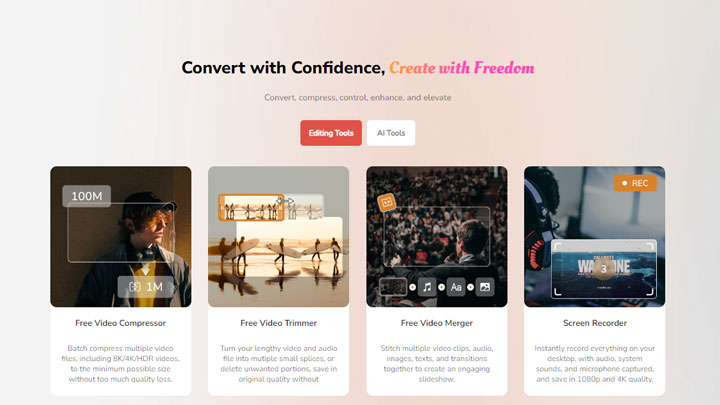
This is where the paid version of Any Video Converter really shines. The Ultimate version supports hardware acceleration via NVIDIA NVENC, AMD AMF, and Intel QSV, which means it can convert large files (like a 4K movie) in a fraction of the time. The free version, however, relies on your CPU, which can be much slower for heavy tasks. If you're only converting short clips, though, the free version should be sufficient.
DVD Burning and Ripping
If you need to rip a commercial DVD or burn a video to a disc with a functional menu, you'll need the paid version. The free version blocks copy-protected DVDs and offers very limited DVD authoring features. This is the main feature you'll miss out on if you stick with the free version.
Video Recording
Both the free and paid versions support screen recording, but the Any Video Converter Free limits the recording time to 3 minutes. If you only need to record short clips, you won't need to upgrade to the paid version. However, if you're planning to record longer sessions, you might want to consider the Ultimate or Pro versions.
How to Get an Official Any Video Converter Key at a Lower Price
If you've decided to avoid the risks of cracked versions or free license keys and stick with the official version, you can still save a lot of money. Any Video Converter often has predictable sales cycles, so you don't have to pay full price. Here's how to spot official promotions and discounts:
Newsletter Signups
The most reliable way to get an immediate discount is to visit the official Any Video Converter website and look for a newsletter signup box. Companies frequently offer a welcome discount code—typically ranging from 10% to 20%—simply for joining their email list. This is the fastest way to lower the price legally and instantly.
Holiday Sales
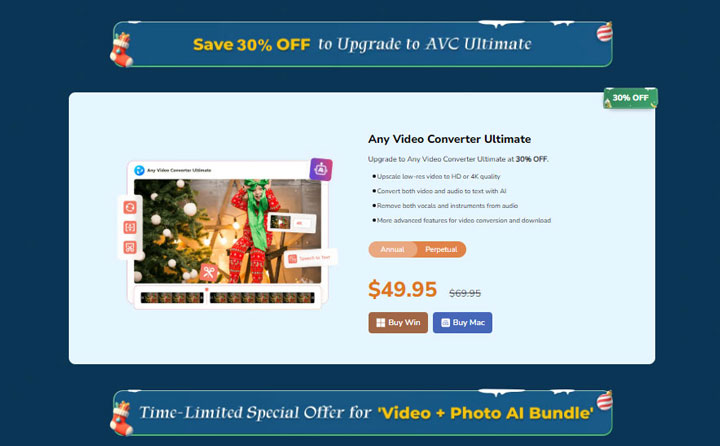
Any Video Converter pricing is highly seasonal. Major discounts often appear during Black Friday, Cyber Monday, and Christmas, as well as during "Back to School" periods in late summer. During these events, licenses can be discounted by up to 50%. If your purchase isn't urgent, waiting a few weeks can often net you the "Ultimate" version for the standard price of the "Pro" version.
Bundle Deals
Always check the "Special Offers" or "Store" page for software bundles. The developer, Anvsoft, often packages Any Video Converter with other tools like AVCLabs Photo Enhancer AI. These bundles frequently cost only a few dollars more than a single license, providing significantly more value for your money.
Educational and Upgrade Discounts
If you are a student or an educator, reach out to their support team to ask about academic pricing. Additionally, if you already own an older version of the software, you may be eligible for a loyalty upgrade discount, which is usually much cheaper than buying a brand-new license.
How to Legally Activate Any Video Converter
If you have decided that the GPU acceleration or DVD tools are worth the investment and you have purchased a license of Any Video Converter, activating the software is straightforward. However, users often encounter errors during this process. Follow these steps to ensure a clean activation with Any Video Conveter key.
Step 1. Download Installer
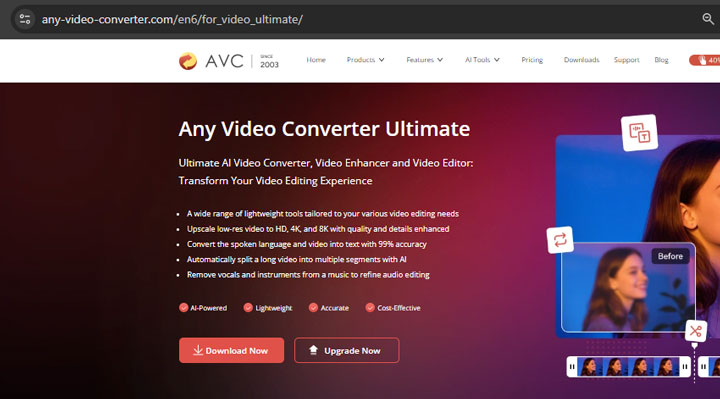
Download the Any Video Converter installer directly from the Anvsoft or Any Video Converter website. Do not install from third-party download hubs, as these may package unwanted toolbars or adware with the installer.
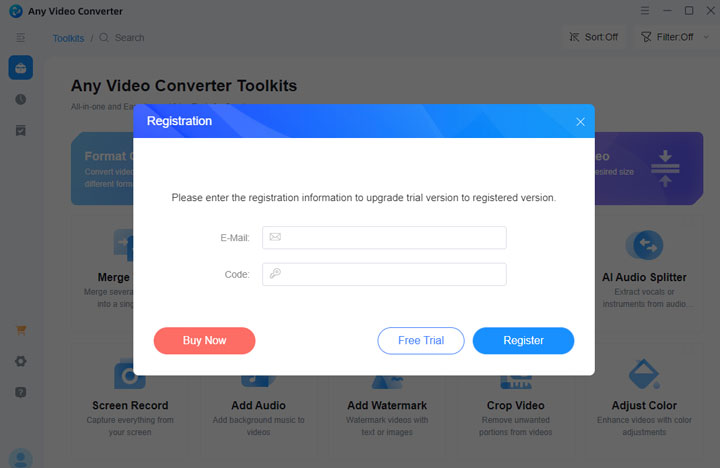
Step 2. Input Your Credentials
Once installed, open the program. Hit the profile icon located in the left bottom of the panel. You will be asked for two things: your Registration Email and your License Code. It is highly recommended that you copy and paste these directly from your confirmation email.
Step 3. Troubleshooting Activation Errors
A common frustration users face is an "Invalid License Code" error. This usually happens for one of two reasons:
- Extra Spaces: When copying the Any Video Converter key, ensure you did not accidentally copy a blank space at the start or end of the string. The software reads this space as a character and rejects the code.
- Wrong Version: Ensure you bought a key for the correct product. A key for "Any Video Converter Pro" will not work on "Any Video Converter Ultimate."
Our Pick of the Best Alternative to Any Video Converter
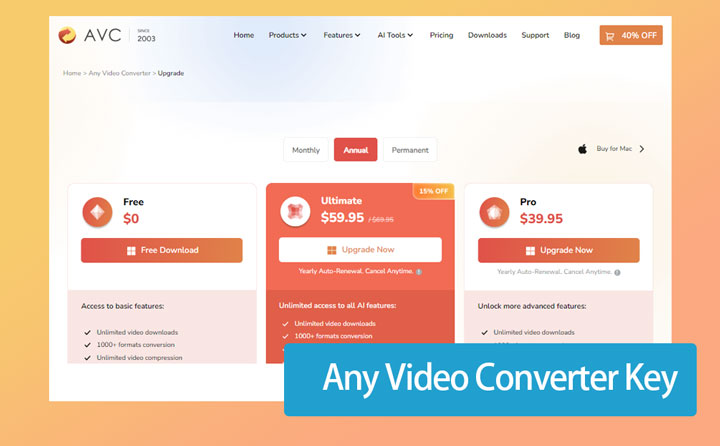
Any Video Converter Pro is priced at $39.95, while the Ultimate version costs $59.90 per year. However, the software comes with several limitations. For instance, its core conversion engine does not support widely used professional codecs such as ProRes (MOV) or WebM VP8. It also lacks 1:1 remuxing for lossless output and limits compression results to the MP4 format only. AI features are also very limited. The Pro version does not support AI tools at all, and even the Ultimate version only offers basic video quality enhancement, without support for stabilization, frame interpolation, or image enhancement.
Due to these constraints, VideoProc Converter AI stands out as a more capable and cost-effective alternative.
Download VideoProc Converter AI today and unlock the full potential of all your media files.

Any Video Converter vs VideoProc Converter AI
The table below illustrates how VideoProc Converter AI provides more value and deeper functionality for the same price as the entry level Any Video Converter Pro.
| Feature | AVC Pro | AVC Ultimate | VideoProc Converter AI |
|---|---|---|---|
Price |
$39.95/year |
$59.95/year |
$39.95/year |
Video/Audio Conversion |
Yes |
Yes |
Yes (Includes ProRes & VP8) |
Editing Suite |
Basic (Cut, Crop) |
Basic (Cut, Crop) |
Advanced (29+ Quick Tools) |
DVD Ripping |
Yes |
No |
Yes |
Media Downloads |
100+ Sites |
100+ Sites |
1000+ Sites |
AI Enhancement |
None |
Limited Upscaling |
Full Suite (Upscale, De-blur, Stabilize) |
Background Noise Removal |
No |
Yes |
Yes |
Screen Recording |
HD Quality |
4K Quality |
4K Quality |
FAQs
1. Is Any Video Converter Free actually free?
Yes, the free version is legitimate freeware. It is not a "trial" that expires after 30 days. However, it does have feature limitations compared to the Ultimate version, such as slower conversion speeds and a lack of DVD menu templates.
2. Can I use a Any Video Converter key found on YouTube?
It is highly unlikely to work. Manufacturers use a "heartbeat" system where the software checks the key against a central server. Once a Any Video Converter key is posted publicly on YouTube, hundreds of people try to use it. The system flags this unusual activity and blacklists the key almost immediately.




