

Video DownloadHelper remains one of the most popular browser extensions for online video downloading, but its premium features, like HLS/DASH conversion and batch downloading, require a specific 32-character license key. If you're looking for a Video DownloadHelper license key to unlock batch downloads and clean saves, you've likely encountered dozens of "free key" sites that lead to dead ends. In this 2026 guide, we'll cut through the noise and show you exactly how to get a genuine license, how to activate it, and the safest free alternative if you're on a budget.
Why Do You Need A Video Downloadhelper Premium License
Before spending any money, it's helpful to understand what the premium license of Video DownloadHelper actually does and whether you really need it for your browsing habits. Many users buy a key without knowing how the extension works, which often leads to confusion later.
The Watermark Issue
You can download standard MP4 videos for free, with no license required. For more complex formats like DASH or HLS, the tool needs to process and combine video and audio into one file. This extra service requires payment, and without it, a large QR code watermark will appear on the video. Upgrading to the premium version removes the watermark.
Batch Downloads
Batch downloading multiple videos at once is also a premium feature. If you frequently download several videos in one go, the Video DownloadHelper license is necessary to save time and avoid repeated manual downloads.
Video DownloadHelper License Key: How to Buy And Activate It
If you are ready to upgrade to the premium tier, or if you have just purchased your code and feel completely stuck, here is exactly how to get everything working properly.
To Purchase the Video DownloadHelper License Key
To buy a legitimate key, simply click the premium tab within your Video DownloadHelper browser extension menu, or visit the official developer website directly. It is always best to buy directly from the source to avoid third-party scams.
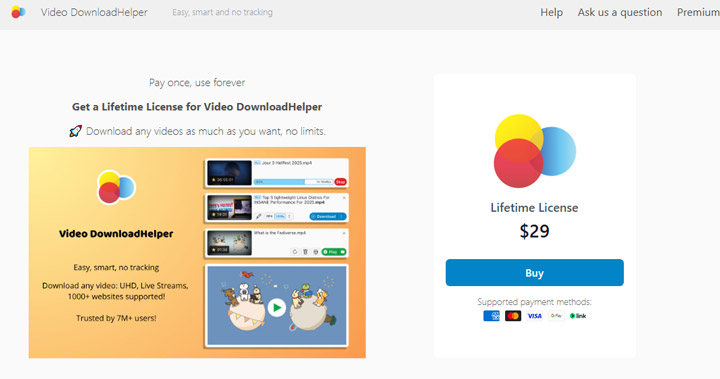
Once your payment is processed, a 32-character string of letters and numbers will be sent directly to the email address you provided at checkout. This specific string is your license key. Keep this email safe, as you will need it if you ever change computers.
Note: Browser-Specific Licenses
Please note that Video DownloadHelper licenses are browser-specific. A license purchased for Chrome will not work on Firefox or Edge, and vice versa. Make sure you buy the license for the browser you actually use.
To Active Video DownloadHelper with the License Key
Once you have your email receipt open and the 32-character string ready, follow these steps to activate the premium features of Video DownloadHelper. These steps also apply for restoring your Video DownloadHelper license key.
Step 1. Click the Video DownloadHelper icon located in your browser toolbar to open the main extension menu.
Step 2. Click the gear icon located at the bottom of the menu to open your Settings dashboard. Hit Restore purchase.
Step 3. Paste your 32-character license key exactly as it appears in your email.
Lost Your Code? How to Recover A Video Downloadhelper License
It is incredibly common to buy a software license, use it happily for a year, buy a new laptop, and suddenly realize you have completely lost your original email receipt. If this happens to you, do not panic. The developers have a system in place to help you retrieve your purchase.
Step 1. Visit the official Video DownloadHelper license recovery page on their website.
Step 2. Input the exact email address you used during the original checkout process. Entering a different email will not work, as the system links keys directly to the purchasing address.
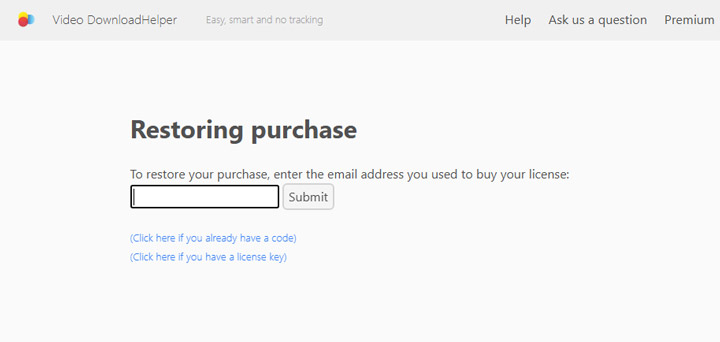
Step 3. The system will automatically email your active license key to you. If you do not see it within a few minutes, be sure to check your spam, junk, or promotions folders, as automated emails often end up there.
Tips:
If you no longer have access to that old email account, the automated system cannot help you. You will need to contact official Video DownloadHelper support directly. Be prepared to provide proof of purchase, such as a credit card statement, the date of purchase, or a transaction ID, so they can manually locate your license in their database.
How to Get A Free Video Downloadhelper License Key
There is no official or legal way to get a free license key, and there are no legitimate key generators for the software. The only way to obtain a free key would be to find one that has been leaked by premium users. Even if you do come across a leaked key, it's usually short-lived. Once the Video DownloadHelper team notices that the same key is being used by multiple IP addresses, it gets flagged and blocked. So, unless you find a key right when it's first shared, it's highly unlikely that it will work for long. What's worse, many sites claiming to offer free keys often recycle expired codes, generate random serials, or redirect visitors to unrelated downloads.
To find the leaked DownloadHelper License Key
You might try searching for "Video DownloadHelper license key has been sent to". This search can sometimes lead to keys that have been accidentally leaked by other users. For example, I just searched and found the following Video DownloadHelper license key:
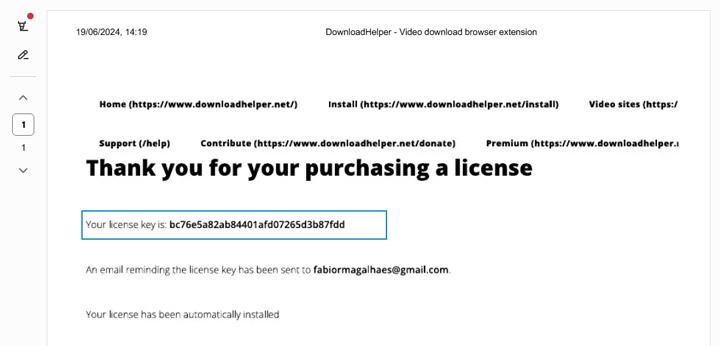
However, be aware that this method is highly unreliable. Many "free Video DownloadHelper license key" pages simply copy lists of fake or already-revoked codes. Some sites may also bundle modified installers or browser extensions that claim to include a working activation key. These links often lead to multiple redirects or file-sharing pages, which are commonly used by malware distributors to spread harmful software.
No Valid Video DownloadHelper License Key? Try This Alternative
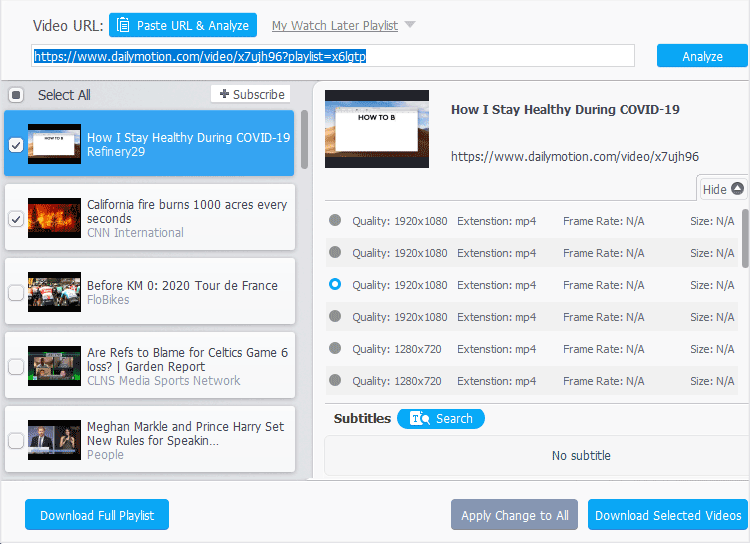
If you're frustrated by the limited features due to the fact that licenses for Chrome, Firefox, and Edge can't be used interchangeably, there's no need to worry. Try VideoProc Converter AI, one of the best alternatives to Video DownloadHelper premium version. It offers all the core features you expect, like downloading multiple videos in 1080p/4K from different URLs or playlists and converting video formats. Plus, it comes with a range of extra fancy features, including video compression, quick editing, screen recording for saving DRM-protected videos, and AI-driven video quality enhancement.

FAQs on Video DownloadHelper License Key
1.Can I use my Chrome license key on Firefox?
Generally, licenses are tied strictly to the specific browser family you purchased them for. A key bought through the Chrome Web Store is meant for Chrome-based browsers, while a Firefox key is meant for Mozilla platforms. Cross-browser functionality is strictly regulated by the developer to comply with different web store policies. Always check the official documentation for your specific purchase before trying to port a key to a new browser.
2.Why is my Video DownloadHelper license key showing as invalid?
The most common reason a legitimate, purchased key shows as invalid is human error. Usually, a user accidentally copies an extra blank space at the beginning or end of the code when pasting it into the settings menu. If you are certain there are no extra spaces, ensure your browser extension is updated to the latest version. If you are using a key you found online, it is showing as invalid because the server has caught it and blacklisted it.
3.Does the Video DownloadHelper license key work on multiple computers?
The developer enforces a fair-use policy. You are generally allowed to use your personal license key on your own personal devices, such as having it installed on both your home desktop and your travel laptop. However, sharing it with friends or installing it across an entire office network will trigger the server-side validation. The system will see too many different IP addresses using the same code, and the key will be blocked.
4. Why is Video DownloadHelper showing "Free Plan" after I bought a license?
You just need to refresh your license status and active the premium features. To do so, head to the add-on settings and click "Restore your purchase". Keep in mind that licenses for Chrome, Firefox, and Edge are specific to each browser and cannot be used interchangeably, so make sure your license matches the browser you're using.
5. How do I activate my Premium Video DownloadHelper License?
To activate your Premium License, go to the settings and click "Restore Purchase." Enter your email and follow the on-screen instructions to complete the process. If you're still having trouble, you can reach out to support via the support forum and provide as many details as possible, including the browser you're using and any error messages.
6. Why is it asking me to buy the license again?
If Video DownloadHelper is asking you to buy the license again, it could be due to a reset in your browser settings or the license being deleted. The license is stored in your browser, and sometimes, if cookies or data get cleared (like during browser updates or cleaning), it might cause the extension to "forget" your premium status. To fix this, simply click "Restore Purchase" to reactivate your premium version, and everything should be back to normal.
7. Why does my license disappear when I restart the browser?
It's likely due to your browser settings. Specifically, some browsers may clear cookies and site data upon restart, which can remove the license information. For example, on Chrome, go to Settings > Privacy and Security > Cookies and other site data and ensure that the option to "Clear cookies and site data when you close all windows" isn't checked.



