
 Download Online Videos & AI Upscale to HD/4K!

Summary: Looking to save anime for offline viewing after KissAnime's shutdown? Discover the top 4 safe methods to download and capture anime episodes on PC, online, and mobile. For a high-quality video grabber and AI enhancer, check out VideoProc Converter AI.
For anime fans looking to enjoy their favorite series offline, saving episodes locally is the best way to ensure seamless, uninterrupted viewing. While the original KissAnime site has been offline for years and many clone mirrors remain unreliable, various effective tools still let you grab anime streams from safe anime streaming sites. In this guide, we walk you through 4 tested solutions to download or capture anime on PC, mobile, and online. Dive in to find out how VideoProc Converter AI and other reliable tools can help you build a high-definition offline anime library easily!
Disclaimer: This guide and tool are intended for personal fair use only. We do not advocate downloading copyright-protected material without permission from the copyright owners, nor do we encourage any form of copyright infringement. Users are solely responsible for ensuring compliance with local laws and regulations before downloading video content.
Option 1. Direct Anime Download & Security Precautions
In the past, anime streaming portals provided built-in options to download episodes directly. However, using direct download links on modern mirror sites comes with significant safety and privacy risks.
Security Warning: The original KissAnime (kissanime.ru) was permanently shut down in August 2020. There are no official KissAnime mirror or proxy sites. Unverified mirror domains claiming to be KissAnime often host intrusive ads, phishing prompts, or potential malware. We strongly advise against entering personal login details or downloading files directly from these unofficial sites.
Step 1. Access a free, safe, licensed anime site with no ads (e.g., RetroCrush, Crunchyroll, or Tubi).
Step 2. Search for your favorite anime show using the platform's search bar.
Step 3. If direct download options are missing or unavailable on your preferred platform, avoid relying on unverified third-party scripts and instead use a secure, desktop-based utility to capture or save video content for offline viewing.
Tips for Safe Anime Downloads:
- Avoid clicking on unverified direct download buttons or secondary server links on unofficial streaming sites, as they frequently trigger pop-ups and unwanted redirects.
- Protect your device by steering clear of suspicious browser extensions that claim to rip streams from unsafe mirror sites.
Due to intrusive pop-up advertisements, broken video servers, and the high security risks associated with unverified online streams, finding a dependable alternative is essential. If you want a stable, clean, and secure way to build your offline video library, a professional-grade desktop solution is recommended below.
Option 2. Download Anime Safely with VideoProc Converter AI
VideoProc Converter AI is an all all-in-one AI-powered video enhancer and converter, which is also built in with a free video downloader. It supports anime downloads of any sort with selectable resolutions and qualities, and enables you to safely download full seasons or a specific episode from 1000+ video sites, and save the anime to your own devices. Besides, packed with a strong conversion engine, VideoProc Converter AI allows you to convert the Kissanime downloads to universal formats and codecs at a fully accelerated speed in both Windows and Mac.
Besides, equipped with a variety of AI features such as AI upscaling, frame interpolation, and stabilization, the Kissanime downloader can effortlessly elevate and upscale the quality of your anime videos to new heights of excellence.

VideoProc Converter AI – Best KissAnime Downloader for Windows/Mac
- Download the full seasons or a specific episode from Kissanime in simple clicks.
- Simple and intuitive interface to streamline your Kissanime downloads.
- Unique GPU acceleration to boost Kissanime download while optimizing file size.
- All-in-one anime video solution with AI capability: Download, convert, compress, edit, record, AI upscale, frame interpolate, stabilize, etc.
Excellent 


Step 1. Free download the latest version of VideoProc Converter AI, install and launch the program.
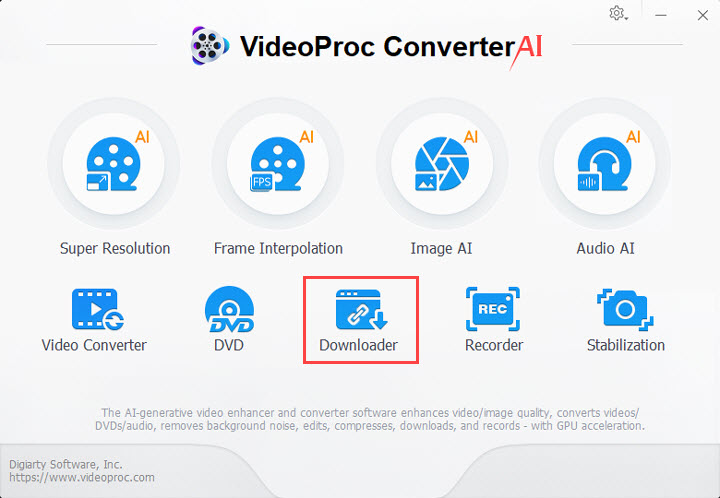
Step 2. Go to your preferred legal streaming platform or video source site, and locate the anime episode or video you wish to download.
Important Note: Many online video platforms utilize M3U8 or direct stream links. While you can use browser extensions or built-in developer tools to locate media stream URLs, always ensure you are accessing authorized or safe sources and complying with local copyright regulations.
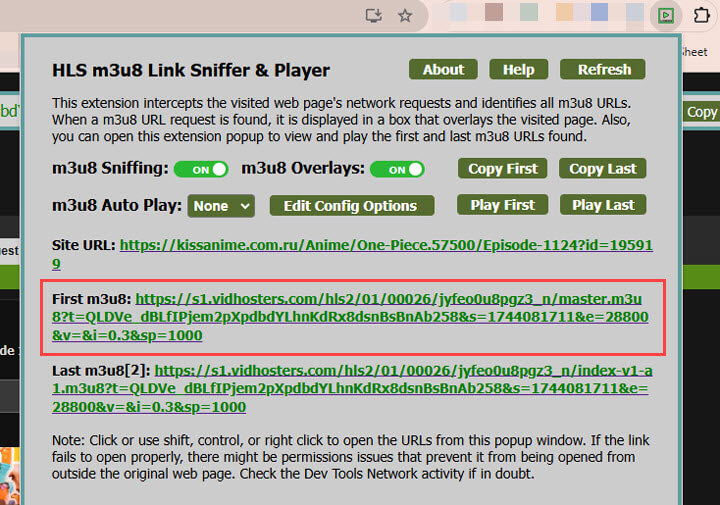
Step 3. Return to VideoProc Converter AI and open the Downloader module from the main interface. Click Add Video, paste the copied video or M3U8 stream URL, click Analyze, and then select your desired video format and resolution to continue.
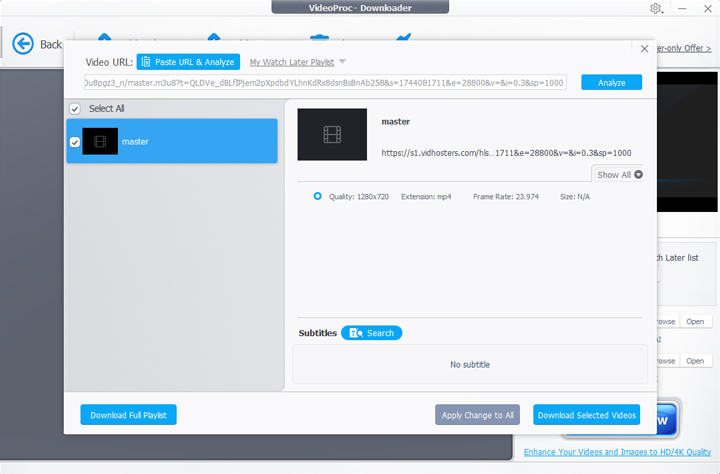
Tips: Batch downloading is supported to download full season from video sites.
Step 4. Select an output folder, click Download Now to download Kissanime videos.
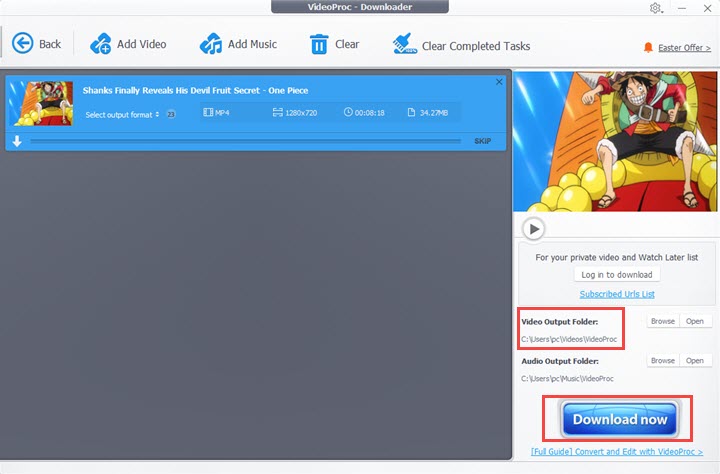
Note: You can use the AI features available on the home page to upscale and enhance the Kissanime videos downloaded to achieve greater results.
Option 3. Download Anime Online with Video DownloadHelper Extension
If you prefer a quick browser-based method without installing desktop software, Video DownloadHelper is a popular extension for Chrome, Firefox, and Edge. It can detect and download videos from thousands of websites, including embedded MP4 videos and HLS streams, in just a few clicks.
Step 1. Install Video DownloadHelper from your browser's official extension store (Chrome, Firefox, or Edge).
Step 2. Open your preferred anime streaming site and play the episode you want to download.
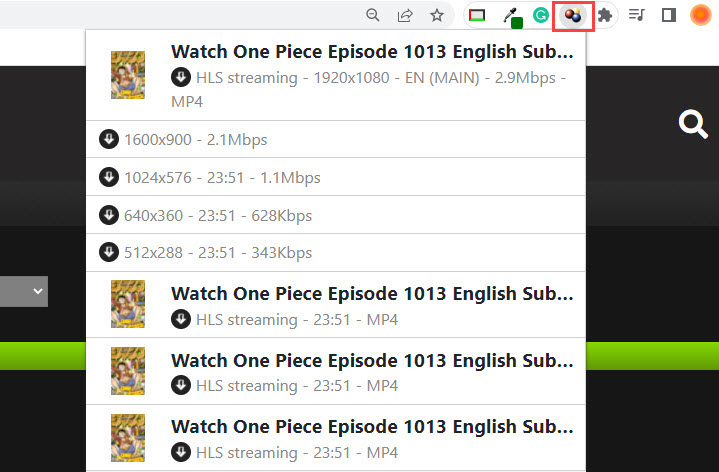
Step 3. Click the Video DownloadHelper icon in your browser toolbar once it detects the video. Choose an available resolution or format, then download the video to your computer.
Note: Video DownloadHelper supports common streaming formats, including HLS and DASH, but some advanced downloads are limited in the free version. It also cannot download DRM-protected videos. For batch downloading anime episodes, playlists, or supported M3U8 streams, VideoProc Converter AI offers a more comprehensive desktop solution.
Option 4. How to Watch and Download Anime on Mobile (Android & iPhone)
1. Download Anime on Android (Official Apps & Safe Workflows)
If you prefer watching and saving anime on your Android smartphone or tablet, utilizing official streaming application features is the safest and most reliable approach.
Most major licensed anime platforms provide built-in offline viewing options for mobile users who want to enjoy content on the go without dealing with broken links or mobile security risks.

Step 1. Open the Google Play Store on your Android device and download an official, trusted streaming app (such as Crunchyroll or Netflix).
Security Note: Older third-party APK apps like AnimeDLR are completely discontinued, unsupported, and often pose severe security risks. Avoid downloading unverified APK files from random third-party sites.
Step 2. Log in to your account and navigate to your preferred anime series.
Step 3. Tap the Download icon next to the episode or season you wish to save, provided you have an active premium subscription supporting offline downloads.
Step 4. Access your downloaded episodes directly within the app's offline library to watch them anytime without an internet connection.
2. Save Video Content on iPhone and iPad
While direct downloading apps for specific pirate streaming sites are restricted on Apple’s App Store, you can use privacy-focused mobile browsers with built-in media managers, such as Aloha Browser, to safely manage and save compatible video files from web sources.
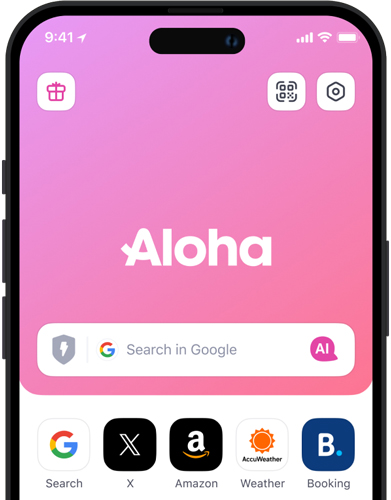
Step 1. Head to the App Store on your iPhone or iPad, search for "Aloha Browser," and install the application.
Step 2. Open Aloha Browser and navigate to a safe, trusted video source or authorized streaming platform.
Step 3. Play the video you wish to download. When the browser detects an available media stream, it will present a download prompt or icon.
Step 4. Tap the download button, and track your progress in Aloha Browser's dedicated download manager to access your saved files securely.
FAQs
1. Is KissAnime legal and safe to use?
The original KissAnime website offered unauthorized access to copyrighted anime and was permanently shut down in August 2020. Websites currently using the "KissAnime" name are unofficial clones or mirrors that may expose users to intrusive pop-up ads, phishing scams, and malware. For a safer viewing experience, we recommend avoiding these sites and choosing legitimate anime streaming services instead.
2. What are the best safe KissAnime alternatives?
Since KissAnime shut down, several legal streaming platforms have become popular alternatives for watching anime safely. Some of the best options include:
- Crunchyroll (A leading anime streaming platform with an extensive library of licensed titles, including content from the former Funimation service)
- HIDIVE (Known for exclusive anime series, simulcasts, and niche titles)
- Netflix / Hulu (Popular streaming services offering a wide selection of licensed anime series and movies)
- Anime-Planet (An anime discovery and tracking platform with access to selected legal anime streams)
3. How do I download anime videos for offline viewing safely?
For offline viewing, you can use the official download feature offered by services like Crunchyroll. Alternatively, VideoProc Converter AI lets you save anime videos from supported websites when downloading is permitted. Here's how:
- Download, install, and launch VideoProc Converter AI on your computer.
- Find an anime video on a supported website and copy its URL.
- Open the Downloader module, click Add Video, paste the URL, and click Analyze.
- Select an available resolution and format, choose your output folder, and click Download Now.