

Searching for a reliable Fansly downloader can be a deeply frustrating experience. You're looking for a simple way to save content you've already paid for, but you're met with a minefield of sketchy software, outdated guides, and tools that simply don't work. You may have even seen other articles recommending certain programs, only to discover they fail when you try them. That's because Fansly, like many platforms, is constantly updating its security, making most conventional Fansly downloaders obsolete overnight. That's why we decided to cut through the noise.
We've personally tested all the popular and less-mentioned Fansly downloaders and found only four that consistently work. In this definitive guide, we'll give you an honest, step-by-step walkthrough of each Fansly downloader as well as the steps to download Fansly videos using each.
A Quick Ethical Note:
This guide is intended to help you download content from creators you subscribe to for your own personal, offline use. Do not use these methods to illegally distribute copyrighted material. Always support the creators you love.
1. VideoDownloadHelper: A Free & Convenient Fansly Downloader
Best For: Users who want a quick, free, and relatively easy solution for occasional downloads.
Video DownloadHelper remains one of the most prolific browser extensions in history, boasting over 4,000,000 users on the Chrome Web Store and approximately 1,835,780 users on Firefox. For over a decade, it has served as the premier tool for video enthusiasts by operating directly within the browser to detect and save embedded media from across the web.
While our testing confirms it still supports downloading videos from Fansly without a fee, it is important to acknowledge the extension's recent shift toward a heavy-handed freemium model. Many users have reported that this Fansly downloader now requires a separate Companion App for certain codecs and places a large QR code watermark on high-resolution downloads. These changes have sparked significant debate regarding its long-term viability as a free video downloader.

How to Download Fansly Videos with VideoDownloadHelper
Step 1. Go to the official VideoDownloadHelper website and add the extension to your browser.
Step 2. Log in to your Fansly account and go to the page with the video you wish to download.
Step 3. Start playing the video. This is a crucial step, as the extension needs to detect the video stream. The VideoDownloadHelper icon in your browser toolbar will become colored.

Step 5. Click on the colored VideoDownloadHelper icon. A menu will appear showing one or more detected video files. Hover over your desired option, and a sub-menu will appear. You can often select different quality settings here.
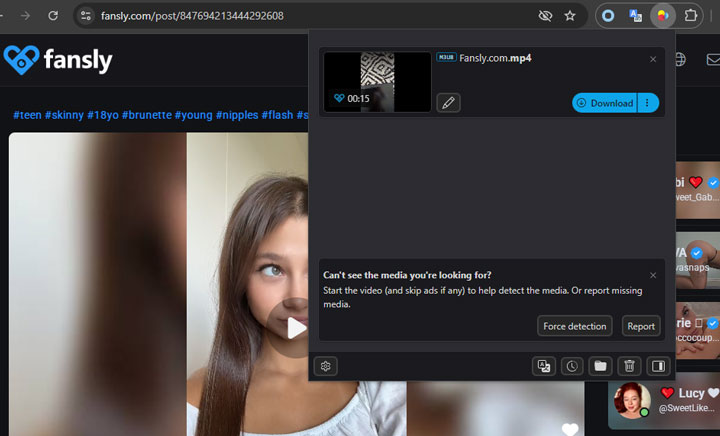
Note: Do not be alarmed if the preview image in the extension menu does not match the Fansly thumbnail. This is a visual glitch in the detection tool, but the downloaded video will be the correct content.
Step 6. Simply click your chosen version, and the Fansly downloader will prompt you to save the Fansly video file to your computer.
Pros:
- ✅ Free to use for most downloads.
- ✅ Integrates directly into your Firefox or Chrome browser.
- ✅ Often lets you choose between different video quality and format options.
Cons:
- ❌ Can be slightly less reliable than paid options.
- ❌ May require you to install a "Companion App" for certain types of video streams.
- ❌ The interface can feel a bit cluttered to new users.
- ❌ Cannot download DRM-protected content.
2. StreamFork: A Paid Yet Simple Fansly Downloader
Best For: Users who prioritize convenience and are willing to pay for an easy-to-use browser tool.
StreamFork is a modern, premium browser extension built specifically for the challenge of downloading from today's protected streaming sites like Fansly and OnlyFans. Unlike general-purpose downloaders that can be hit-or-miss, StreamFork is designed for one primary job: to cleanly detect video streams and package them into simple MP4 files for you. Its biggest advantage is its seamless integration directly into the Fansly UI, making the download process feel like a native feature of the site itself. However, this convenience and reliability come at a price. It’s "free" trial is misleading; it only downloads the video as a sequence of still images (e.g., a 5-second video becomes 5 separate JPG files), which is useless for most people.

How to Download Fansly Videos via StreamFork
Step 1. Purchase and install StreamFork from its official source. Enable it in your browser.
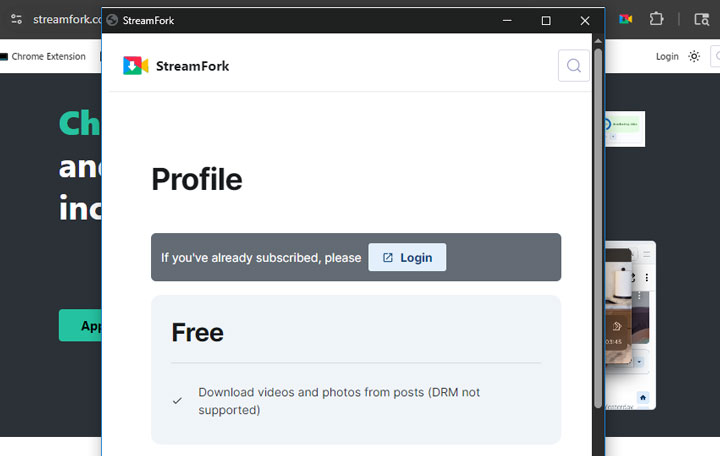
Step 2. Click the extension's icon in your toolbar and log in with your StreamFork account.
Step 3. Navigate to the Fansly page with the video you want to download.
Step 4. Look directly under the Fansly video that you want to download. You’ll see a new download menu appear in the bottom-right corner of the video itself.
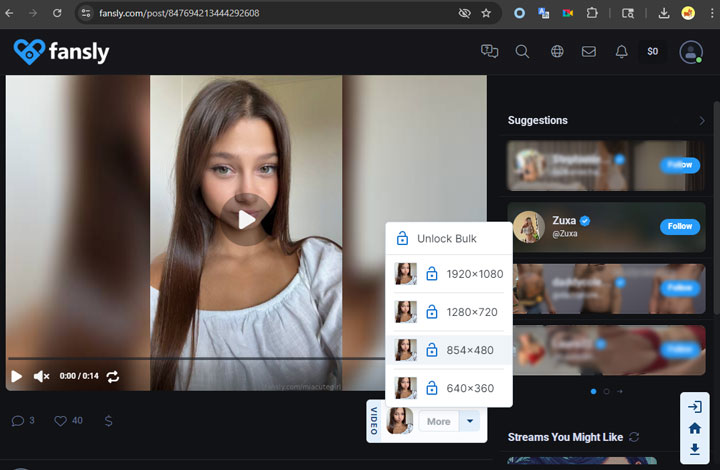
Step 5. Choose your preferred resolution (e.g., 1080p, 720p) from the menu to download the video directly as an MP4 file.
Pros:
- ✅ Reliably detects Fansly videos and streams.
- ✅ Very user-friendly interface.
- ✅ Offers multiple video quality versions to choose from.
Cons:
- ❌ The main feature is behind a paywall. This is the biggest drawback.
- ❌ The core Fansly video downloader feature is available behind a paywall.
3. Browser Inspector: A Free & Technical Fansly Downloader
Best For: Tech-savvy users, developers, or anyone who wants to avoid installing extra software and doesn't mind a complex, manual process.
When you watch a video online, your browser "requests" that file from the website’s server to play it. The Browser Inspector allows you to peek at these background requests to identify the direct source link, essentially letting you bypass the website’s interface to save the video yourself. Because of this, the inspector can act as a powerful, native downloader for sites like Fansly without the need for any third-party software. However, this method can be quite intimidating for beginners. It involves a more manual, complex process and, in our testing, it tends to be far more reliable on Mozilla Firefox than on other browsers.
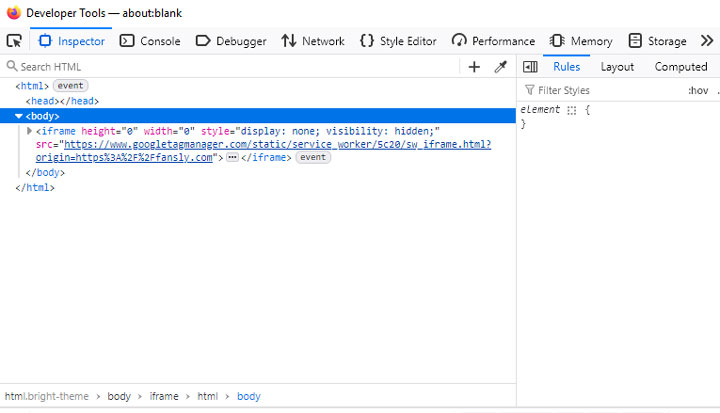
How to Download Fansly Videos with Firefox Inspector
Step 1. Navigate to the Fansly page with your video. Right-click anywhere on the page and select Inspect from the menu.
Step 2. In the developer tools panel that appears, click on the Network tab. In the filter search box at the top left of the Network panel, type media.
Step 3. With the Network panel still open, refresh the Fansly page. The video and audio files will begin to appear in the list as the page loads.
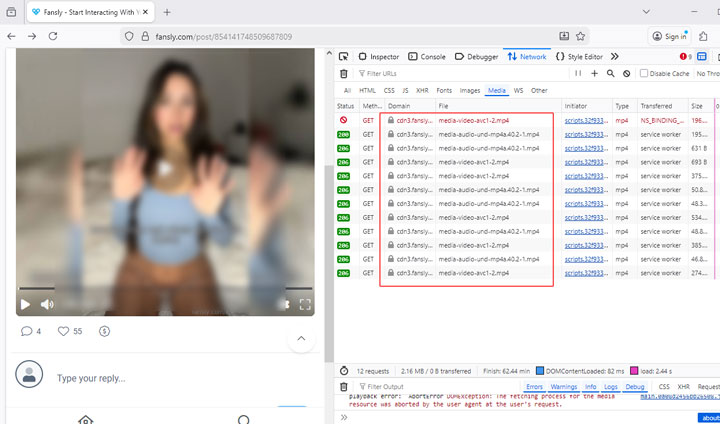
Step 4. Look for files in the list. You will likely see multiple files with .mp4 extensions. Some of these contain the visual video stream (with no sound), and others contain only the audio stream. Right-click on each of these files, go to Open in New Tab, and then save each one to your computer.
Step 5. Add all of these files you saved into a video editing program. You will then need to place them on the timeline, synchronize the audio with the video, and export the final combined video.
Pros:
- ✅ 100% free to use.
- ✅ No third-party software or extensions required, making it very secure.
- ✅ Gives you maximum control over what you download.
Cons:
- ❌ Very complicated for beginners.
- ❌ Downloads video and audio tracks separately.
- ❌ Does not work reliably on Google Chrome for Fansly videos. Use Firefox.
4. VideoProc Converter AI: A Failsafe & Powerful Fansly Downloader
Best For: Users who want the most reliable, highest-quality method and value powerful extra features like AI video enhancement.
This last Fansly video downloader is our top recommendation for anyone who values reliability and quality above all else. Strictly speaking, VideoProc Converter AI is not a "fansly downloader" in the traditional sense—it's a high-quality screen recorder. And that's precisely why it's so effective. Because it simply records what you see and hear on your screen, it is immune to Fansly's downloader-blocking updates. If you can watch it, you can save it.
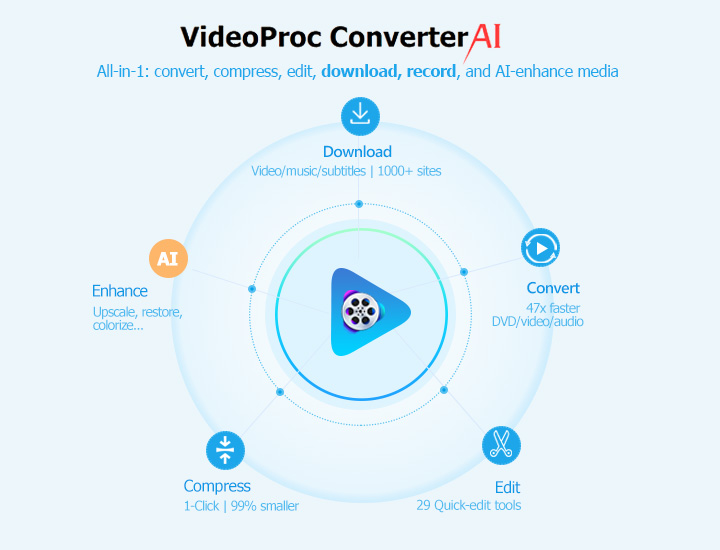
How to Record Fansly Videos with VideoProc
Step 1. Download and install VideoProc Converter AI and open the program. From the main menu, select the Recorder option.
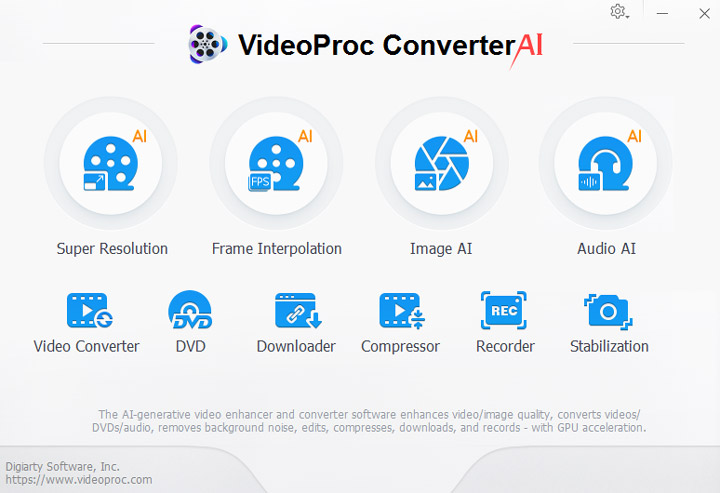
Step 2. At the top, select the Screen mode. Ensure the system audio (speaker icon) is enabled and the microphone is disabled to avoid recording room noise.
Step 3. Click Crop to select only the Fansly video area on your screen, cutting out your browser tabs and taskbar.
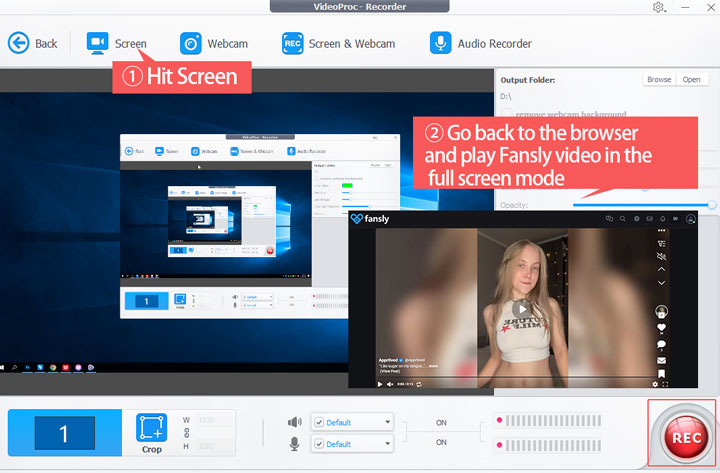
Step 4. Press the red REC button. A countdown will begin, giving you time to switch to your browser and press play on the Fansly video. Once the video is finished, use the hotkey (Ctrl+Alt+Shift+R on Windows) to stop the recording. The file will be saved instantly to your computer, with perfect video and audio.

Pros:
- ✅ Guaranteed to work every time. It bypasses download restrictions completely.
- ✅ Records video and audio perfectly synchronized in the original quality (up to 4K).
- ✅ Directly download videos/music/subtitles from 1000+ UGC sites and 2000+ niche sites.
- ✅ AI-driven! Allow you to upscale low-resolution videos to crystal-clear 4K quality.
- ✅ All-in-one toolkit: It's also a video converter, editor, compressor, DVD ripper, etc.
Cons:
- ❌ It is a paid desktop software.
- ❌ Recording happens in real-time.
Which Fansly Downloader Should You Choose?
Here is a quick comparison to help you decide.
| Feature | VideoDownloadHelper | StreamFork | Browser Inspector | VideoProc Converter AI |
|---|---|---|---|---|
Price |
Free |
Paid |
Free |
Paid |
Ease of Use |
Easy |
Easy |
Difficult |
Moderate |
Reliability |
Medium |
High |
Medium |
Very High |
Video/Audio |
Combined |
Combined |
Separate |
Combined |
AI Enhancement |
No |
No |
No |
Yes |
FAQs
1. Is it legal to download Fansly videos?
It is generally considered legal to save a personal copy of content you have paid for and have legal access to. However, it is illegal to distribute or share this content. Respect the creators' copyrights.
2. Will these Fansly downloader steal my Fansly login information?
The Fansly downloaders listed here are safe. VideoDownloadHelper, Firefox Inspector, and VideoProc Converter AI do not ask for or have access to your login credentials. Always be wary of unknown online "downloader" sites that ask you to enter your password.
3. Can I download from Fansly on my phone (Android/iPhone)?
It is much more difficult and less reliable on mobile devices. There are some third-party apps, but they are often removed from app stores. The browser-based methods described above are best performed on a desktop computer.




