
 Download Online Videos & AI Upscale to HD/4K!
Tumblr is a goldmine for obscure clips, high-res edits, and meme-worthy videos you won't find anywhere else. But posts vanish all the time—blogs get deleted, links break, or accounts disappear without warning. If you’ve stumbled upon a Tumblr video you actually want to keep or share, saving it locally is the only guaranteed way to make sure it doesn't disappear forever. How do you get the job done? With a reliable video downloader, you can effortlessly save any Tumblr video to your desktop or mobile device in just a few clicks. Read on to find the best tool for you.

Overview of 6 Methods to Download Tumblr Videos
| Methods | Operating Systems | Batch Download | Quality / Formats | Pros | Cons |
|---|---|---|---|---|---|
Windows, Mac |
✔️ |
1080p/4K (MP4, MKV, MP3, multi-track audio/subtitles) |
Ads-free, fast, rich extra features like AI-enhance quality |
Needs local download |
|
Online |
❌ |
Up to 1080p (Standard MP4/MP3) |
Free, web-based, no installation required |
No advanced format/editing options |
|
Online |
❌ |
1080p (Basic MP4/MP3) |
Multilingual UI |
Frequent pop-up ads, slow |
|
Online |
❌ |
720p/1080p (MP4) |
Supports various social media platforms |
intrusive ads, unstable |
|
Android |
✔️ Limited |
Original quality |
Directly save media on Android devices |
Occasionally fails due to Tumblr API updates |
|
iOS (iPhone/iPad) |
❌ |
Screen resolution (Recorded MOV) |
No 3rd-party apps required |
Time-consuming, lower quality than source file |
6 Best Methods to Download Tumblr Videos
Method 1. Download Tumblr Videos Safely & Free on Windows or Mac
Platform: Windows, Mac
If you want a secure, ad-free experience with batch-download capabilities, VideoProc Converter AI is a solid option to consider. Unlike free online Tumblr downloaders filled with pop-ups and redirected links, it offers a clean, desktop-based solution to save Tumblr videos directly to your PC or Mac. Below are some of the best parts I like about this Tumblr video downloader.
- Save Tumblr video in its original resolution for free (no hidden paywalls for daily downloads).
- Batch download videos from one or multiple video platforms, URls, and playlists, etc.
- Save videos from YouTube, TikTok, X, Discord, Instagram, Facebook, and 1000+ other sites.
- AI-driven: upscale old or low-quality videos to 1080p/4K, elevate photo quality to 10K, and more .
- 100% clean installation with zero bundled software, intrusive pop-ups, or security threats.

How to Download Tumblr Videos in Easy Steps
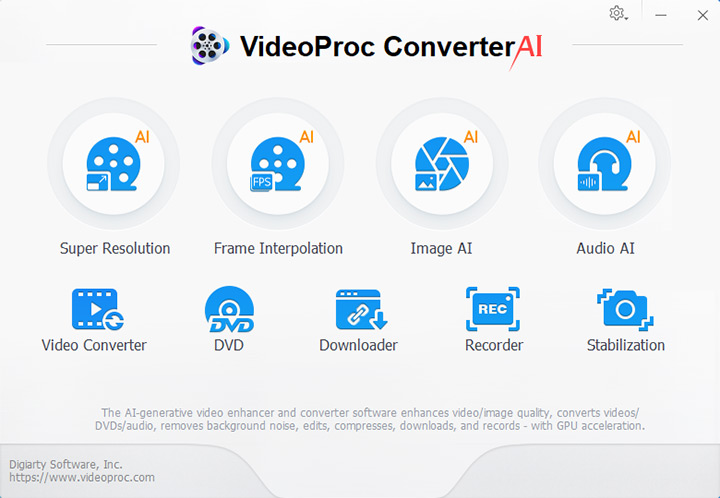
Step 1: Install VideoProc Converter AI to your computer and open it. Click Downloader icon in the main interface.
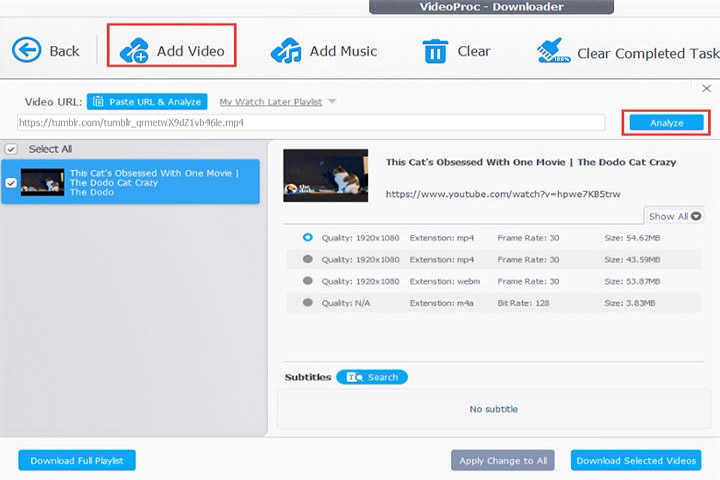
Step 2: Click + Add Video and paste the URL of Tumblr videos here. Click Analyze to continue.
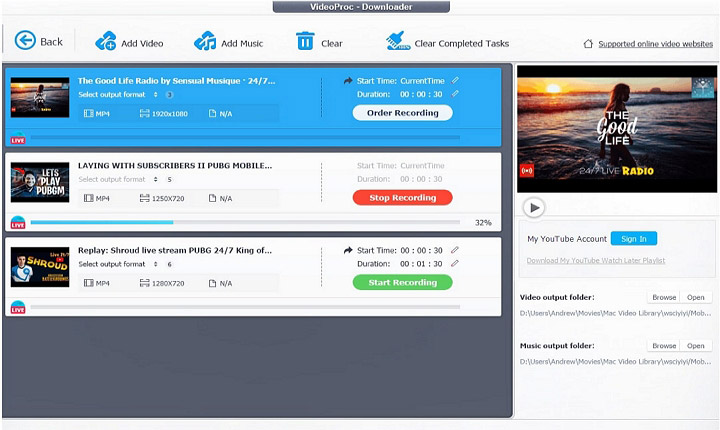
Step 3: Choose the format and resolution you want and then click the Download Now button to download Tumblr videos now.
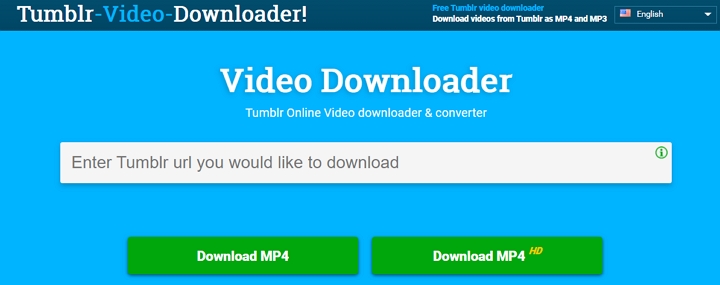
Method 2. Download Tumblr Video Online for Free with TheDownloadVideo
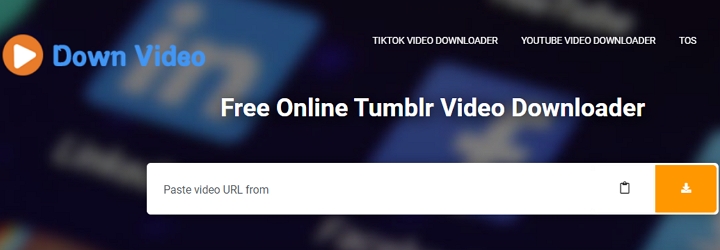
TheDownloadVideo is an online Tumblr video downloader that helps you download Tumblr to MP4 within clicks. It's free to use and supports SD, HD resolution, and you can choose different resolution like 320p, 480p, 720p, 1080p, etc. It also supports downloading video from Dailymotion, YouTube, Flickr, Buzzfeed, Imgur, IMDB, Vimeo, TikTok, Twitter, Liveleakr and more. You just need to paste the video's link into the search bar at the top of this online, then click the Download button.
Method 3. Download Tumblr Video Online for Free with DownloadVideosFrom
DownloadVideosFrom is an impressive Tumblr to MP4 video downloader and converter that has helped many users download videos from Tumblr, Facebook, and more site with ease. No matter you want to download videos or music from Tumblr, this online tool will always be helpful. It supports various languages like English, Chinese, French, Germany, Japanese, Portuguese and so on. Just copy and past the video's URL to this tool and then you can download Tumblr videos easily or share it on Twitter or Facebook.
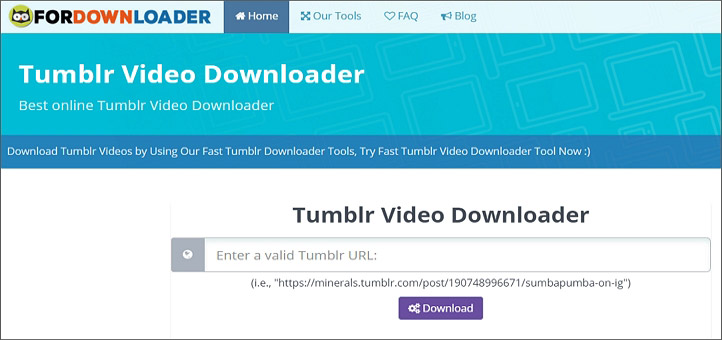
Method 4. Download Tumblr Video Online for Free with ForDownloader
ForDownloader is an all-in-one video downloader that supports downloading video from Tumblr, YouTube, Instagram, Facebook, Twitter, SoundCloud, Vimeo, Dailymotion, OpenLoad, Pinterest, Reddit, Bandcamp and more sites. It's 100% free and safe, and it's super easy to use. You can also download music and pictures from Tumblr, YouTube, Instagram and more. Just copy the video link from Tumblr and paste it in the box and it will analyze it and generate a download link for you.
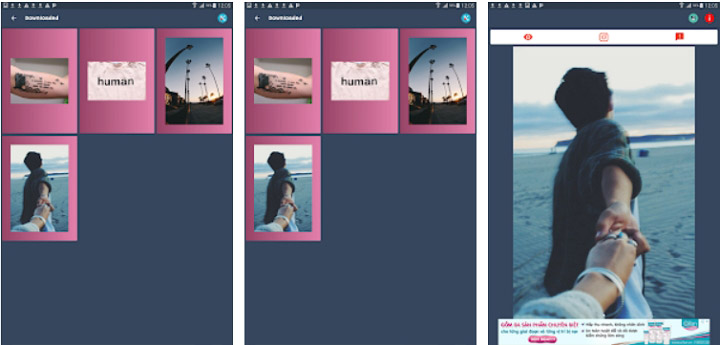
Method 5. Download Tumblr Videos for Free on Android
Timbloader is an easy tool to download Tumblr videos on Android devices. Just install it to your Android devices and follow the steps blow to download Tumblr videos.
Step 1: Open this application on your Android device.
Step 2: Click on the share or send button below the media content.
Step 3: Choose Timbloader in the list.
Step 4: After the information are loaded, click on Download button.
Method 6. Download Tumblr Video for Free on iPhone
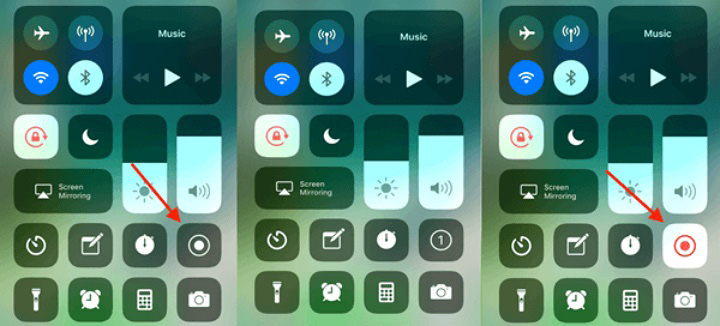
For those who want to download Tumblr video on iPhone, why not try recording the videos with iPhone's screen recording feature? You don't need to download or install any application to your iPhone, and it's totally free and safe.
Step 1. On your iPhone, swipe up from the bottom of the screen and tap the record button.
Step 2: Wait for 3 seconds countdown and your iPhone will start to record.
Step 3: Go to Tumblr and play your desired video in full-screen mode.
Step 4: Tap the Record button to stop. After recording, the video will be automatically saved in your Camera Roll.
You can also use VideoProc Converter AI to trim your unwanted parts of the downloaded Tumblr videos or convert to MP4 or other video formats.
The Bottom Line
No matter you want a stable desktop application, online tools or mobile applications to download Tumblr videos, we've got you covered. Just try those useful methods to download videos from Tumblr and other websites without trouble. If you want to trim, merge or convert video formats, VideoProc Converter AI is also helpful. Just try it and explore more!