VideoProc Converter AI Upgrade Center
Latest Version V8.11, Built on 20260515
Major Update: V8.11 improves color consistency in AI video Super Resolution by adding a Keep Original Colors option, and enhances the compatibility of the frame interpolation module.
- Video AI New
- Image AI New
- Audio AI
- Download/Compress/Others Updated

-
[New]
- Added a new Keep Original Colors option for AI Video Super Resolution to restore colors closer to the original video.
- Added NVIDIA TensorRT support for Frame Interpolation, fixing usability issues for some users.
-
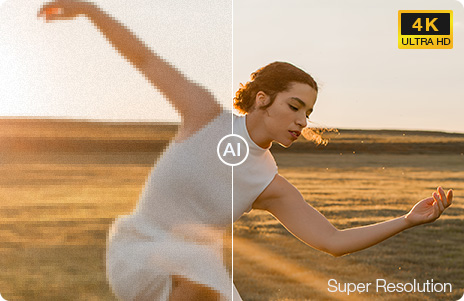
Super Resolution
- Enhance video clarity and upscale videos by 400% and deliver natural HD/4K results.
-
Frame Interpolation
- Convert videos from low FPS to 120/240/480FPS and higher, or create slow-motion videos.
-
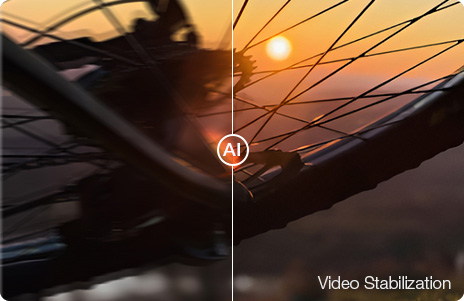
Video Stabilization
- Minimize shakes, jitters, and wobbles in your GoPro, drone, HD camera, or mobile footage.

-
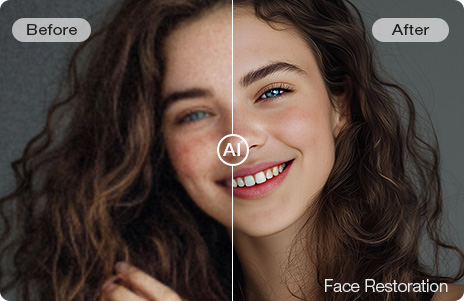
Face Restoration
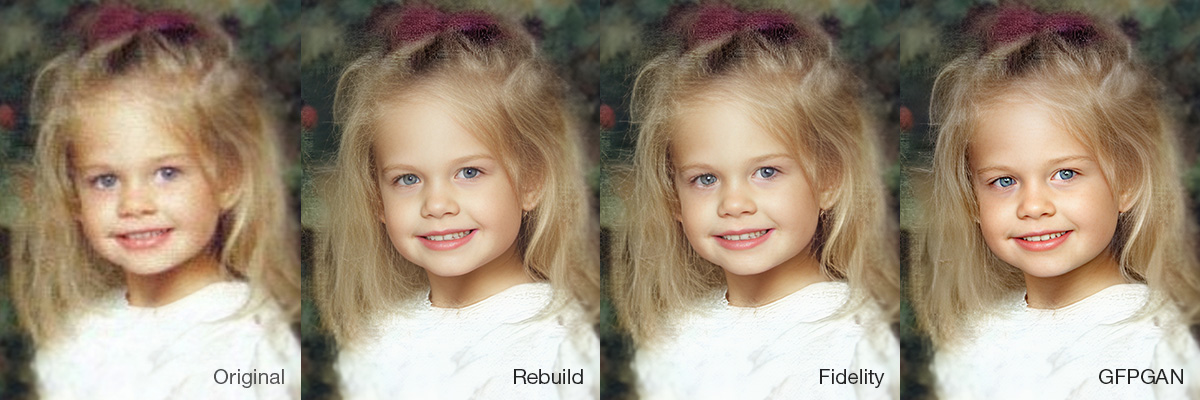
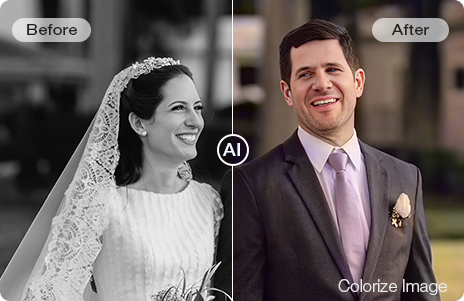
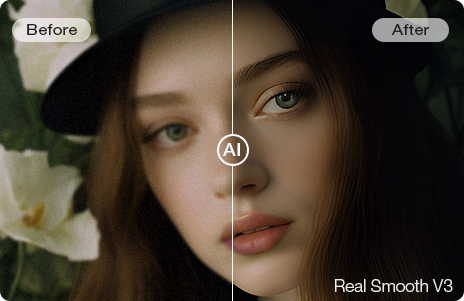
Added: A new AI Model section under Face Restoration in Image AI, featuring 3 models:
- "Rebuild" maintains a high level of naturalness while balancing detail restoration, optimized for images with partially degraded but recognizable facial features.
- "Fidelity" offers superior authenticity with precise restoration of contours and key details, ideal for clear images requiring faithful reproduction.
- "GFPGAN" delivers visually pleasing face enhancements, especially for low-resolution or slightly blurred images.
Click here to view the comparison >
-
Improved: Face detection algorithms to better handle oversized facial regions, improving recognition accuracy.
-
[New] Vocal Remover
Remove vocals from audio or video files with AI. Separate vocals and instrumentals to create karaoke tracks from any song, get clean background music, and extract vocal/acappella tracks for remixes, voiceovers, sampling, etc.
-
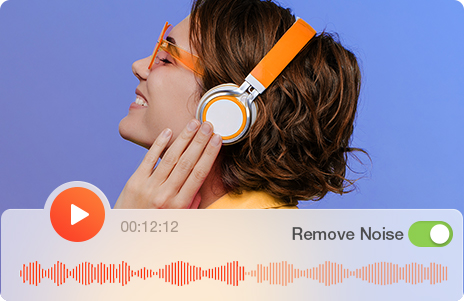
AI Noise Suppression
- Remove unwanted background noise from audio and video recordings with crystal-clear sound. Tackle common distractions like traffic, wind, hissing, and background chatter. Perfect for improving podcasts, interviews, voiceovers, online courses, vlogs, and more.
-
More Audio AI features are coming soon.
-
[Added]
- YouTube video language detection for downloading videos in the desired language.
- Added codec info to the download list for users to choose the right version based on their needs.
- Added support for the latest NVIDIA RTX 50 series graphics cards (including 5060, 5070, 5080, and 5090) for enhanced hardware acceleration.
-
[Fixed]
- Fixed an issue where the YouTube analysis engine failed to update.

Upgrade Your Free Trial AI to Full Version Now
With the full version, you can enjoy the latest AI modules at no extra cost, powered by real media training.
Buy now and get  extra gifts. Take advantage of the full version and save up to 53% today.
- 00 :
- 00 :
- 00 :
- 00
Free Trial You Are Using Now
- Get access to features in current version.
- Video/Image AI tools: 5 watermark-free exports.
- Audio AI: Audio file ≤5 min | 5 watermark-free video exports.
- Convert Video/Audio/DVD: any files < 5 minutes.
- Compress Large Files: any files < 5 minutes.
- Make Quick Edits: any files < 5 minutes.
- Download Media: videos ≤ 1080p.
- Record Video/Screen: watermark added.
Full Version 38% OFF 53% OFF
- Powerful Features
- Free access to the latest AI features, including video/image/audio AI.
- One-time payment and lifetime free updates.
- Ongoing real videos and images training.
- Keep pace with the latest video/audio codecs.
- Make full use of Nvidia/Intel/AMD GPUs.
- All-in-one: convert, process and enhance.
All-in-one Video Processing Toolkit
- Update GPU Driver for AI
- How to Choose AI Models
- Enhance & Upscale Videos Updated
- Fix Shaky Footage
- Boost FPS for Smooth Video
- Boost FPS for slow motion
- Enhance & Upscale Images Updated
- Restore faceNew
- Colorize Images/PhotosNew
- Remove Audio Noise New
- Remove Vocals or Instrumentals New

What reviewers say about
VideoProc Converter


With VideoProc Converter AI, you can effortlessly elevate your old, low-resolution footage. This robust AI video upscaler enhances resolution, boosts frame rates, reduces blurs and noise, smooths out interlacing artifacts, and refines color rendition, producing videos of significantly higher quality.


With so many tools to take advantage of, combined with AI image improvements that compare to the best alternatives, VideoProc Converter AI has lots to commend. If you're looking for software to convert your archive footage and photographs into sharp, vibrant 4K images, VideoProc Converter AI comes highly recommended.

Award-winning
Get reviewed and recommended by over 200 authority sites.

20 Years of Experience
Produced by Digiarty, a solid media software provider since 2006.

Expert in Processing 4K
The only full GPU accelerated video processing software.
FAQ
Yes, it is 100% secure to buy product via videoproc.com. It has enabled HTTPs and uses SSL encryption to protect your security on the site. In addition, we utilize world-leading e-platform to process all payment which is PCI Level 1 certified and ISAE 3402 / SSAE 18 compliant with BBB A+ accreditation.
Because sales tax rates vary by countries/locations, the products listed on our website are quoted with tax excluded. A sales tax may be applied based on your local taxation law. You are able to find how much tax you will be charged for a specific order in the shopping cart. The tax you pay will be collected and handled by our payment processor and then passed on to the relevant government.
We accept Visa/MasterCard, JCB, American Express, Discover, Sofort Banking, Direct Debit, iDEAL, Bank/Wire transfer, Carte Bleue, Giropay, Alipay, WeChat Pay, Konbini, etc. All our prices are listed in US dollars. After clicking the 'Buy' button, our payment processor, 2checkout, will display the corresponding currency and the final price in your country. You can also switch to USD, EUR, GBP, AUD, TWD, HKD, or other currencies in the shopping cart before checkout.
You will get the lifetime license code by email instantly after place the order. Then follow the below guide:
Step 1: Run your VideoProc Converter. Click the "Settings" icon at the upper right hand and find "About".
Step 2: Hit "Remove License" beside the text "Giveaway License". It will become "Unregistered".
Step 3: Go back to VideoProc Converter main interface. Find "Register" in the bottom right corner, re-enter your licensed email and the "Lifetime License Code" you purchased from above -> click "Activate".
Knowledgeable representatives available to assist you through email response within 24 hours for any purchase or program problems. Email support@videoproc.com
To prove our confidence in VideoProc Converter and its value to you, we are offering a 30-day money back guarantee. We provide refunds within 30 days from the purchase date if VideoProc Converter cannot normally work and we cannot solve it within an acceptable period or provide a temporary solution.