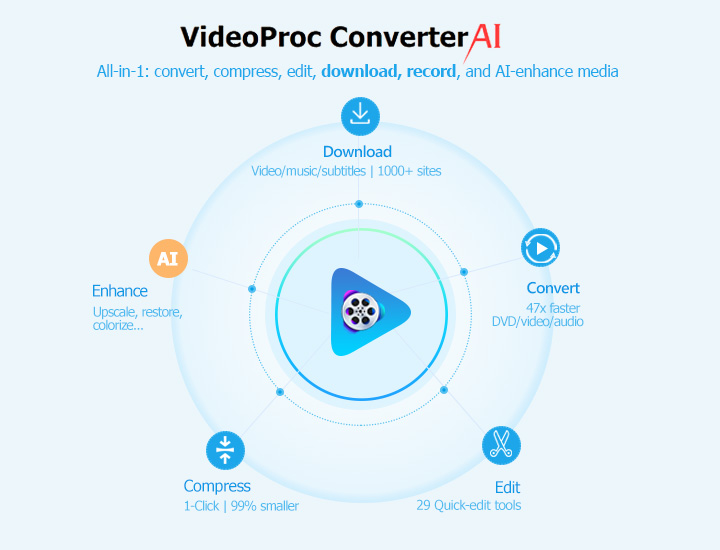
The "Analysis Failed" message on WinX YouTube Downloader is frustrating—you found the perfect video, copied the URL, and then... nothing. When the downloader stalls and refuses to parse the link, it usually means the software can't extract the necessary data from YouTube, or whatever platform you're using.
Luckily, this is a common, solvable issue, not a complex one. We've put together a straightforward, step-by-step guide to quickly fix the "Analysis Failed" and "WinX YouTube Downloader Not Working" errors, covering the 11 most effective solutions to get you back to downloading in no time.
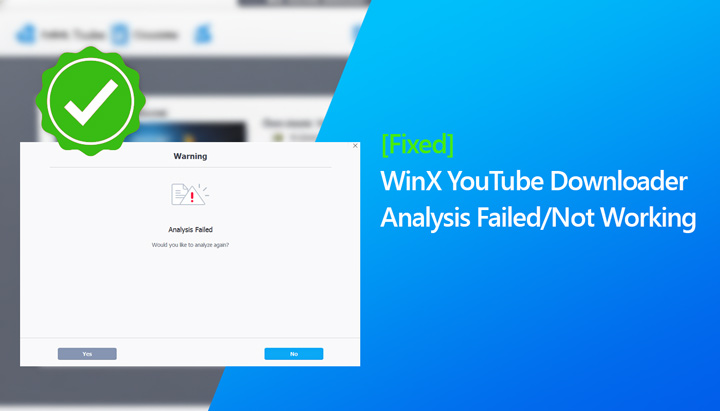
While this guide addresses WinX YouTube Downloader not working issues, we understand some users might be looking for a more comprehensive solution. If your needs extend beyond simple downloading to include things like AI video enhancement, versatile video format conversion, or even capturing DRM-protected videos for offline access, we'll introduce an alternative, VideoProc Converter AI, in detail at the end of this article.
What Is the WinX YouTube Downloader Not Working Error
Some WinX YouTube Downloader users encounter the frustrating "Analysis Failed" error, often unexpectedly. Reports from online communities highlight a recurring issue where the program suddenly stops analyzing YouTube videos, even after working flawlessly for days or weeks, sometimes across multiple devices. When this issue arises, users often turn to online communities to share their experiences and seek solutions. For instance,
"Anyone use this program to archive You Tube videos?? I use it almost daily. Had a issue with it failing to analyze anything on all my PCs yet after a week." - from reddit.com.
"winx youtube downloader for pc fail to analyze videos. It worked perfectly a few days ago. " -@Abraham_Olshinka from experts-exchange.com.
These real-world accounts illustrate the specific frustration and disruption this issue can cause for affected users, and we aim to resolve it in this guide.
How to Fix WinX YouTube Downloader "Analysis Failed"
1. Update WinX YouTube Downloader to the Latest Version
Reason: An "Analysis Failed" error is often caused by an out-of-date version of the software. YouTube and other online video platforms frequently update their algorithms and encryption methods to protect their content, making it a constant challenge for downloaders to keep up.
Some of the Recent YouTube Engine Updates:
⭕ Recent updates from YouTube (late September to early October 2025) have made previous download methods obsolete. To bypass new protections, downloaders now need to integrate a JavaScript runtime. These frequent changes make it challenging for older versions to keep up.
⭕ Python Environment Upgrade: YouTube has rolled out a core engine upgrade, which now requires a Python environment version 3.9 or higher to function properly. This change affects all users running Windows 8 or newer operating systems.
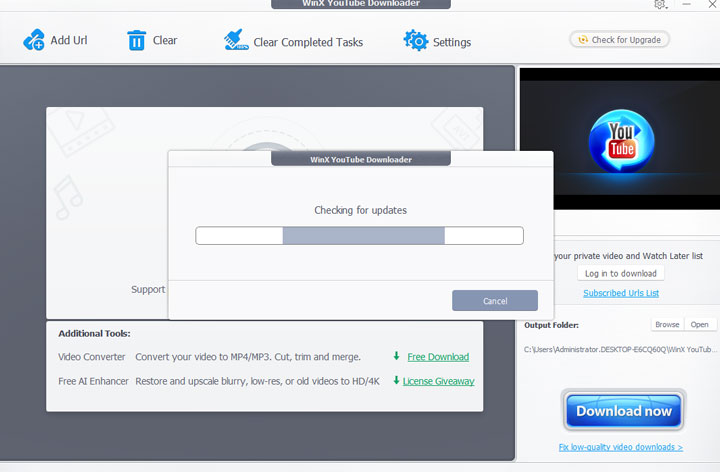
Solution: WinX YouTube Downloader keeps up with these frequent changes by regularly updating its software. To fix the "Analysis Failed" error, simply update to the latest version. Here's how:
Step 1. Open WinX YouTube Downloader and click Check for Updates located in the upper corner.
Step 2. Follow the instruction to have the latest version of WinX YouTube Downloader installed on yoru computer. You can also download the latest version from the official WinX YouTube Downloader page
Tips:
If WinX YouTube Downloader hasn't caught up with the latest YouTube algorithm changes yet, give VideoProc Converter AI a try.
2. Troubleshoot Your Network Connection
Reason: A weak or unstable internet connection can disrupt the download process.
Solution:
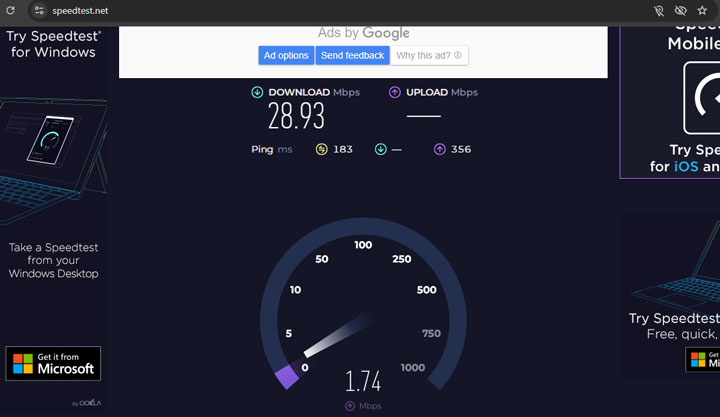
Step 1. Check your internet connection. You can use websites like Speedtest.net to check your download and upload speeds.
Step 2. If your internet connection is slow or unstable, try switching to a wired connection or reset your router to improve stability.
3. Bypass Regional Blocks with a VPN
Reason: Some videos may be restricted in your region, preventing you from accessing or downloading them via WinX YouTube Downloader.
Solution:
Step 1. Use a VPN to connect to a server in a different location.
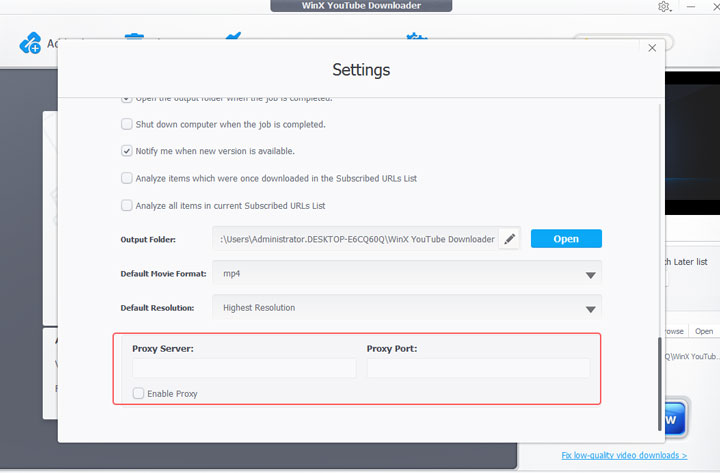
Step 2. Open Winx YouTube Downloader, click on the Settings icon, and check the option box of Enable Proxy Server.
Step 3. Enter the proxy server and proxy port information.
4. Temporarily Disable or Adjust VPN/Proxy Settings
Reason: While VPNs are useful for bypassing regional blocks, they can sometimes cause certain issues, including triggering robot verification checks or slowing down your connection. Here are some common problems:
- VPNs route your internet traffic through a server, which can sometimes slow down your connection.
- Some websites or video platforms may block traffic from certain VPN servers because they're known to be used for bypassing restrictions.
- Some VPNs have features like DNS leak protection or automatic kill-switches, which can interfere with the downloader's connection to the video site.
Solution:
Step 1. Temporarily disable your VPN or proxy to see if the issue is caused by these services.
Step 2. Try downloading the video again. If it works without the VPN or proxy, it's likely that the robot verification system or a slow VPN server was interfering with the download.
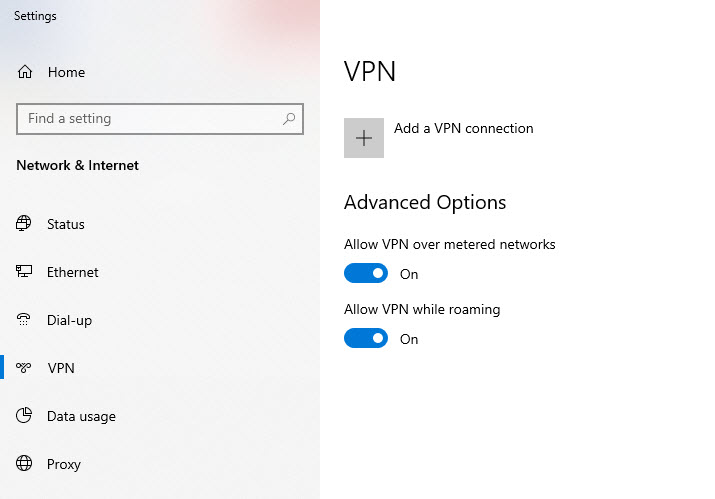
Step 3. Switch to a different VPN server or IP address if the problem persists. You can change your IP address by restarting your router or connecting to a different network.
Step 4. Adjust your VPN settings (e.g., turning off DNS leak protection or the kill switch) if these features are causing connection problems.
5. Ensure Your Windows OS is Supported (Windows 8 or Newer)
Reason: Recent updates to platforms like YouTube, along with changes in the underlying technologies (such as the Python environment), have caused older operating systems like Windows 7 to become incompatible. These updates require modern system features that Windows 7 lacks, preventing the download engine from functioning properly when trying to download from YouTube and other similar platforms.
Solution: You need to upgrade your operating system to Windows 8 or newer.
6. Verify the Video URL is Correct and Complete
Reason: The "WinX YouTube Downloader analysis error" can occur if the video URL is incorrect, incomplete, or contains unnecessary parameters. For example, using a URL with a playlist suffix when you only want to download a single video can confuse the downloader and cause errors.
Solution: Make sure you're using the full, correct YouTube video link:
https://www.youtube.com/watch?v=VIDEO_ID
Tips: If you only want to download one video from a playlist, uncheck the "Download Playlist" box. To download the entire playlist, check the box.
7. Switch to a Different Download Format (e.g., MP4/FLV)
Reason: M3U8 files are used for streaming videos, and they work by pointing to multiple smaller video segments. This setup allows for dynamic quality adjustments based on your internet speed. However, because M3U8 files aren't standalone video files, downloading them requires fetching all the segments individually and stitching them together. If there are issues with fetching all the segments or with how the segments are linked, the download can fail.
Solution: Choose a different format, like MP4 or FLV, to download. These formats provide the video as a single, unified file, which can simplify the download process and avoid issues related to segmenting.
8. Check if the Website is Supported
Reason: WinX YouTube Downloader supports a wide range of popular websites, including YouTube, Dailymotion, Vimeo, and others, some sites may not be compatible. In these cases, the software might not be able to process or download videos from these unsupported websites.
Solution: Search the video on a supported site, and attempt the download again. Alternatively, you can use a screen recording tool like 4K Screen Recorder to capture the content and save it for offline viewing.
9. Temporarily Disable Antivirus/Firewall
Reason: Antivirus software or firewalls can sometimes block the downloader from connecting to video sites or completing downloads, mistaking the downloader for suspicious activity.
Solution:
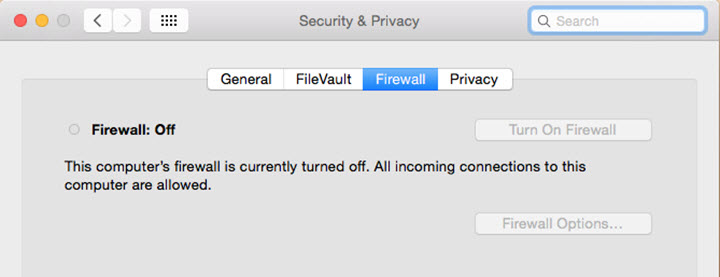
Step 1. Temporarily disable your antivirus software and firewall.
Step 2. Try the download again. If the download works after disabling the antivirus or firewall, add the downloader to your antivirus whitelist to prevent it from being flagged as suspicious in the future.
10. Adjust the Download Resolution or Format
Reason: Certain video resolutions or formats can cause errors due to platform-specific restrictions or how the video is encoded.
Solution: If the downloader successfully detects the video but fails to download it, try changing the resolution (e.g., 720p, 1080p) or format (e.g., MP4, WebM). After making these adjustments, re-analyze the URL and try again.
11. Clear Cache or Reinstall the Program
Reason: Cached data or temporary files can cause parsing errors, leading to analysis failures or preventing WinX YouTube Downloader from working correctly.
Solution:
Step 1. Close WinX YouTube Downloader.
Step 2. Clear the cache folder (typically located under Documents/WinXDownloader/Cache).
Step 3. Restart the software and try downloading again.
Tip: If the issue persists, uninstall and reinstall the latest version of WinX YouTube Downloader. This will replace any corrupted files or outdated modules, ensuring the software is up-to-date and functioning properly.
Try the Best Alternative to WinX YouTube Downloader Instead
While WinX YouTube Downloader is a solid tool for downloading videos from platforms like YouTube, TikTok, and Twitch, some users may require more flexibility or additional features. For example, some platforms may not allow direct downloads, or you may want to enhance the quality of your videos through AI upscaling, convert them for compatibility, or even capture videos that are DRM-protected. In these cases, VideoProc Converter AI offers a more versatile solution. It combines the ability to download videos with a full suite of media processing tools to handle a wide variety of tasks.
- (Bulk) Download videos from playlists, channels, or multiple URLs at once.
- Supports 1000+ Sites: Tubi, Vimeo, Dailymotion, YouTube, TikTok, Twitch...
- 4K Recorder: Capture DRM-protected streaming content for offline viewing.
- Adapts to YouTube updates and bypasses region blocks with proxy settings.
- AI Video Upscaling: Elevate your videos to UHD 4K with top-notch quality.
- All-in-One: AI-enhance media, convert, compress, edit videos, rip DVDs, etc.
If you're looking for an all-in-one solution that does more than just video downloads, VideoProc Converter AI could be the tool you need to streamline your media tasks.