
 Download Online Videos & AI Upscale to HD/4K!
YTD Video Downloader has been around for years as a tool that promises to save videos from YouTube and dozens of other sites. The program can also convert footage formats and touts safe and private downloads.
However, the question "Is YTD Video Downloader safe?" has become increasingly important. This article dives into YTD's features, user reviews, privacy and security considerations, and examines whether the program is a wise choice for downloads.
What Is YTD Video Downloader
YTD Video Downloader is a desktop downloader program. Its official site describes it as a tool that lets you download videos, audio and music from over 50 sites and convert them into numerous formats such as MP3, MP4, WAV and MKV. The app offers a free version with standard-definition downloads and a PRO version with high-resolution and batch downloads.
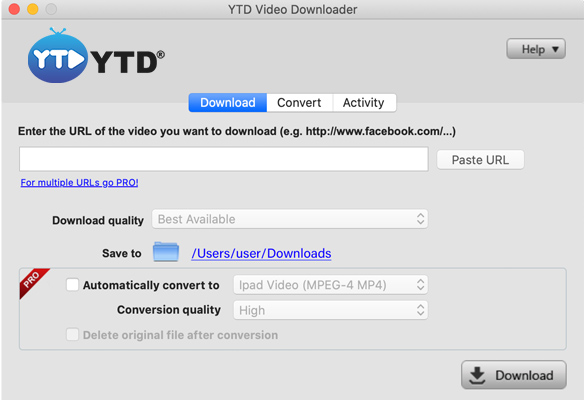
Installing the software is straightforward. You download the installer, follow the on-screen prompts, and then you can start saving videos with YTD. In practice, however, you may notice it's trying to add unwanted browser extensions or change your browser's default search.
Is YTD Video Downloader Safe
In fairness, YTD Video Downloader itself does not contain viruses. Antivirus programs often flag the installer due to the optional extras and adware components. However, given its adware-like behavior, YTD cannot be considered wholly safe.
- Bundled adware: The program may install additional files or unwanted software.
- Aggressive advertising: The program frequently prompts users to upgrade to PRO and may display pop-ups or ads.
- Privacy concerns: The company admits to using cookies and analytics tools to collect IP addresses, device information, and usage data for advertising.
- Poor reputation: YTD's Trustpilot score is around 2/5, with users citing difficulties cancelling subscriptions and unexpected renewal charges.
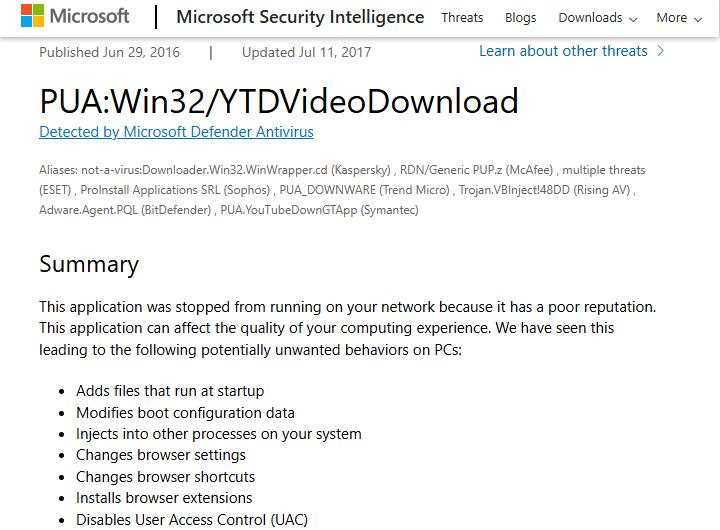
In addition, Microsoft's security team labels YTD as PUA:Win32/YTDVideoDownload and notes that the installer may add files that run at startup, modify boot configuration, install browser extensions, and change browser settings.
Safe Installation Practices
If you still wish to install YTD, take precautions:
- Download only from the official site. Third-party download portals often wrap the installer in additional adware.
- Scan the installer with an up-to-date antivirus program. Microsoft Defender can detect and quarantine bundled PUPs.
- Read each installation prompt and decline any offers to install toolbars, browser extensions, or change search settings.
- Consider using the paid version if you do need YTD's features; it removes ads and most bundled software.
During installation, you must decline offers to change your browser's default search or start pages. Still, YTD may install unwanted bundling extra programs that are difficult to remove. If you inadvertently allow YTD to install these PUPs, your computer may slow down.
Despite these precautions, YTD still presents privacy and security downsides when compared to cleaner alternatives.
YTD Video Downloader Alternative
Given the concerns above, you may want to explore safer downloaders. Open-source tools, such as youtube-dl or yt-dlp, are widely recommended. They are free and do not include adware. However, they require command-line use. VideoProc Converter AI is a reputable GUI alternative with similar features and no known bundling issues.
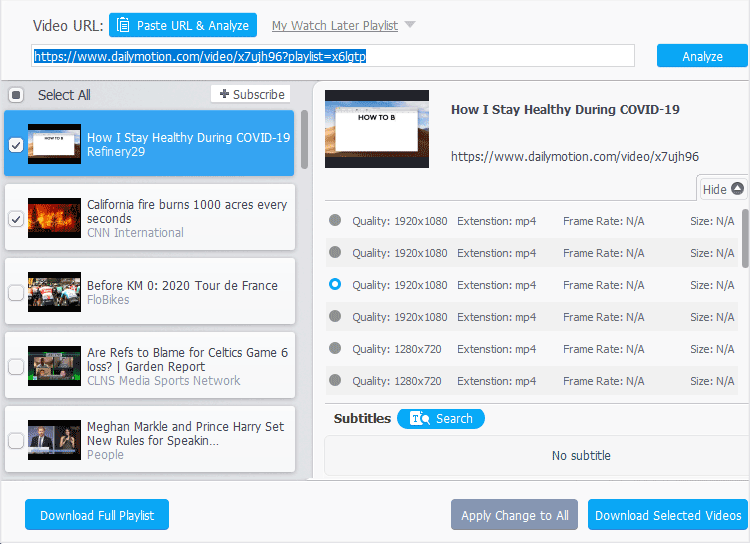
VideoProc Converter AI features a built-in media downloader that supports saving content from about 1000 popular and niche sites. The software uses a freemium model, with the main difference being the platforms supported. However, even the free version can still download videos at the best available quality, up to 8K, if supported.

VideoProc Converter AI - Clean and Safe Video Downloader
- 100% clean and safe; frequent updates for smooth downloads
- Support 1,000+ sites, YouTube, Facebook, Vimeo, TikTok, etc.
- Convert downloaded content to 420+ codecs and formats
- High-quality download videos, music, playlists, and more in batch
- All-in-one toolbox: AI tools, DVD backup, recorder, compressor, etc.

Always ensure you download such tools from their official websites, verify their hashes and comply with copyright laws.
Wrap Up
YTD Video Downloader is a double-edged sword. The software does what it promises, but the free version is so restricted that it effectively functions as a trial. More importantly, security experts and user reports consistently flag YTD as a potentially unwanted program because its installer bundles adware, modifies browser settings and may collect user data.
If you decide to use YTD, download it only from the official site, decline all bundled offers, scan the installer with reliable antivirus software and consider purchasing the PRO version to remove ads. Respect YouTube's Terms of Service and download only content you have rights to. For a safer, more transparent experience, consider a reputable program like VideoProc Converter AI that doesn't compromise your system's security.




