

Need an unbiased and in-depth review on 4K Video Downloader Plus? You’ve come to the right place. These days, having a good video downloader is almost essential if you want to save online videos for offline viewing or using them in creative projects. 4K Video Downloader Plus is a popular choice thanks to its simple interface and support for multiple platforms. But is it really the right tool for you? Many users ask questions like "Is 4K Video Downloader Plus safe?" and "Is 4K Video Downloader worth the purchase?" Thus, in this 4K Video Downloader Plus review, we'll take a close look at it's core features, evaluate its performance, break down the pricing, and help you decide if it truly meets your video downloading needs.
Head up:
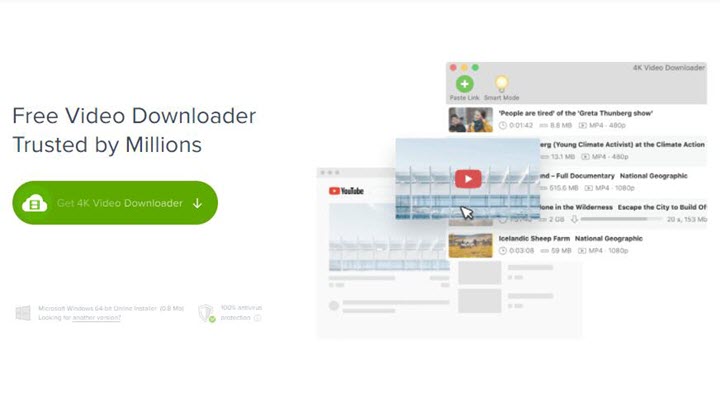
4K Video Downloader was officially discontinued on February 1, 2026. While old installations might still run, it no longer receives updates, making it unreliable and potentially unsafe.
Its successor, and the focus of this review, is 4K Video Downloader Plus. As the heir to a well-known name, all eyes are on the "Plus" version to see if it's a worthy upgrade. In this comprehensive, hands-on review, we'll put it to the test, evaluating its core features, real-world performance, and pricing to help you decide if it genuinely meets your needs.
What Is 4K Video Downloader Plus
4K Video Downloader Plus is a desktop program designed to download videos, audio, and subtitles from major platforms like YouTube, Vimeo, and TikTok. The product's main selling point is its ability to save online content in its original high resolution. It advertises that if a video is available in 8K, then it can save it in 8K, 4K, or any other resolution for offline viewing. But does it live up to its name? We decided to put that claim to the test. Beyond resolution, 4K Video Downloader Plus features an in-app browser and private content access via account login. With native Apple Silicon support and a streamlined Smart Mode, it aims to be the ultimate media tool for modern users to enjoy.
4K Video Downloader Plus Quick Facts
Official site |
www.4kdownload.com |
Rating |
|
System Requirements |
Windows 10 64-bit and later; macOS 10.13 and later; Ubuntu 64-bit |
Supported websites |
YouTube, Facebook, TikTok, Twitch, Dailymotion, SoundCloud, etc. (17 total) |
Core Features |
Download videos and audio from supported websites |
Price |
$15/year or $42/lifetime |
Notable Limitations |
|
Best Alternative |
👍 VideoProc Converter AI. It can download (4K/8K) videos, music, and subtitles from 1,000 popular sites and 2,000+ niche sites. Plus, it includes AI video/image enhancement, conversion, compression, subtitle downloads, and more fancy features. |
 by
by  Ad-heavy interface
Key Features of 4K Video Downloader Plus
4K Video Downloader Plus packs a set of features aimed squarely at efficient video acquisition:
1. High-Resolution Downloads
It supports resolutions from standard definition all the way up to stunning 4K and 8K quality, provided the original video is available in that format.
2. Platform Compatibility
While developers highlight broad platform support, the official list details just 17 sites, including major players like YouTube, Vimeo, and TikTok. While this covers many popular sources, users seeking a more extensive range of supported platforms might find its explicit compatibility somewhat limited when compared to other options on the market.
3. Integrated Browser & Login
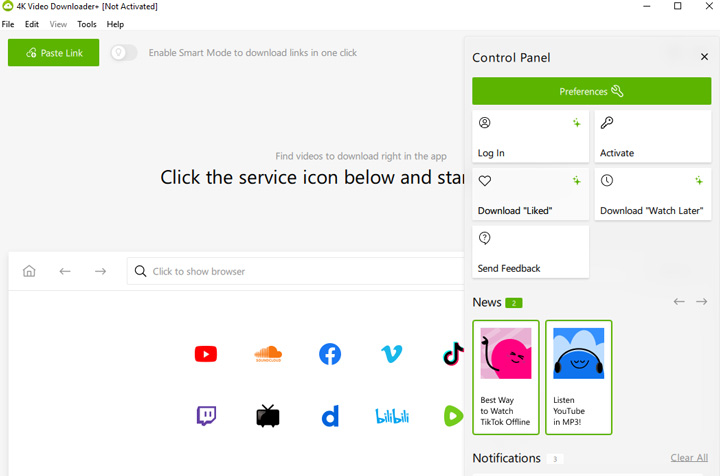
An integrated in-app browser allows users to search for and download content directly within the application, eliminating the need to switch to an external web browser. Crucially, this browser also facilitates in-app login, a feature essential for accessing and downloading private or age-restricted videos, music, and subtitles. This capability is typically reserved for paid license holders.
4. Smart Mode
This feature streamlines the download process considerably. Users can pre-set parameters such as desired format, resolution, and content type. Once configured, simply pasting a video, channel, or playlist link will automatically initiate the download with these preferred settings, saving time on repetitive tasks.
5. Organized Downloads
For those managing extensive downloaded collections, 4K Video Downloader Plus offers sorting options by date and name. Additionally, content can be categorized by type (Video, Audio, Playlists, Channels, Subscriptions, All), making navigation and management of your media library more straightforward.
First Impressions & User Experience
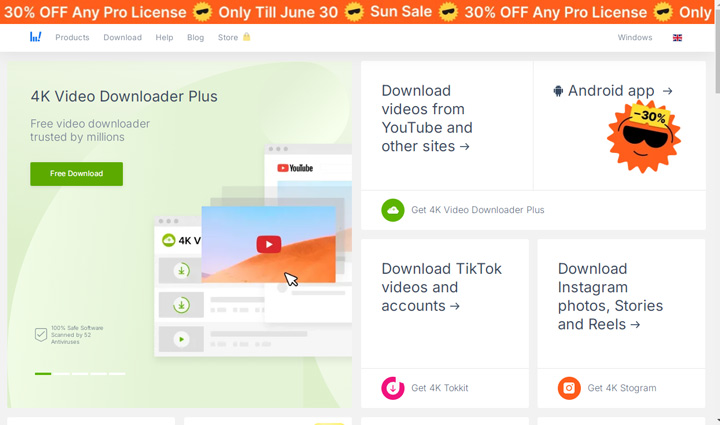
Before we even dive into the software's capabilities, it's worth noting the initial hurdle: the official download page. Frankly, it can be a bit of a maze, cluttered with numerous download buttons that, at first glance, might make you feel like you've landed on an ad-heavy site rather than a clean, official portal. It's a minor point, perhaps, but it doesn't exactly inspire immediate confidence.
Once you've navigated that initial clutter and installed the application, however, the actual in-app operation is refreshingly straightforward. The process is remarkably intuitive: simply copy your desired video link, paste it into the designated field within the software, and hit "Paste URL." The application then automatically analyzes the connection, quickly presenting you with the detected download options. It's a simple, no-fuss approach that gets you to the core task without unnecessary steps.
Performance Under Scrutiny
4K Video Download Plus's feature list is one thing; its real-world performance is another. Thus, we put 4K Video Downloader Plus to the test, focusing on speed, output quality, resource usage, and stability. For this review, we used the free trial version. According to the developer, the trial has no feature restrictions—it only limits the total number of downloads. Therefore, our performance findings should accurately reflect the capabilities of the full, paid software.
Download Speed
Download speeds for 1080p videos were standard. The software is on par with most other video downloaders we've tested in this regard—it's neither exceptionally fast nor noticeably slow. It gets the job done without excessive waiting.
Output Quality
This is the most critical test for a tool with "4K" in its name, and unfortunately, it's where it fails. As established in our testing, 4K Video Downloader Plus was unable to download videos in their original 4K or 8K resolution. It consistently defaulted to a maximum of 1080p. And it seems this issues happens to many users.
"Sorry, I updated my YouTube on PS5 Slim and now it's giving me resolution problems. Before the update it could handle 4K 60 FPS, but now it shows videos in 1080p and some videos are jerky." - @Drugozzy from reddit.com.
For the 1080p files that it can download, the quality is excellent. It preserves the fidelity of the 1080p source material perfectly, without any noticeable degradation or compression artifacts. However, it cannot be considered a "faithful reproduction" if your source is 4K.
Resource Usage
4K Video Download+ is impressively lightweight. Resource usage during downloads remains commendably moderate, and it won't bog down your system. Even when handling multiple concurrent downloads, the performance impact is minimal, which is a definite plus.
Stability
In our own testing, 4K Video Downloader Plus performed reasonably well, handling multiple concurrent downloads without major issues. However, based on user feedback, it occasionally runs into problems, with reports of crashes, failed downloads, or other "4K Video Downloader not working" issues, especially with longer or more complex tasks. For example, recently, many users have reported that when trying to add a video, the process gets stuck at the initial parsing window and never progresses, leaving them unable to continue.
Pricing and Affordability of 4K Video Downloader Plus
4K Video Downloader Plus offers a tiered pricing model: a free version with limitations, a Lite license at $15 USD per year, and Personal and Pro licenses available as one-time purchases. The appeal of a one-time purchase, rather than a recurring subscription, is clear for many users.
The Lite license, while unlocking some quantity limitations, still restricts features like multi-language audio downloads and in-app YouTube Subscriptions, and limits simultaneous downloads to three. To fully unlock these capabilities, the Pro license costs $42 for a lifetime. While a lifetime license sounds appealing, its cost might seem steep given its singular focus on downloading.
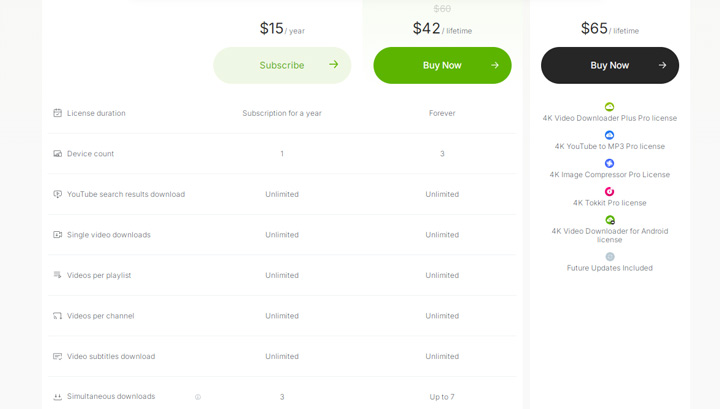
Many users today expect a $40+ investment in software to offer more than just media downloading, perhaps including editing, conversion, or even AI-driven features. This positions 4K Video Downloader Plus as a premium, dedicated downloader, which might not align with everyone's budget or feature expectations.
Pros and Cons of 4K Video Downloader Plus
Pros:
- User-Friendly Interface: Exceptionally simple to navigate; just copy and paste links.
- High-Quality Downloads: Reliably saves videos in 4K and 8K resolutions where available.
- Batch Downloading: Excellent support for downloading entire playlists and channels.
- Subtitle & Audio Options: Offers flexibility to download subtitles or extract audio.
Cons:
- Limited Functionality: Lacks built-in editing, conversion, or other video processing tools.
- Restricted Free Tier: The free version is quite limited, often pushing users towards paid options quickly.
- Occasional Inconsistencies: Often struggles with less common sites & sites that frequently change their structure.
- Ads in Free Version: The free tier includes a noticeable number of advertisements.
- No AI Features: Lacks the AI-driven enhancements found in many modern digital tools.
4K Video Downloader Plus User Feedback
User feedback for 4K Video Downloader Plus, it must be said, presents a rather mixed bag. On platforms like the Microsoft Store, for instance, it currently hovers around a 3.7/5  rating.
Some users commend its straightforward interface and its generally reliable performance when downloading from major platforms such as YouTube. However, a significant contingent expresses frustration with the free version's limitations.
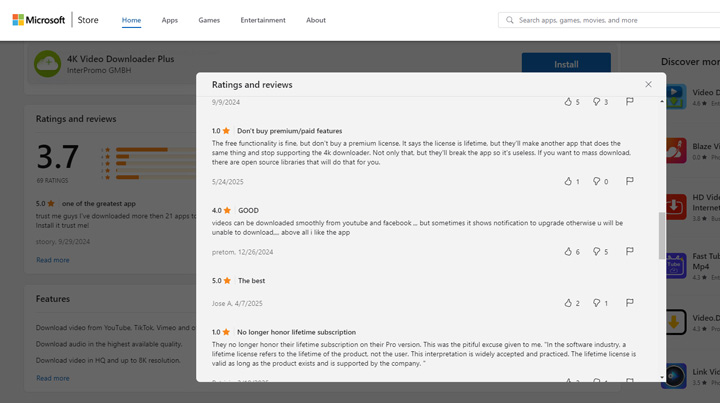
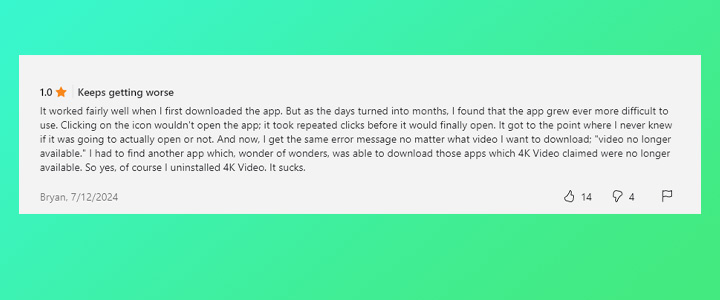
However, a more serious concern comes from long-time users—particularly those who previously purchased a "lifetime" license for the original 4K Video Downloader. After the company discontinued support for that version, their "lifetime" access effectively became unusable for downloading new content. This decision has left some users feeling frustrated and cautious, raising the question: will history repeat itself with 4K Video Downloader Plus?
It says the license is lifetime, but they'll make another app that does the same thing and stop supporting the 4k downloader. - by user from Microsoft Store
Our own recent testing with the older version certainly didn't help quell these anxieties; we found it indeed struggled to analyze YouTube links, effectively nudging us towards a subscription for 4K Video Downloader Plus. This pattern, frankly, gives pause when considering the long-term viability and ongoing support for the current iteration.
Try The Best Alternative to 4K Video Downloader Plus
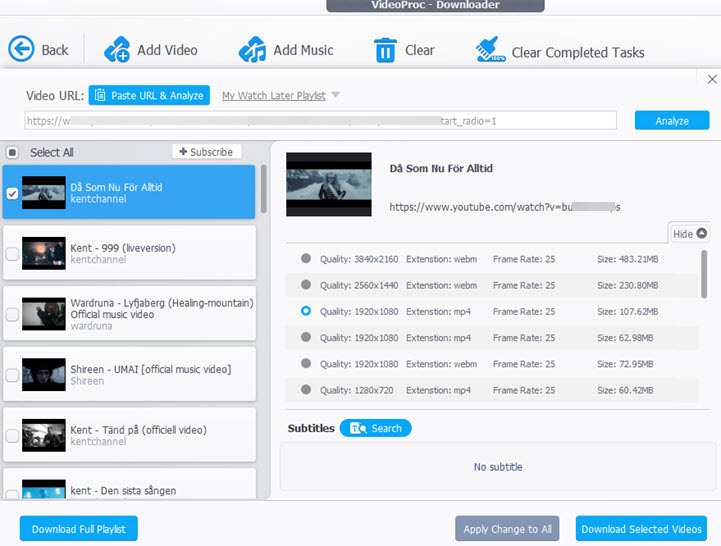
If your needs extend beyond simple downloading, VideoProc Converter AI presents a compelling alternative. It not only offers all the core downloading features of 4K Video Downloader Plus but also integrates a much broader suite of tools. VideoProc Converter AI allows you to download videos from 1000+ sites, music, and subtitles from over 1,000 popular sites and an additional 2,000+ niche sites. Crucially, it detects and provides all available download resolution options, including 8K if the original video supports it.Check some of its killer features:
- Extensive site support (1000+ popular, 2000+ niche).
- Auto-detection of subtitles with language selection.
- Flexible download options (4K resolution, various sizes/FPS, etc).
- Built-in AI upscaler for enhancing low-resolution videos to 4K.
- Support for downloading videos, audio, subtitles, streams, and playlists.
- No restrictions on full-length movies or albums.
- Stable and fast downloads, even for large files.
- Strong privacy protection with no data collection or bundled software.
- Rich extra features: video conversion to 420+ formats, compression, quick edits, and more.

4K Video Downloader Plus vs. VideoProc Converter AI
| Feature | 4K Video Downloader Plus | VideoProc Converter AI |
|---|---|---|
Main features |
Video downloader |
All-in-one: media downloader, converter, and enhancer |
Supported sites |
17 popular sites |
1000+ popular sites and 2000+ niche sites |
Support for 4k download |
Yes (But failed in testing) |
Yes |
Additional tools |
None |
Extensive (convert, edit, compress, AI upscale/stabilize, etc.) |
Pricing plan |
Free/one-time purchase (personal/pro) |
Free trial/subscription/lifetime license |
In conclusion, while 4K Video Downloader Plus is dedicated solely to downloading, VideoProc Converter AI takes a more versatile approach by combining powerful download capabilities with a full suite of video and media processing tools. If you're looking to download content from a wider range of both popular and niche websites—or if you want to enhance your downloads as part of a broader media workflow—VideoProc Converter AI is a strong alternative to 4K Video Downloader that's well worth considering.
FAQs
Is 4K Video Downloader Plus free?
4K Video Downloader Plus offers a free version with limitations, such as restricted download quantities and features. Full functionality requires purchasing a paid license.
Can I download videos in 8K resolution?
Yes, 4K Video Downloader Plus supports downloading videos in 8K resolution, provided the original video on the platform is available in that quality.
Does it support downloading from sites other than YouTube?
Yes, it supports downloading from a list of 17 major platforms, including Vimeo and TikTok, but its explicit compatibility list is not as extensive as some other downloaders.
Is the "lifetime" license truly lifetime?
While the license is marketed as lifetime for the specific version purchased, the company has phased out support for previous "lifetime" versions, requiring users to purchase a new license for the successor product (Plus). This raises concerns about the long-term validity of the "lifetime" claim for future updates or new versions.



