VideoProc 8th Anniversary Sale Is in Full Swing!
Buy VideoProc Converter AI Today, Save Big & Get 4 Bonus Gifts
- 00
- 00
- 00
- 00


-

Image Matting
$49.006-Month LicenseRemove, refine, and change image background.
-

WinOptimizer V27
$55.00Full LicenseClean, optimize, and protect Windows.
-

iPhone Manager
$79.95Full LicenseTransfer any media between iPhone and Mac.
-

VideoProc VloggerFull Version
An intuitive & capable video editing software.

Windows
Mac
VideoProc Converter AI
All-in-one yet easy-to-use AI video/image/audio enhancer & converter — powered by Level-3 Hardware Acceleration. Run locally. No cloud uploads or AI credits needed.
Upscale any low-res, old, low-light or grainy videos/DVDs by 400% to HD/4K.
Boost FPS to 120/240/480fps for silky-smooth playback or slow-mo.
Fix shaky footage. Remove vocals, instruments & noise for clear audio.
Enhance photos, images, AI art, anime, and animations to 4K/8K/10K.
Restore face clarity in images & colorize black-and-white photos.
Convert, compress, download, record, and edit any video audio easily.
Choose your plan · 4 gifts included (Valued $183.95 )

- Immediate
Delivery - Money Back
Guaranteed - Lifetime Free
Upgrade
Why Choose VideoProc Converter AI?
Your Casual and Long-Term Video Image Audio Processing Software
-

Enhance blurry video
-

Remove Shakes
-

Boost low FPS
-

Restore old memories
-

Enhance low-res images
-

Colorize B&W photos
-

Remove audio noise
-

Upscale anime
-

Compress video
-

Convert video
-

Quick edit
-

Download
-

Record
-
Enhance blurry video
-
Remove Shakes
-
Boost low FPS
-
Restore old memories
-
Enhance low-res images
Effective AI Video/Image/Audio Enhancer
-

Video Al - Super Resolution
Fix old, blurry, noisy, grainy, low-res, low-light, cropping and compressed videos.
-

Video AI – Frame Interpolation
Fix choppy and high motion blur videos; create slow-mo.
-

Video AI – Stabilization
Fix shaky, wobbles, jitters videos without unintended displacement.
-

Image AI – Super Resolution
Fix blurry, old, pixelated, noisy, low-res and low-quality images/photos.
-

Image AI – Colorizing
Bring monochrome memories to life with AI Colorization
-

Image AI – Face Restoration
Auto-repair, deblur, sharpen images for clearer faces
-

Audio AI – Nosie & Vocal Remover
Remove vocals, instrumental, background noise from audio and video files.
-
Upscale & Enhance Any Videos Up to Stunning 4K with 4 Al Models
Enhance: Denoise, deblur, upscale by 2X, 3X, even 4X, from 360p/480p/720p to 1080p, or 720p/1080p to 4K, while preserving natural quality without artifacts and generating realistic details. Deinterlace to eliminate jagged lines and motion blur. Perfect for restoring and improving footage from old cameras, phones, DVDs, AIGC, online downloads, screen recordings, SNS, or challenging low-light, high-ISO and fast-motion scenes.
- #Batch processing
- #GPU accelerated speed
- #For any videos
-
Turn Low FPS to High FPS Like Magic for Ultra-Smooth Videos & Slow-Mo
Enhance: Effortlessly upgrade 24/30/60FPS to 120/240/300/480FPS+ for buttery-smooth result. Achieve up to 5x frame interpolation, and create 20x slow motion without a high-speed camera. Restore old footage to 4K 60FPS, and fix mixed frame rates for seamless editing. Ideal for boosting sports highlights, gaming clips, slow-motion effects, and old videos.
- #Handle complex motion
- #Artifact-free
- #Easy-to-use
- #Batch-ready
-
Achieve Rock-Solid Stability and Stunning Visual Appeal
Enhance: Instantly remove unwanted shakes and glare from camera, phone, or downloaded videos, whether processing a single clip or batch files. Fine-tune stability, quality, and speed with customizable modes and cropping options. Best for fixing equipment jitter, motion shake, handheld shots, shadow jitter, and wobbles in low-light condition
- #No motion artifacts
- #Original quality
- #Support vertical video
- #Batch-ready
-
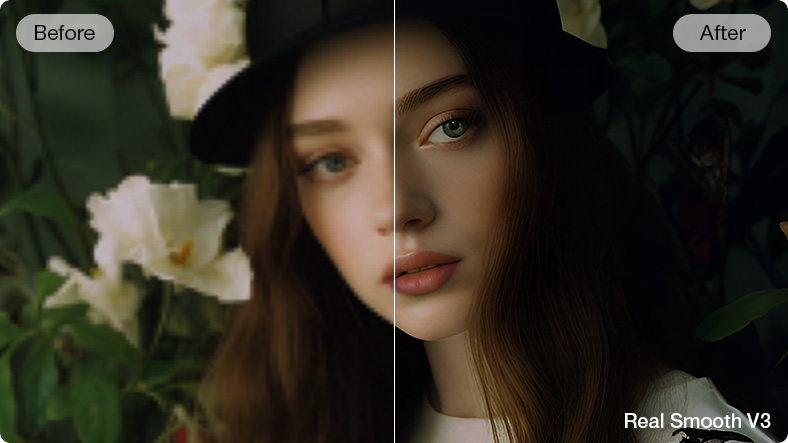
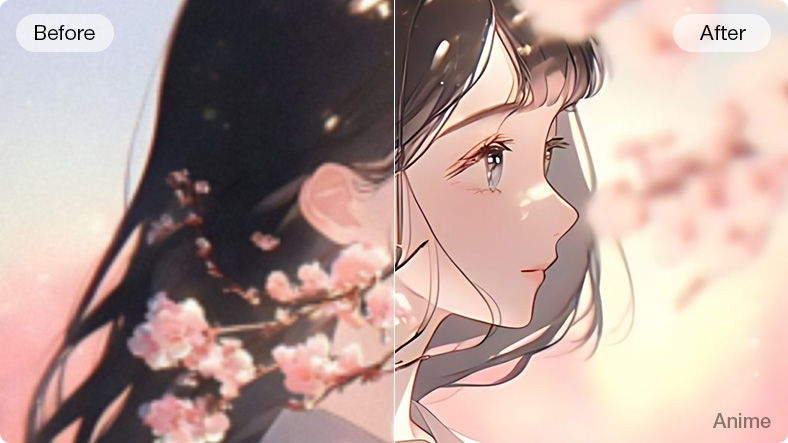
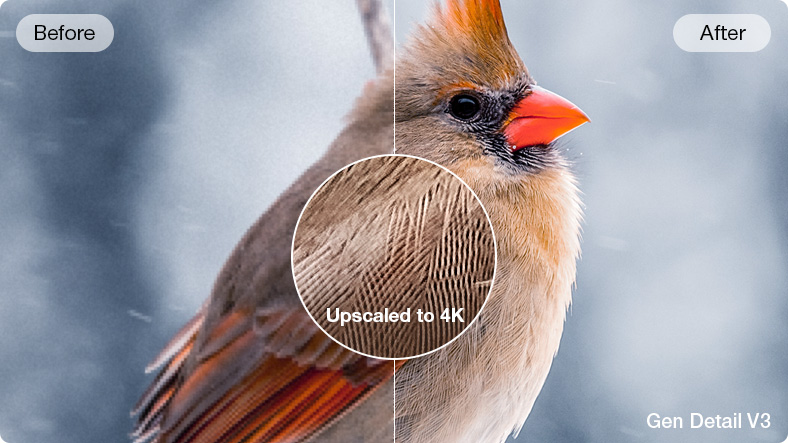
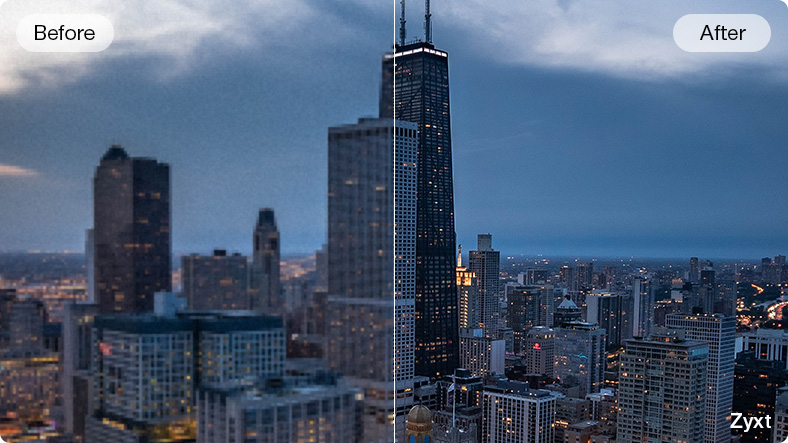
Elevate Clarity, Upscale Images to 4K/10K/10K Stunning Quality
Enhance: Elevate any blurry, old, pixelated and images/photos, low-res AI arts, poor-quality screenshots and downloads. Upscale any pictures to 4K/8K/10K quality for crystal-clear printing, archiving, sharing, and more. Denoise, deblur, sharpen, and enhance in just one click, powered by four AI models tailored for different image types.
- #Real 4K/8K/10K
- #4 AI Models
- #Batch upscaling
- #GPU & CPU Compatible
-
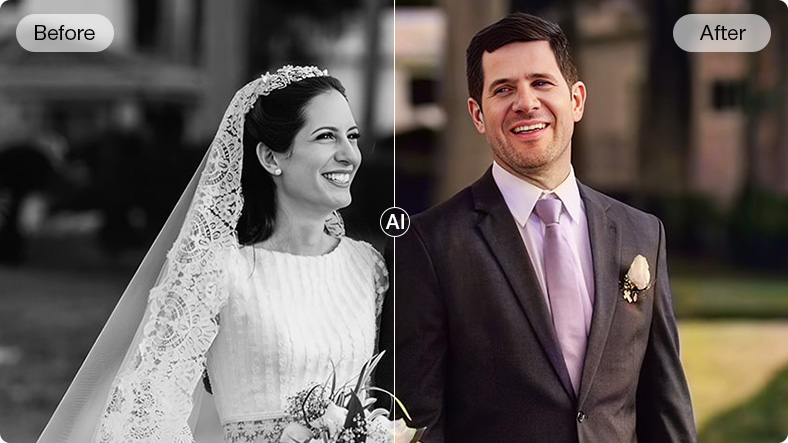
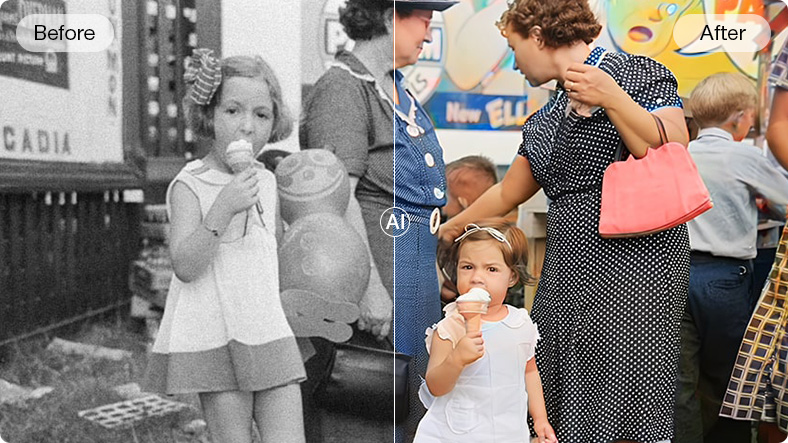
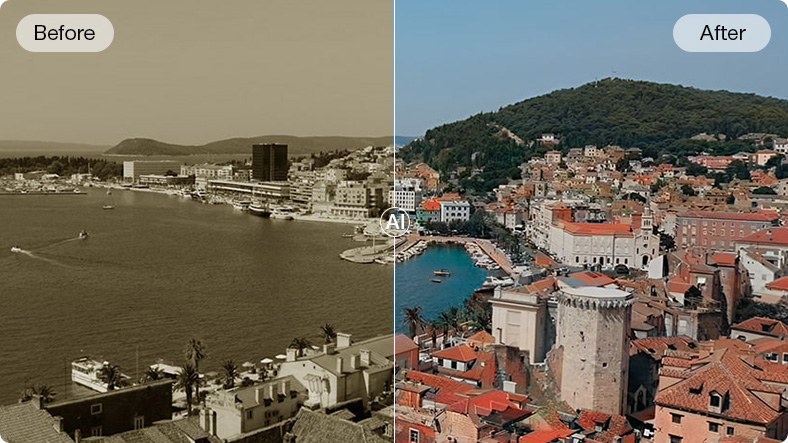
Colorize Black-and-white & Monochrome Photos with AI
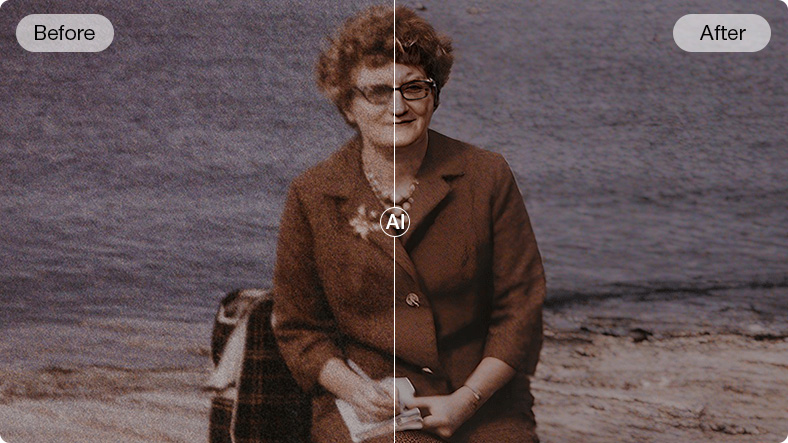
Breathe new life into black-and-white photos by adding vibrant colors, transforming old and faded heritage images into true-to-life modern pictures with restored and sharpened details. Accurately restore colors and tones for people, objects, clothing, and landscapes while enhancing overall image quality.
- #Rich and natural coloring
- #No mismatched tones
- #Optimized for human skins
-
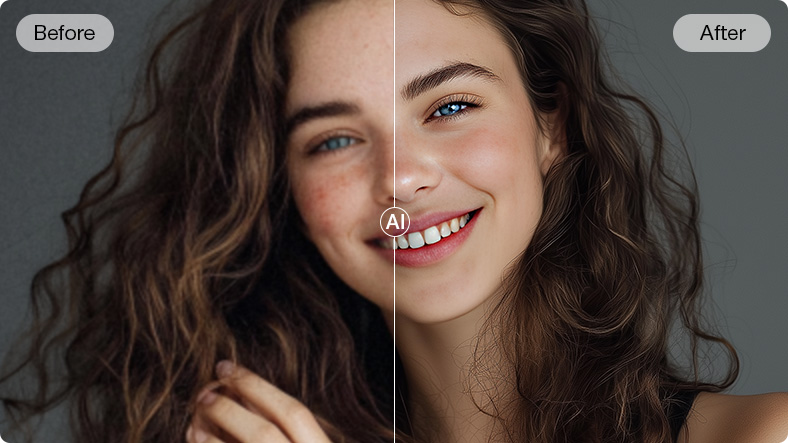
Retouch and Enhance Any Face in Images to Sharp Vibrancy
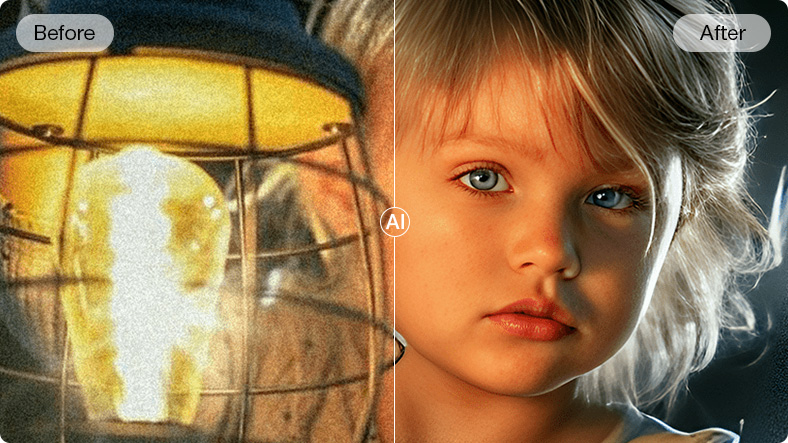
Restore faces with stunning clarity, every detail of hair, skin, eyes, and lips brought back to life. Breathe new life into old, scratched, and stained photos, turning portraits and group shots into crisp, vibrant 4K/8K/10K images. Deblur, sharpen, restore, and upscale for flawless prints and lasting memories.
- #Pixel-Perfect Restoration
- #4K/10K Clarity
- #Batch Repairing
-
Eliminate Distracting Background Noise, Get Crystal-Clear Audio & Video
Get rid of traffic hum, wind, hissing, echoes, and chatter while preserving voice clarity. Enhance dialogue, reduce distortion, and amplify weak audio instantly for a professional, polished sound. Remove or keep vocals/instrumentals in an audio file. Ideal for podcasts, interviews, voiceovers, online courses, vlogs, calls, and live streams—ensuring every word is heard with precision.


 00:00:1900:00:1800:00:06Off On
 Remove Vocals
 Remove Instrumentals
 Remove Noise
- #Auto-detect
- #Support all formats
- #Batch removal








All-in-One Media Processing Toolkit
More than just AI enhancement, VideoProc Converter AI is your complete solution for every video and audio need. Convert any format, compress large files without losing quality, make quick edits, and download online videos or audio effortlessly. Save time, simplify your workflow, and get your media ready for any device, platform, or project.


-

Convert Video/Audio for Playing, Sharing, Editing
No more "unsupported format" errors. Convert any video, audio, or DVD to the right format for your device, editor, or platform in one click. Turn HEVC, MKV, MOV, or DVD into smooth, high-quality MP3, MP4, H.264, H.265, ProRes, iPhone and 420+ formats. Works perfectly with footage from GoPro, DJI, 4K camcorders, CCTVs, car DVRs, DVDs, OBS and screen captures.
-

NEW Compressor: Compress 4K and Large Videos for SNS
The fully upgraded Compressor is now an independent module optimized for both batch and specific video compression, with new codec setting options for finer control. With the Max-Quality Compression Engine and efficient codecs, VideoProc helps you reduce video size by over 90% in one click while keeping maximum quality, offering 7 methods incl. target size, transcode, and adjusting GOP/frame/resolution/bitrate/audio.
-

29+ Quick-Edit Tools for Fast Video Touch-Ups
Meet almost all your quick editing requirements: cut unwanted segment /ads /the opening or closing, split large video in small segments, merge videos, crop, rotate, flip, add subtitle/effect/watermark, make Gif, adjust speed/volume/brighness, M3U8, stabilize, denoise, defisheye, reframe, force A/V, horizontal videos to vertical MP4, etc.
-

Download Any Video Audio for Further Use
Easily download HD/4K videos, movies, TV shows, music, online courses, streams, playlist, channel, M3U8, subtitle from 1000+ sites, and convert to MP4, MP3, etc. Search the matched subtitle texts online for movies and TV series. Enable the proxy server to download videos and audios anywhere.
-

4K/60fps Screen & Webcam Recorder
Record computer screen and webcam in stunning clarity — up to 4K 60fps for ultra-sharp, smooth captures. Support picture-in-picture or green screen mode. Make gameplay, instruction, and other creative videos by recording and keying. Built-in utility tools let you mark, crop, or highlight important areas during recording.
-

Unique! Level-3 Hardware Acceleration
Maximize video processing efficiency, fully powered by Intel QSV, NVIDIA CUDA/NVENC, AMD GPUs, and Apple M1/M2/M3/M4 (Pro/Max/Ultra). It is the best video converter and enhancer that work with MP4 (H.264/HEVC), 4K/8K, 10-bit, and HDR videos.
Buy VideoProc Today, Save Big & Get Gifts
| See Comparsion |
Trial Version |
Paid Version |
|---|---|---|
|
Purchase benefits |
||
|
Video Al - Super Resolution |
File < 5 min |
|
|
Video AI - Frame Interpolation |
File < 5 min |
|
|
Video AI – Stabilization |
File < 5 min |
|
|
Image AI – Super Resolution |
5 images only |
|
|
Image AI – Colorizing |
5 images only |
|
|
Image AI – Face Restoration |
5 images only |
|
|
Audio AI – Nosie Remover |
File < 5 min |
|
|
Audio AI – Vocal Remover |
File < 5 min |
|
|
Video/Audio/DVD Conversion |
File < 5 min |
|
|
Compress Videos in High Quality |
File < 5 min |
|
|
Make Quick Edits |
File < 5 min |
|
|
Online Video/Audio Downloader |
10 + sites |
|
|
Screen/Webcam Recording |
Win: watermark |

Recommended by World's Leading Tech Media

With VideoProc Converter AI, you can effortlessly elevate your old, low-resolution footage. This robust AI video upscaler enhances resolution, boosts frame rates, reduces blurs and noise, smooths out interlacing artifacts, and refines color rendition, producing videos of significantly higher quality.

With so many tools to take advantage of, combined with AI image improvements that compare to the best alternatives, VideoProc Converter AI has lots to commend. If you're looking for software to convert your archive footage and photographs into sharp, vibrant 4K images, VideoProc Converter AI comes highly recommended.

VideoProc Converter AI by Digiarty is an all-in-one multimedia software for enhancing, converting, and processing videos and images. Its AI-powered toolkit lets you upscale footage to 4K, restore old photos, and add frame interpolation for smoother playback.