
 VideoProc Converter AI
 New AI features are available


 Listed in
 Paid AI photo enhancers like Topaz Photo and Magnific AI offer polished interfaces, cloud rendering, and responsive customer support. However, rising subscription costs and privacy concerns have led many users to look beyond fully closed tools and explore open-source alternatives, which can be run locally or through cloud-based workflows. This raises a simple question: can open-source image upscalers realistically handle professional image enhancement, restoration, and upscaling tasks?
Open-source image enhancers do offer real advantages, including offline quality enhancing, deeper customization, and full control over image data. However, they also share some common practical trade-offs such as complex setup, heavy VRAM usage, long processing times, and inconsistent output quality, especially on consumer hardware.
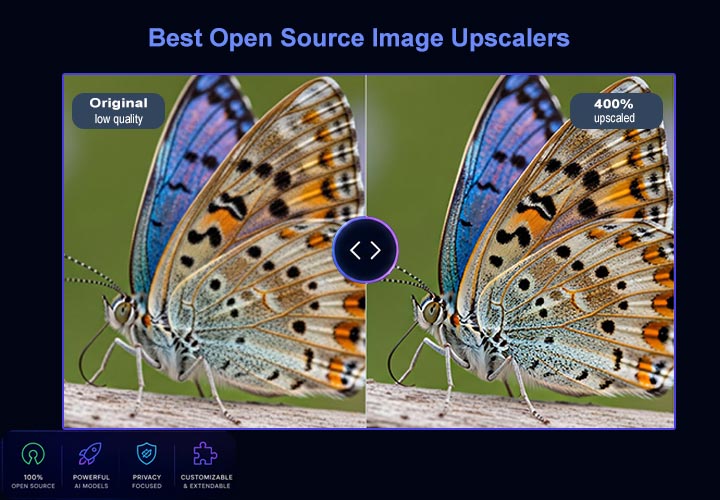
To explore this gap in practice rather than theory, I spent several days testing five widely used open-source photo upscaling and restoration tools in real-world scenarios. Some performed better than expected, while others are quite disppointed. In the following sections, I'll go through each open source photo enhancers, including their strengths, limitations, and real before-and-after comparisons.
How I Tested These Open Source Image Upscalers and Enhancers
To make the comparison fair and practical, I tested all open source photo enhancers under the same conditions rather than relying on curated demos or optimized showcase results. My goal was to evaluate real world performance, not best case scenarios.
- My Computer Setups: I used an NVIDIA RTX 3060 12GB desktop GPU for all local testing. For SeedVR2 or similar programs that could not be reliably run on my local setup, I used a cloud ComfyUI environment.
- The Testing Images: I used the same set of images for all tools. These included low resolution photos, compressed web images, and texture heavy scenes where detail reconstruction and artifact handling are easy to evaluate.
- Software settings: Whenever possible, I used default settings or the recommended configurations provided by each tool's documentation or repository.
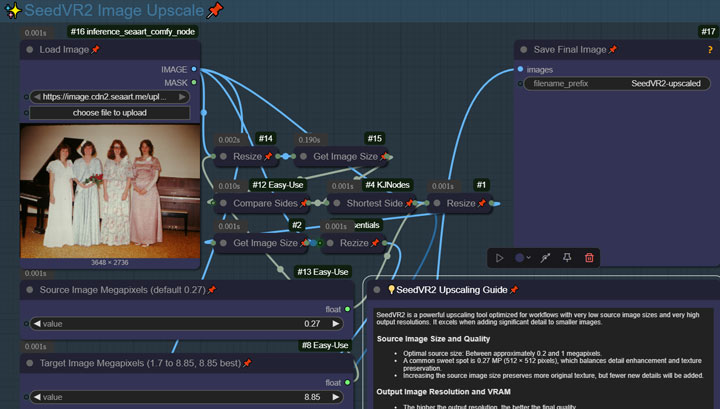
- For tools that require manual pipelines or custom setups, such as SeedVR2, I followed commonly used community workflows without modification or additional optimization.
How I Evaluet These Open Source Photo Enhancers
Each open source photo enhancer was evaluated across five key dimensions designed to reflect real world usage rather than synthetic benchmarks.
1. Fidelity & Hallucination
The main challenge with modern generative upscalers is maintaining fidelity to the original image. Some models over interpret details, turning noise into invented features such as eyes, buttons, or textures. I evaluate whether each open source image upscaler preserves the original intent, especially in fine structures like skin texture, hair strands, and fabric detail, without introducing hallucinated elements.
2. Artifacts & Grid Lines
Many photo upscalers rely on tiling to handle large images within limited VRAM. When not handled properly, this can introduce visible grid lines or stitching artifacts. I also check for overly smooth or “plastic” textures, which are common in older or overly aggressive enhancement models.
3. Inference Speed
I measure the time required to upscale a standard image set to a consistent resolution. In real workflows, speed directly impacts usability, especially for batch processing.
4. Resource Footprint (VRAM & Stability)
I monitor VRAM usage and system stability during inference, including out of memory crashes. Efficient memory management is critical for running these models on consumer hardware.
5. Installation & Workflow Complexity
Open source image upscalers vary significantly in usability. Some are plug and play, while others require complex setup, dependency management, or ComfyUI workflows. I evaluate how accessible each tool is for non technical users and how much setup friction is involved before first successful run.
Open-Source Image Upscaler Software vs. Models
When exploring open-source image enhancers and upscalers, you quickly run into two different layers in the ecosystem: the software you interact with, and the AI models doing the actual reconstruction work. Open source image enhancer software refers to the tools or interfaces you use directly, such as Upscayl or workflow environments like ComfyUI. These tools don't perform the image enhancement themselves; instead, they provide a way to run, organize, and control different models. Open source image enhancer models are the systems that actually generate or restore images, such as SUPIR, SeedVR2, or Real-ESRGAN. They are responsible for the actual upscaling or reconstruction process.
For example, Upscayl wraps pre-configured models into a simple desktop application, while ComfyUI acts more like a flexible workspace where different models and workflows can be combined. This difference is why a one-click upscaler and a node-based system feel fundamentally different in practice.
Because the open-source ecosystem includes a wide range of experimental and niche models, I intentionally narrowed this review to a small set of widely used and relatively stable systems, mainly SUPIR and SeedVR2. These two represent different directions in modern open-source image restoration: one prioritizing reconstruction quality, and the other focusing on speed and practicality.
4 Top Open Source Image Upscaler & Enhancer Review
#1. Upscayl
- Minimum System Requirements: GPU with Vulkan support (can run on integrated graphics, Apple M-series chips, or older GPUs); 4GB VRAM/RAM recommended.
- Developer/Team: Upscayl Team (Anshul Vyas and open source contributors).
- Primary Use Case: Anime, illustration, and high contrast digital artwork.
- Setup Complexity: Easy.
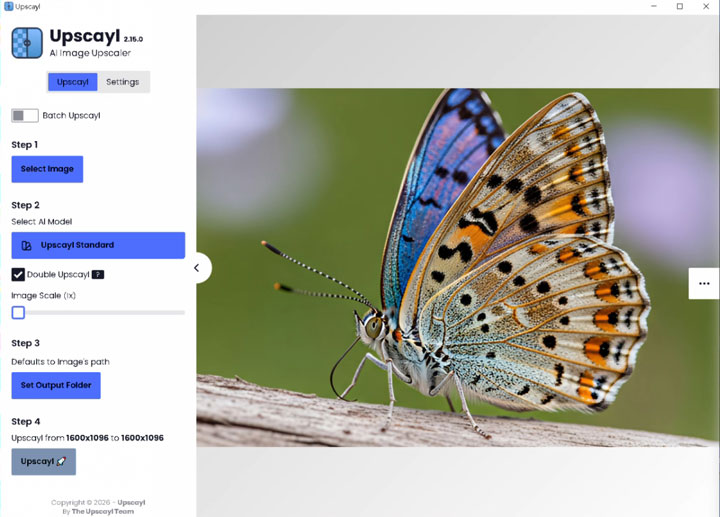
Upscayl is a free, cross-platform desktop application for local image upscaling, built for users who want a simple open source photo upscaler and enhancerl that works without touching the terminal. It runs fully offline and wraps a set of well-known GAN-based models such as Real-ESRGAN, Remacri, and UltraSharp into a single interface. Since Upscayl v2.5, it also supports loading custom NCNN models, which in theory expands its flexibility. In practice, however, this flexibility comes with trade offs. The default models include simple guidance, such as whether a model is better suited for denoising or clarity enhancement, which makes selection relatively straightforward. With custom models, that layer of guidance disappears. You are expected to understand each model's behavior on your own, which often means relying on external documentation or prior experience.
As for output quality, the default models are generally reliable but not particularly strong in detail reconstruction. Upscaling works well, but improvements in clarity and fine texture recovery are limited compared to more advanced restoration-focused models.
See My Test Results with This Open Source Image Upscaler & Enhancer
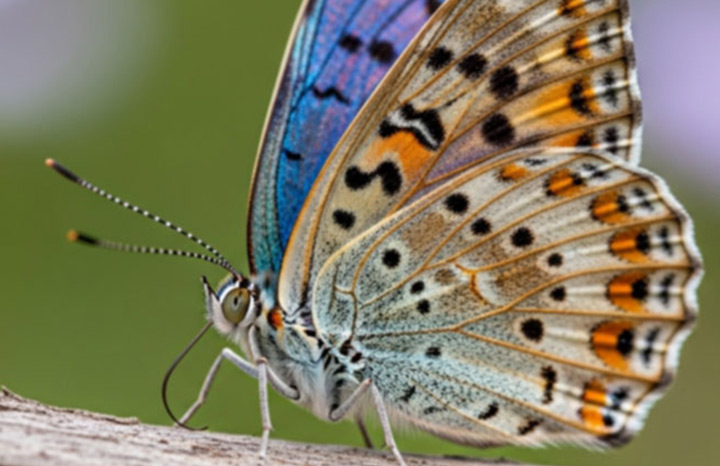
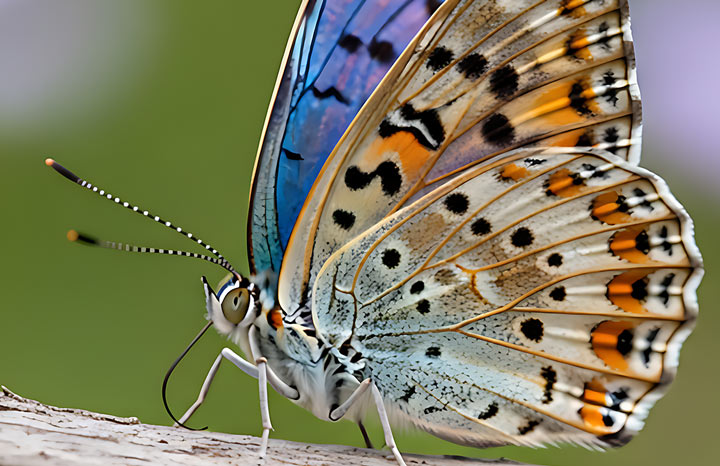
Test 1. 4X Upscale and Enhance a Blurry Photo

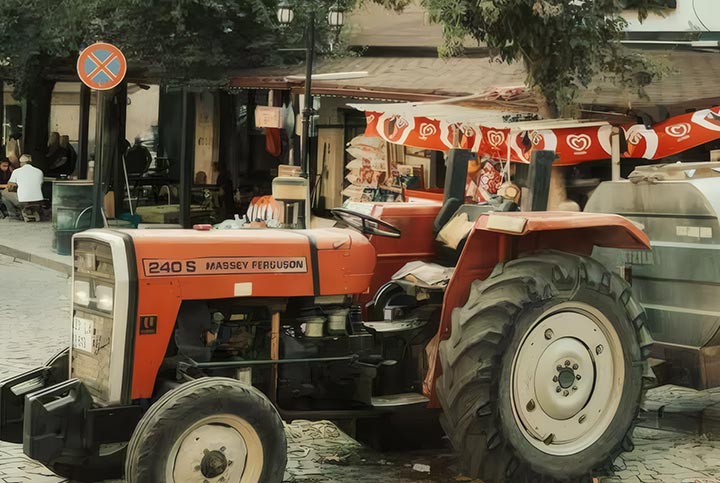
Test 2. 4X Upscale and Enhance a Low Quality Photo with Text

Test 3. 4X Upscale and Enhnce a Grainy Photo
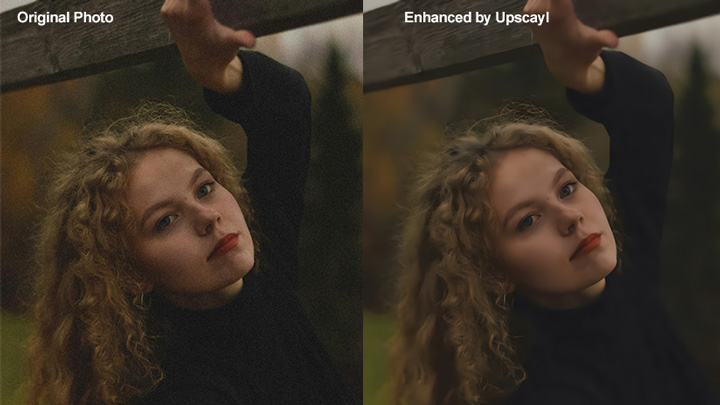
My Findings: During my usage, this open source image enhancer excelled at processing clean, structured visual assets. It keeps lines incredibly sharp and removes pixelation without introducing weird textures. However, because it lacks a generative diffusion model under the hood, it cannot recover heavily damaged faces or draw missing fine details on blurry photographic subjects.
Pros:
- True one-click installation and incredibly simple GUI.
- Runs completely offline and requires very little VRAM.
- Outstanding performance on anime, cartoon art, and graphic design assets.
Cons:
- Cannot generate or "re-imagine" missing details on highly blurred real-world photos.
- Output can look slightly plastic or flat when applied to complex real-world textures.
- Slow upscaling and enhancing speed.
#2. Clarity AI
- Minimum System Requirements: NVIDIA GPU with 8GB VRAM (using tiled FP8 mode) or Apple Silicon M-series with 16GB Unified Memory.
- Developer/Team: Philz1337x.
- Specialization: Add hyper-realistic detailsto blurry images.
- Setup & Usability Difficulty: The free version has a steep learning curve, while the paid web version is quite straightforward.
Clarity AI is an open-source generative phot upscalingand enhancing software, often seen as an alternative to tools like Magnific AI. It is built on a latent diffusion pipeline based on models such as Stable Diffusion and Flux, allowing it to reconstruct missing visual details rather than simply enhancing images. This generative approach makes it particularly strong at faces, text, and AI-generated artwork cleanup, but it also means the output is more interpretive rather than a strict restoration of the original image.
The system is highly configurable, allowing users to control how much generative freedom is applied. This makes it popular among artists who want more control over image reconstruction rather than pure enhancement. There are two main ways to use it: free workflows via ComfyUI or AUTOMATIC1111, and paid, more streamlined access through ClarityAI.co or a ComfyUI API node. The Flux upscaling feature is also available at ClarityAI.co/flux-upscaler and is not open-source.
See My Test Results with This Open Source Image Upscaler & Enhancer
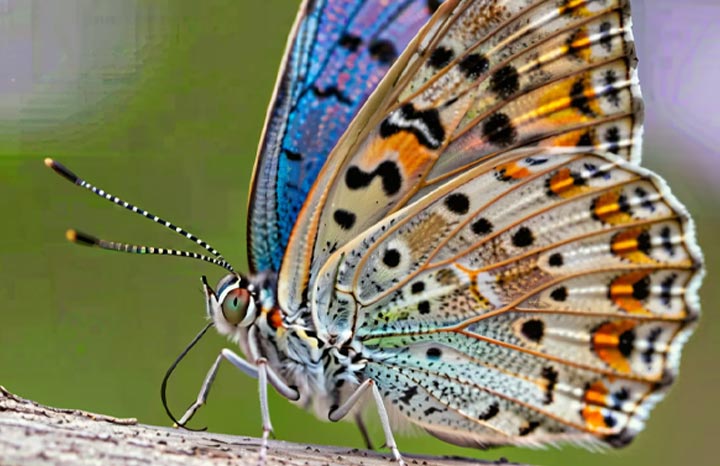
Test 1. 2X Upscale and Deblur a Blurry Photo
Test 2. 4X Upscale and Denoisy a Portrait Photo
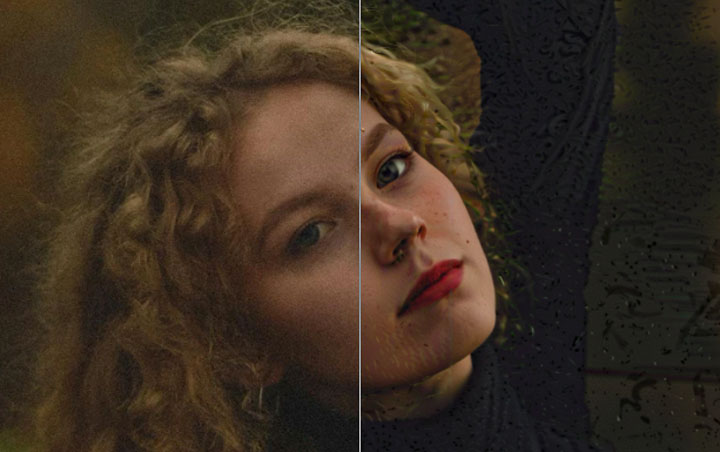
My Findings: I'm using the free version of Clarity AI in ComfyUI, but getting started has been quite difficult. I have to manually configure the checkpoint, upscale model, and many other components, which can be overwhelming for a beginner. I've also run into a lot of common first-time ComfyUI issues, such as errors like “mat1 and mat2 shapes cannot be multiplied (154x2048 and 768x320)” and “no valid checkpoint.” Although I eventually managed to fix most of them, the results still aren't as good as I expected. That's probably because I'm not yet familiar with many of the settings and tools, such as KSampler, ControlNet, upscale models, and tiled diffusion.
Pros:
- Add hyper-realistic detail and lifelike textures into blurry subjects.
- Highly customizable creative controls for professional artists.
- Excellent for modern AI art, rendering high-end character textures.
Cons:
- Heavy hallucinations and visual anomalies if parameters are not carefully tuned.
- High hardware requirements; slow rendering times on entry-level GPUs.
#3. SUPIR
- Minimum System Requirements: NVIDIA GPU with 12GB VRAM.
- Developer/Team: Xuanwu Lab, Tsinghua University (Fangyuan Liang and collaborators).
- Primary Use Case: Restoration of heavily degraded real-world images.
- Setup Complexity: Very high. Requires a full ComfyUI workflow setup, large model downloads (10GB+), and careful memory management to avoid frequent crashes.
SUPIR is a high-end open-source restoration model built on an SDXL-based diffusion architecture, designed for full image reconstruction, especially in cases where the input is severely degraded. It introduces text-prompt guidance into the restoration process, allowing prompts to influence how missing details are reconstructed. This makes it possible to guide repairs such as scratch removal, facial reconstruction, and extreme blur recovery.
In practice, SUPIR is noticeably stronger than most open-source alternatives in terms of structural fidelity. Faces and overall geometry are generally preserved more accurately compared to typical diffusion-based upscalers, which often struggle to maintain identity consistency when reconstructing missing details. However, this level of performance comes at a significant cost. The workflow is complex, the memory footprint is heavy, and stability can be an issue on consumer GPUs. Even with optimization techniques, out-of-memory errors are common, and processing speed is slow, often taking several minutes per image.
See My Test Results with This Open Source Image Upscaler & Enhancer
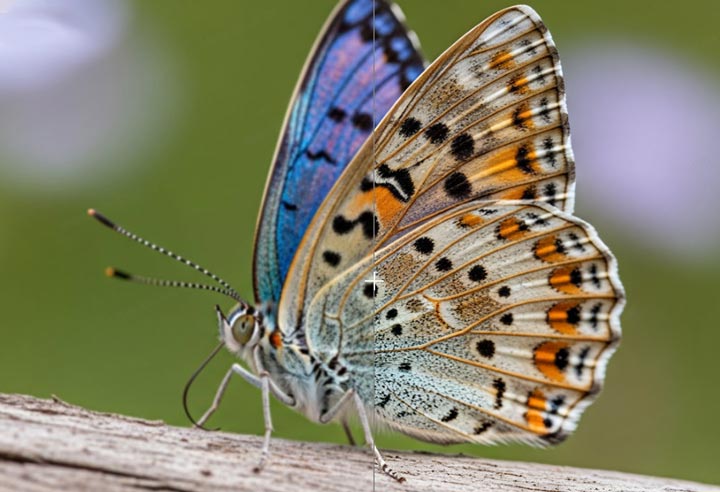
Test 1. 2X Upscale and Enhance a Blurry Photo
Test 2. 4X Upscale and Enhance a Low Quality Photo with Text
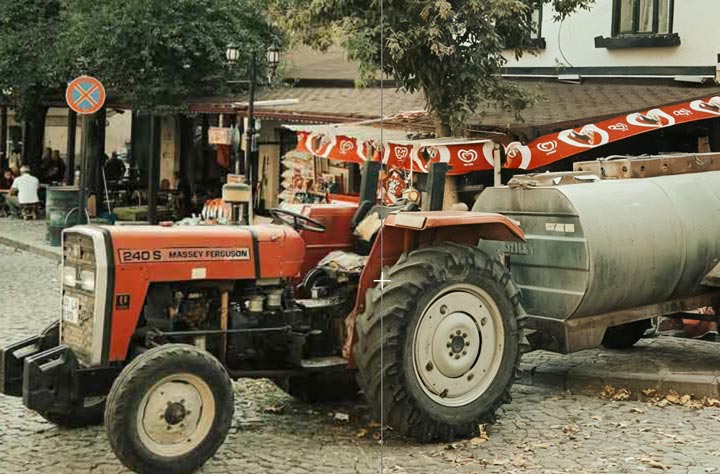
Test 3. 4X Upscale and Enhnce a Grainy Photo
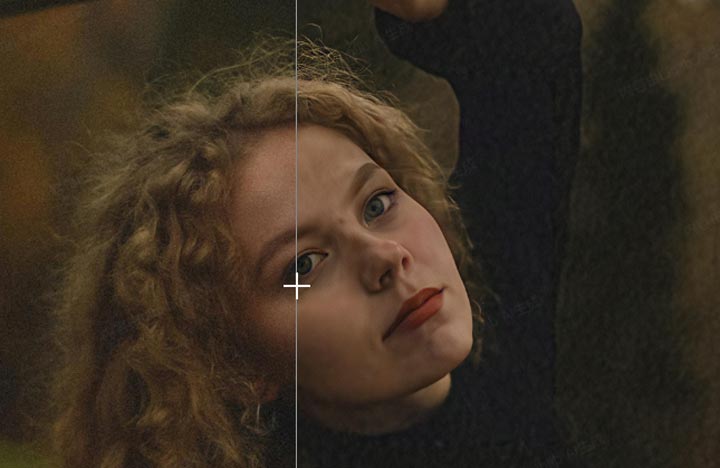
My Findings: SUPIR is still a very capable restoration model, but in my testing its results were often close to SeedVR2 — usually just slightly worse in realism and consistency. SeedVR2 preserved facial structure and fine details more naturally, while SUPIR sometimes over-processed noisy areas. In some face restoration tests, heavily degraded regions turned into blurry dark smudges after enhancement, whereas SeedVR2 kept the texture cleaner and more accurate overall.
Pros:
- Exceptional performance in restoring severely degraded images
- Strong facial reconstruction with preserved identity structure
- Prompt-guided control over restoration behavior
Cons:
- Extremely high VRAM requirements and frequent OOM risk
- Slow inference speed, especially on consumer hardware
- Complex ComfyUI setup with steep learning curve
#4. SeedVR2
- Minimum System Requirements: NVIDIA GPU with 8GB VRAM (with GGUF and tiling optimizations in v2.5) or Apple Silicon M-series with 16GB unified memory.
- Developer/Team: ByteDance Seed Team.
- Primary Use Case: Video restoration, temporal consistency in frame sequences, and natural texture enhancement.
- Setup Complexity: Moderate. Runs through ComfyUI with official custom nodes, but v2.5 workflows are now more accessible via ComfyUI Manager.
SeedVR2 was originally developed as a video restoration model, but in practice it also works surprisingly well as a general-purpose image upscaler. It is built on a Diffusion Transformer (DiT) architecture and differs from traditional diffusion pipelines by producing results in a single inference step rather than iterative denoising. SeedVR2 tends to preserve the original structure and adds only subtle texture enhancement. This makes the output look more natural, especially for faces and real-world footage, where some diffusion upscalers tend to over-alter identity. The v2.5 update introduces more practical optimizations such as GGUF support, VAE tiling, and BlockSwap, which significantly improve stability and make it usable on mid-range hardware.
See My Test Results with This Open Source Image Upscaler & Enhancer
Test 1. 4X Upscale and Enhance a Blurry Photo
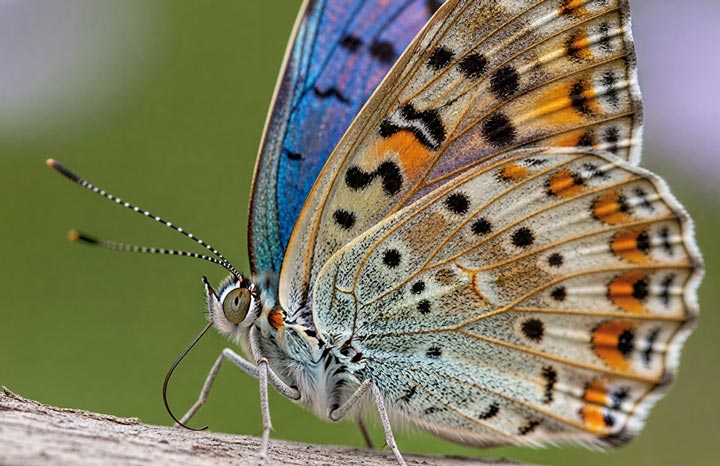
Test 2. 4X Upscale and Enhance a Low Quality Photo with Text
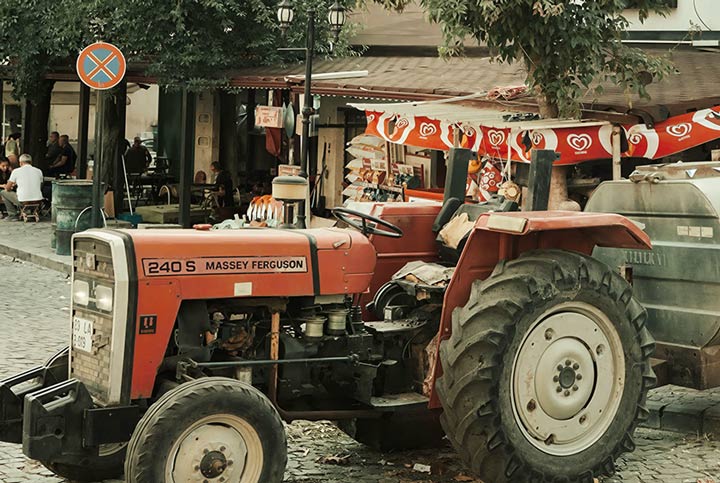
Test 3. 4X Upscale and Enhnce a Grainy Photo
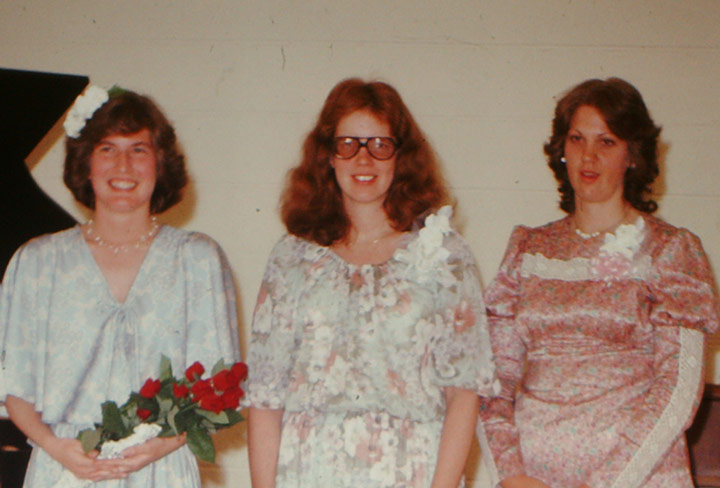
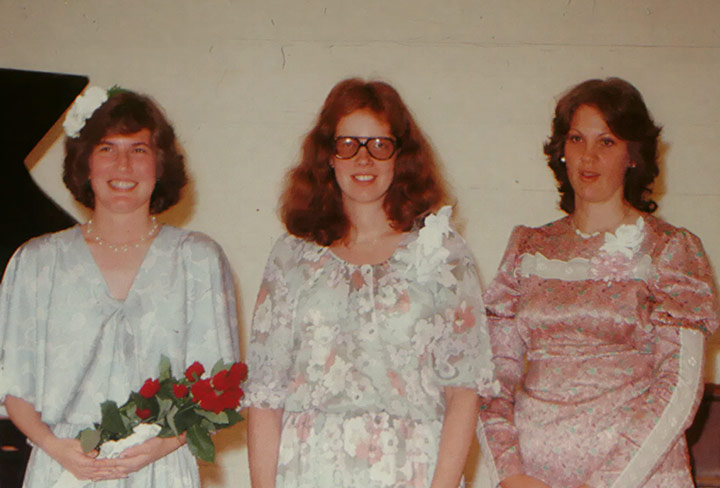
My Findings: In my testing, it performed noticeably faster than heavier AI photo enhancing models like SUPIR, while maintaining more stable results across batches. And most importantly, its generative reconstruction is also among the best I've seen in open source models so far, producing results that feel both highly accurate and natural without overprocessing the image.
Pros:
- Very fast single-pass diffusion inference compared to iterative models
- Produces natural-looking results with minimal hallucination
- Strong temporal consistency for video restoration
- More stable on mid-range hardware with v2.5 optimizations
Cons:
- Does not aggressively reconstruct missing or heavily damaged details
- Requires ComfyUI setup, which still has a learning curve
- Less suitable for “creative” or heavily enhanced outputs
Summary: A Quick Comparison of Open Source AI Image Enhancers
| Tool / Model | Core Architecture | Ease of Use | Final Quality | Detail Preservation | Render Speed | VRAM Usage | Best For |
|---|---|---|---|---|---|---|---|
| Upscayl | GAN-based (Real-ESRGAN / Remacri) | Easy | Good | Weak | Slow depending on model | < 4GB | Images that already look clean but simply need higher resolution |
| Clarity AI | Latent Diffusion (Flux / SDXL) | Steep learning curve | Bad (with lots of artifacts) | Bad (may be due to my limited understanding of how to properly use the different models and settings.) | Average | ~10.5GB (FP8) | Creative portraits, AI art, rich skin and fabric texture generation |
| SUPIR | Prompt-Guided SDXL Diffusion | Steep learning curve | Very Good | Good | Average | ~11.5GB (FP8 Optimized) | Restoring heavily damaged old photos and facial reconstruction |
| SeedVR2 (v2.5) | One-Step DiT (Diffusion Transformer) | Steep learning curve | Very Good | Excellent | Relatively Fast | ~7.2GB (GGUF) | Natural texture recovery, AI video upscaling, and stable frame consistency |
Which Open Source Image Enhancer Should You Use
Choosing the right tool mostly depends on your hardware and the type of result you want.
If you are a casual user, Mac user, or do not have a dedicated GPU, your best choice is Upscayl. It's by far the easiest option to set up and use. It runs locally, works well on CPUs and Macs through Vulkan/Metal acceleration, and does not require complicated workflows or prompt tuning. For simple resolution enhancement, illustrations, screenshots, or already-clean images, it gets the job done with minimal effort.
If you want highly detailed, cinematic enhancement and do not mind slower rendering. SUPIR is worth to consider. Why? This diffusion-based model focus heavily on generative reconstruction. With enough VRAM and some prompt tweaking, it can create extremely rich textures, realistic skin detail, fabric fibers, and cinematic-looking results that traditional upscalers simply cannot reproduce. The tradeoff is slower rendering, heavier hardware requirements, and a higher chance of hallucinated details.
If you need natural-looking results with minimal hallucination. SeedVR2 (v2.5) through ComfyUI is the most ideal option. In my testing, SeedVR2 offers one of the best balances between realism, stability, speed, and hardware efficiency among current open-source models. Unlike many SDXL-based upscalers, it generally avoids excessive sharpening and chaotic generative artifacts. This makes it especially good for AI video upscaling, frame-by-frame restoration, and workflows where maintaining temporal consistency matters more than aggressive enhancement.
A Hassle-Free Alternative to Open-Source Image Enhancers
Open-source image upscalers can deliver excellent results, but in real-world use they often come with a steep learning curve. Tools like ComfyUI workflows, model switching, parameter tuning, and VRAM optimization can quickly become overwhelming, especially if you just want fast and reliable results without technical setup. That's why I also tested a more straightforward alternative: VideoProc Converter AI. If you're looking for a simpler way to enhance images to up to 8K/10K clarity without dealing with complex workflows or a high-end workstation setup, it's one of the most accessible options I've tried.

VideoProc Converter AI — 1-Click AI Image & Video Enhancement
- 1-click enhancement and upscaling without installing Python or configuring ComfyUI
- Upscale images and videos by 2×, 3×, or 4× with support up to 8K/10K output
- Fix all common viusla flaws: nosies, grainiess, pixelation, JPEG artifacts, etc.
- 4 AI models designed for best final quality with different types of photos.
- All-in-one: AI video/image enhacement, format conversion, video download, and more.
 Excellent
Download VideoProc and upscale/enhance your images and videos within just a few clicks!

See the before & after results after upscaling video in VideoProc Converter!
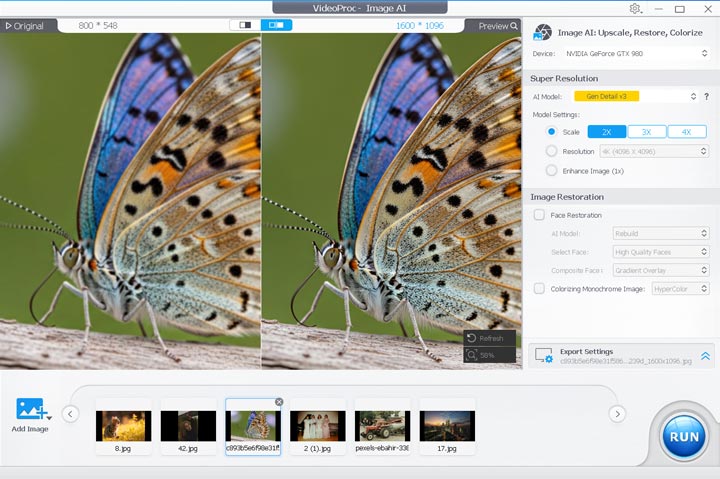
For users who value convenience and stability over fine-grained control, it offers a much smoother experience than traditional open-source pipelines. After all, more detailed customization doesn't necessarily lead to better results, at least not for beginners.
FAQs
1. Can SeedVR2 really run on an 8GB GPU?
Yes. The v2.5 update introduced several major optimizations, including GGUF quantization support, VAE tiling, and BlockSwap. With the GGUF version loaded in ComfyUI and tiling enabled, many users can run SeedVR2 on 8GB GPUs, and sometimes even 6GB cards. That said, memory usage still depends heavily on resolution, workflow complexity, batch size, and additional nodes. Occasional out-of-memory errors can still happen, especially at higher resolutions.
2. Why do some upscaled images look plasticky?
The “plastic skin” effect is common with older GAN-based upscalers. These models are designed to aggressively remove noise, which often causes them to smooth away natural skin pores and micro-textures. A simple way to improve this is to use a hybrid workflow:
- Upscale the image first using your preferred model.
- Run the result through a face restoration model such as CodeFormer or GFPGAN in ComfyUI.
- Lower the restoration fidelity/weight slider to around 0.5.
This helps preserve the sharp structure from the upscale while blending back more natural-looking skin texture.
3. Are local open-source photo upscalers safer than cloud-based tools?
In most cases, yes. Online tools require uploading your images to third-party servers, which can create privacy concerns for sensitive files such as client work, internal company assets, family photos, or medical imagery. Local open-source photo upscalers and enhancers run entirely on your own hardware, meaning your files never leave your system. You also maintain full control over the models, workflows, and processing pipeline without depending on external services or subscriptions.



