 VideoProc Special Offer for Giveaway Users
- 00
- 00
- 00
- 00
 VideoProc Special Offer for Giveaway Users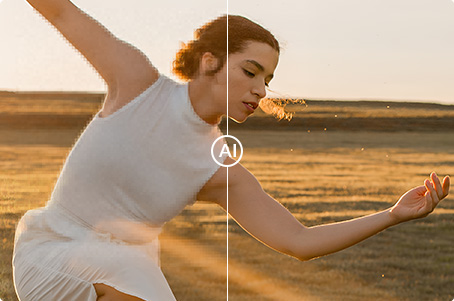

Added a new "Keep Original Colors" option for AI Video Super Resolution to restore colors closer to the original video.
Added MKV output format in AI features, preserving all subtitle tracks from the original video — ideal for multilingual videos, movie clips, and professional editing.
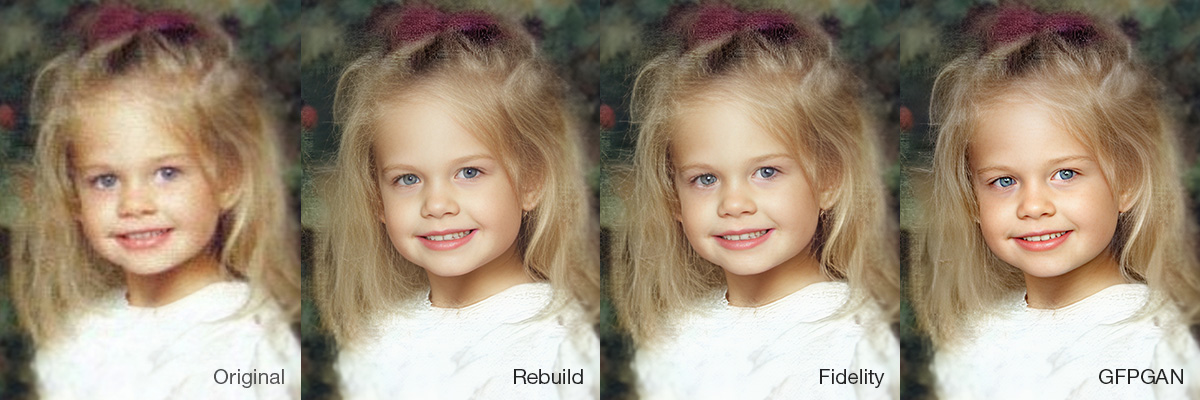
Added: A new AI Model section, featuring 3 models:
- Rebuild maintains a high level of naturalness while balancing detail restoration.
- Fidelity offers superior authenticity with precise restoration of contours and key details.
- GFPGAN delivers visually pleasing face enhancements, especially for low-resolution or slightly blurred images.
Click here to view the comparison >
Remove vocals from audio or video files with AI. Separate vocals and instrumentals to create karaoke tracks from any song, get clean background music, and extract vocal/acappella tracks for remixes, voiceovers, sampling, etc.
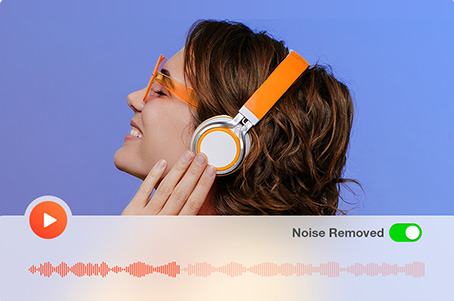
Auto-detect & remove background noise from audio and video files. Dynamically reduce various types of noise. Support batch processing. Make human voices crystal-clear.
Added conversion profiles for iPhone 18 Pro, iPhone 18 Pro Max, and iPhone Duo.
Added support for the latest macOS 27.
Upgraded Python to 3.11 and updated underlying components for better Downloader compatibility.
Gifts: 4 AI/media tools for free
 Use coupon "VIPLF-EXTRA"


Money Back Guarantee

Instant Delivery

Free Upgrade

Cut, crop, trim, split, merge, resize, rotate, mirror & flip, add subtitles/effects/watermark, make GIF, 3D to 2D, transcode, etc.

Fix shaky footage, denoise, lens correction, reframe, make M3U8 and MKV, adjust speed and other parameters, A/V sync, audio volume, etc.

Make full use of Intel®, AMD® and NVIDIA® GPUs to process video without freezing & crashing; Boost 47x real-time speed, keep high quality.

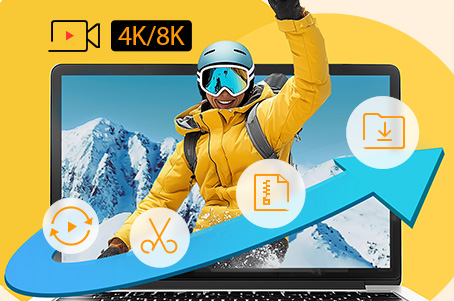
Enable mainstream computer to efficiently handle 4K 60/120/240 fps videos in HEVC, MP4 formats and more; large-sized videos, 3D, 360° VR videos.

Built in 370 input codecs & 420+ output formats, it can convert any video/audio/DVD, 3D to 2D, HEVC to H.264, 4K to 1080p/720p, vice versa.

Download video, music, playlist and channel from 1000+ sites singly or in batch. Record desktop/iOS screen with voiceover or from webcam.
 For Windows click here


VideoProc Converter is one-stop video editing software that makes it easy to edit, convert, resize, and adjust 4K ultra high-definition (UHD) videos, DVDs, music to produce a polished video you'd be happy to share.


If you shoot a lot of videos and want more flexibility in making them shine on any device, VideoProc Converter is for you. Instead of focusing on converting a video, editing, adjusting it, this app does all of the above.

Get reviewed and recommended by over 200 authority sites.

Produced by Digiarty, a solid media software provider since 2006.

The only full GPU accelerated video processing software.
Yes, it is 100% secure to buy product via videoproc.com. It has enabled HTTPs and uses SSL encryption to protect your security on the site. In addition, we utilize world-leading e-platform to process all payment which is PCI Level 1 certified and ISAE 3402 / SSAE 18 compliant with BBB A+ accreditation.
Because sales tax rates vary by countries/locations, the products listed on our website are quoted with tax excluded. A sales tax may be applied based on your local taxation law. You are able to find how much tax you will be charged for a specific order in the shopping cart. The tax you pay will be collected and handled by our payment processor and then passed on to the relevant government.
We accept Visa/MasterCard, JCB, American Express, Discover, Sofort Banking, Direct Debit, iDEAL, Bank/Wire transfer, Carte Bleue, Giropay, Alipay, WeChat Pay, Konbini, etc. All our prices are listed in US dollars. After clicking the 'Buy' button, our payment processor, 2checkout, will display the corresponding currency and the final price in your country. You can also switch to USD, EUR, GBP, AUD, TWD, HKD, or other currencies in the shopping cart before checkout.
Please click Buy Now button to enter the shopping cart. Find "I have a discount coupon", tick it -> input coupon code VIPLF-EXTRA -> refresh and you can save big.
You will get the lifetime license code by email instantly after place the order. Then follow the below guide:
Step 1: Run your VideoProc Converter. Click the "Settings" icon at the upper right hand and find "About".
Step 2: Hit "Remove License" beside the text "Giveaway License". It will become "Unregistered".
Step 3: Go back to VideoProc Converter main interface. Find "Register" in the bottom right corner, re-enter your licensed email and the "Lifetime License Code" you purchased from above -> click "Activate".
Knowledgeable representatives available to assist you through email response within 24 hours for any purchase or program problems. Email support@videoproc.com
To prove our confidence in VideoProc Converter and its value to you, we are offering a 30-day money back guarantee. We provide refunds within 30 days from the purchase date if VideoProc Converter cannot normally work and we cannot solve it within an acceptable period or provide a temporary solution.

Digiarty Software, established in 2006, pioneers multimedia innovation with AI-powered and GPU-accelerated solutions. With the mission to "Art Up Your Digital Life", Digiarty provides AI video/image enhancement, editing, conversion, and more solutions. VideoProc under Digiarty has attracted 5.2 million users from 180+ countries.
Stay current with our latest updates, guides, and subscriber-only offer.
Choose Language
Copyright © 2026 Digiarty Software, Inc. All rights reserved.
Any third-party product names and trademarks used on this website, including but not limited to Apple, are property of their respective owners.
 width="1200" height="400" alt="">


 Get Lifetime Code