
 New AI features are available
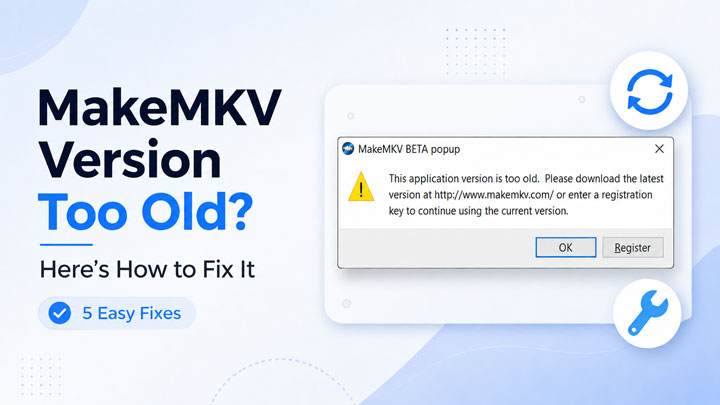
MakeMKV says "this application version is too old" even after you installed the latest version? Here’s why it happens and the safest ways to get MakeMKV working again. If you open MakeMKV and suddenly see a message saying "This application version is too old" or "This application version is too old. Please download the latest version or enter a registration key", you are not the only one. This error has confused many MakeMKV users because it can appear even when they already have the newest version installed.
The good news is that the problem is usually not caused by a damaged disc or a broken drive. In most cases, it is related to MakeMKV’s beta version, an expired beta key, a registration issue, or a version check that prevents the app from running normally. This guide explains what the MakeMKV "version too old" error means, why it happens, and how to fix it step by step.
- Why Does MakeMKV Say "This Application Version Is Too Old"
- How to Fix the MakeMKV Too Old Error
- Fix 1: Download the Latest MakeMKV Version
- Fix 2: Enter the Latest MakeMKV Beta Key
- Fix 3: Adjust the Computer’s Date and Time
- Fix 4: Reinstall MakeMKV Cleanly
- Fix 5: Purchase the Lifetime License of MakeMKV
- What If You Do Not Want to Keep Looking for Beta Keys
- Final Thoughts
- FAQs
Why Does MakeMKV Say "This Application Version Is Too Old"
MakeMKV has been available as a beta product for a long time. During this beta period, users may need a valid beta key to keep using the program. When the beta key expires, or when the installed version reaches its built-in expiration date, MakeMKV may stop working and show the "application version is too old" message.
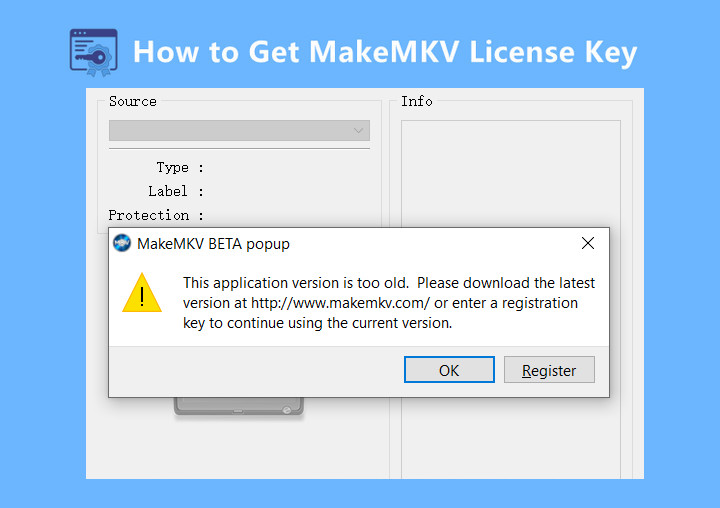
This is why the error can feel misleading. The app may not literally be outdated in the normal sense. Sometimes the latest version on the download page is already installed, but the MKV beta key has expired or the current build is temporarily blocked until a new key or update becomes available. The error can also appear when the system date is incorrect, when an old installation leaves behind broken settings, or when MakeMKV was downloaded from an unofficial source. For most users, though, the issue comes down to one of two things: the app needs to be updated, or the beta key needs to be refreshed.
How to Fix the MakeMKV Too Old Error
Now that we understand why MakeMKV says "this application version is too old," let’s go through four easy ways to fix the error.
Fix 1: Download the Latest MakeMKV Version
The first thing to do is simple: make sure you are running the newest MakeMKV build. If your installed version has expired or is older than the current release, updating MakeMKV may fix the "this application version is too old" error right away.
Step 1. Download the latest official version.
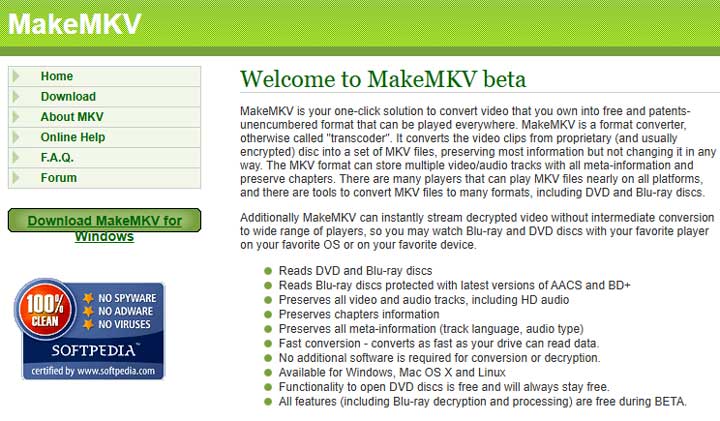
Go to the official MakeMKV website and download the latest version for your operating system.
Note: Avoid random software download sites because they may host old installers, repackaged files, or versions that do not match the current beta key. If the official website is temporarily offline, here is our guide on downloading MakeMKV even when the site is unavailable.
Step 2. Install the new version.
After downloading the installer, close MakeMKV completely, install the new version, and restart your computer if needed. Then open MakeMKV again.
Step 3. Check whether the error is gone.
If MakeMKV opens normally, the issue was simply an outdated build. If you still see "this application version is too old," move on to the next fix. This usually means the problem is related to the beta key or registration status rather than the installer itself.
Fix 2: Enter the Latest MakeMKV Beta Key
This is the most common fix when MakeMKV says the version is too old even after you have installed the latest version.
Step 1. Open the registration window
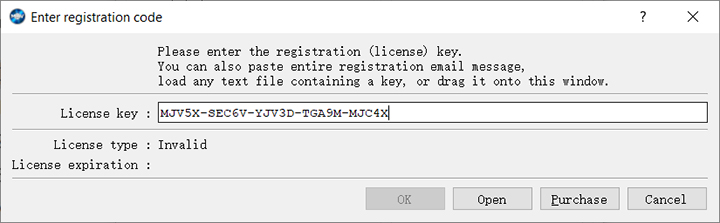
Launch MakeMKV, then go to Help > Register.
Step 2. Find the latest valid beta key
Go to the official MakeMKV forum or the official MakeMKV purchase/registration page to check whether a current beta key is available. Copy the latest valid key, then paste it into the registration field in MakeMKV.
Note: Do not copy a key from an old blog post, random forum reply, or expired tutorial. A key that worked months ago may no longer work today.
Step 3. Restart MakeMKV
Close MakeMKV completely, then open it again to see whether the "MakeMKV version too old" error has been fixed.
If the beta key has expired and no new one has been posted yet, you may need to wait until the developer updates it. This can be frustrating, but it has happened before. Some users avoid the recurring beta-key issue by using a permanent MakeMKV registration key when purchasing is available.
Fix 3: Adjust the Computer’s Date and Time
MakeMKV’s beta and registration checks may depend on your system date. If your computer date is wrong, MakeMKV may think the current version or key has already expired, even when the app itself is not broken. This is also why some users try adjusting the system date as a temporary workaround when the beta key has expired but a new official key has not been posted yet. However, this should only be treated as a short-term workaround, not a proper fix. The safer solution is still to update MakeMKV, enter a valid beta key, or use a permanent registration key.
Step 1. Check the date and time on Windows.
Open Settings > Time & language > Date & time. Turn on automatic time setting and automatic time zone if available. Then click the sync option to update the clock.
Tips: Suppose you're on macOS:
Open System Settings > General > Date & Time and make sure automatic date and time are enabled.
Step 2. Restart MakeMKV.
After correcting the date and time, close MakeMKV completely and open it again. This fix is especially worth trying if the error appeared suddenly after a system reset, battery issue, dual-boot setup, or manual time change.
⚠️Warning: Do not rely on setting your system date backward as a long-term solution. It may cause problems with browser certificates, cloud sync, software updates, email, and other apps. It is better to fix the key or version issue properly.
Fix 4: Reinstall MakeMKV Cleanly
If updating MakeMKV and entering the latest beta key do not help, try a clean reinstall. This can help when MakeMKV keeps reading old registration data, expired key records, or damaged local files from a previous installation.
Step 1. Uninstall MakeMKV.
Remove MakeMKV from your computer first. After uninstalling it, restart your system to make sure the old app process is fully closed.
Step 2. Remove leftover files if needed.
If you are comfortable checking app folders, you can also remove leftover MakeMKV configuration files before reinstalling. This may help if an old setting or damaged local file is causing the "version too old" error to repeat.
⚠️Note: Do not delete random system files unless you know what they are. If you are not sure, skip this step and simply reinstall the app.
Step 3. Enter the beta key or registration key again.
Download the latest installer from the official MakeMKV website and install it again. After reinstalling, open MakeMKV, go to Help > Register, and enter the latest valid beta key or your permanent registration key.
This clean reinstall is especially useful when MakeMKV still says the version is too old even though the download page shows that you already have the latest version.
Fix 5: Use a Permanent MakeMKV Registration Key
If you are tired of waiting for a new beta key or checking the forum every time MakeMKV stops working, using a permanent registration key is the most stable long-term fix. MakeMKV offers a lifetime registration option, so once the key is activated, you do not have to rely on temporary beta keys to keep the program running.
This option makes the most sense if you use MakeMKV regularly for DVD or Blu-ray backups. The beta version can be convenient when it works, but beta keys may expire from time to time, and the "this application version is too old" message can return whenever the current key or build is no longer valid.
With a permanent key, you can avoid the repeated beta-key cycle and support the developer at the same time. It is not necessary for every user, especially if you only rip a few discs occasionally. But for users who depend on MakeMKV often and want fewer interruptions, buying the full version can be the cleaner one-time solution.
What If You Do Not Want to Keep Looking for Beta Keys
Looking for a new MakeMKV beta key every time the old one expires can be annoying, especially if you rip discs regularly. If you want a more stable MakeMKV alternative, VideoProc Converter AI is worth considering. Once activated, it keeps working without repeated beta-key checks, so you do not have to keep searching for the latest valid MakeMKV key every time the old one expires.

VideoProc Converter AI - Best MakeMKV Alternative
- Stable Access – No repeated beta-key checks after activation.
- DVD Backup – Back up DVDs to ISO image or VIDEO_TS folder with 1:1 original quality.
- Wide Format Support – Rip DVDs to MKV, MP4, MOV, HEVC, H.264, and 420+ formats.
- File Compression – Compress large DVD files into smaller videos for easier playback and storage.
- AI Enhancement – Upscale and enhance old DVD or VHS footage to 4K.
- All-in-One Workflow – Rip, convert, compress, edit, download, and enhance media in one place.
 Excellent

This amazing MakeMKV alternative can back up DVDs to ISO image or VIDEO_TS folder with 1:1 original quality, rip DVDs to MKV, MP4, MOV, HEVC, H.264, and 420+ other formats, or compress large DVD files into smaller videos that are easier to play, edit, and store. For personal DVDs and legally permitted backups of commercial discs, it gives you a more flexible way to digitize and manage your DVD collection. Beyond DVD ripping and conversion, VideoProc Converter AI also includes AI enhancement tools. If you are working with old DVD or VHS footage, you can upscale and enhance videos to 4K with cleaner details, sharper edges, and more natural-looking clarity.
Final Thoughts
The MakeMKV "this application version is too old" error is annoying, but it is usually fixable. Start by installing the latest official version. If that does not work, enter the latest official beta key, check your system date, and try a clean reinstall. If many users are reporting the same issue at the same time, the problem may be caused by an expired beta key or delayed update rather than anything wrong with your computer. Once MakeMKV is working again, you can keep the MKV file as a high-quality backup or convert it to MP4 for easier playback and editing.
FAQs
1. Why does MakeMKV say this application version is too old?
MakeMKV usually shows this message when the installed version or beta key has expired. It can also happen if the app is outdated, the system date is wrong, or the installation still contains old registration data.
2. Why does MakeMKV still say version too old after updating?
If you already installed the latest version, the beta key may be expired or temporarily unavailable. Check the official MakeMKV forum for the current beta key and see whether other users are reporting the same issue.
3. Do I need to buy MakeMKV to fix this error?
Not always. If a valid beta key is available, you can enter it through Help > Register. If you use MakeMKV regularly and want to avoid beta-key expiration, a permanent registration key is a better long-term option when purchasing is available.
4. Can I use MakeMKV without changing the beta key?
Only if your current version and key are still valid, or if you have a permanent registration key. If the beta key expires, MakeMKV may stop working until you enter a new valid key.
5. Can I convert MakeMKV files to MP4?
Yes. MakeMKV usually creates MKV files. After ripping, you can convert MKV to MP4 with a video converter if you need better compatibility with phones, TVs, media players, video editors, or online platforms.




